
kifumo - Minecraft Skins & Skin History
Current Minecraft skin of the player kifumo, loaded from the official Mojang API. Rotate the 3D model with your mouse or finger, then download the skin as a PNG file and use it in Minecraft: Bedrock Edition or Java Edition for free. When kifumo changes their skin, this page updates automatically and the old skin stays in the history below.
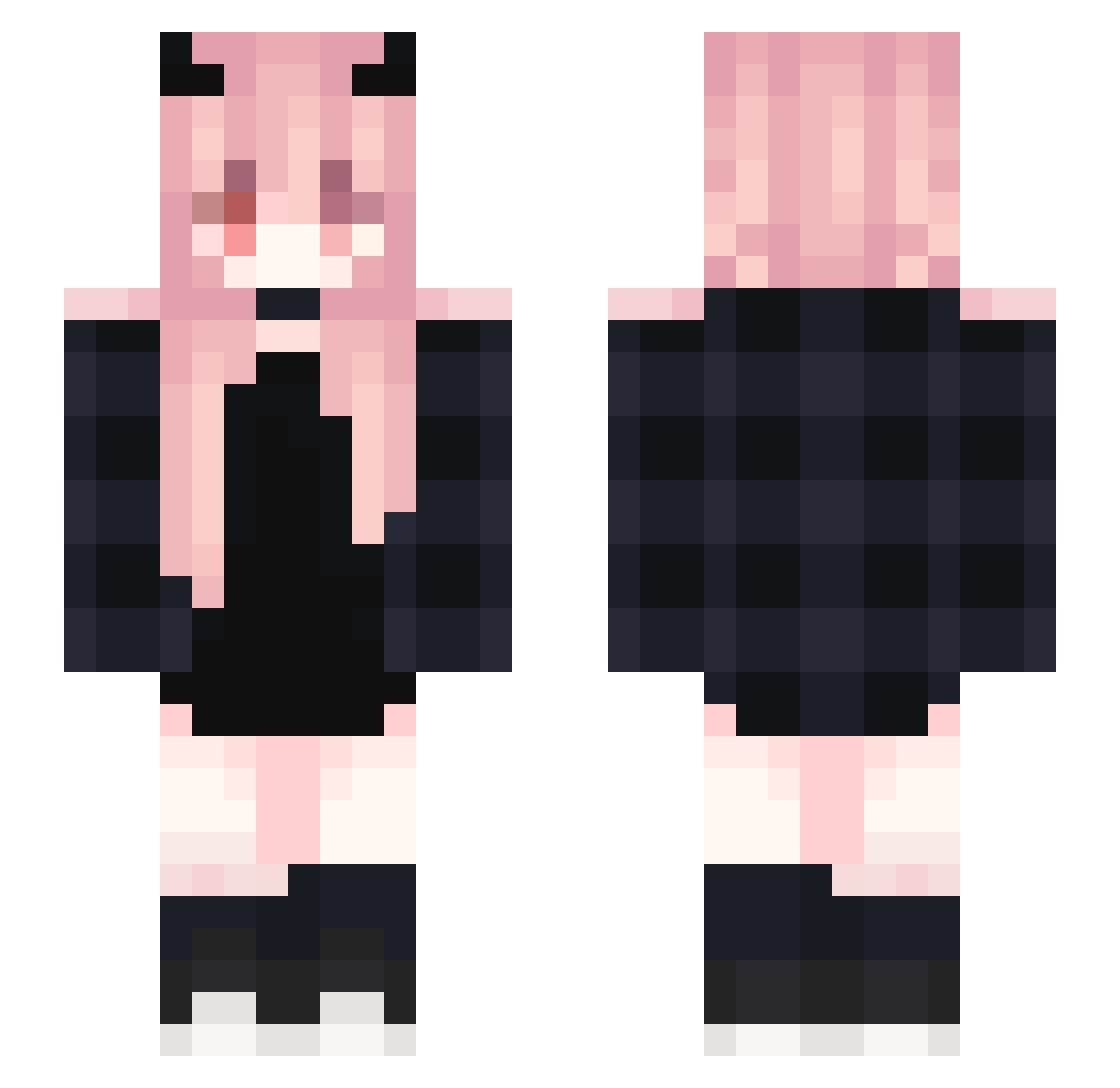
Other players with this skin (367)
kifumo was the 167th player we have seen with this skin, first spotted on 13.09.2026. The same skin was seen on these players. Open a nickname to see their current skin and skin history.
 Ripp1614 NexQR thehumanbullet IllTamer dioonnaaa Rei_Nasako dsmjizai chenxiling PalladinOfLight Azusa_Syun Teufel_Lucia sysy03 Kerballer lljky3 Leblanc_James35 x_Waas GreenTea0077 SAKUIA Calleigh_Alley mobai5201314 GGbo_zowep Anna_Yu Unclaimed KittenJaga daniplaysmc3 Sofo4ka _flby_ Fernan8432844832 XTaaZeRPulseX Dong_Xiang Dworfich MariaChan12 EstherOVO Sui_Bobo CreeperGirl631 GreenTam suhmoon2 Siftings xiaoyang2054 Carrie_121 myil chunn666 I_am_a_big_hand Emody_ SHINMJ96 Ku_MoO pepprmnt qaz3000 bunnieyaya lllTOKYOlll Snow0Lord 0bloopaz0 sofnen Blackkylin
 Rias_7 Mailrianno ha_ka_ta_no_shio Pollete237 lorraiine Haenyago
Previous skins of kifumo
Skins that kifumo wore before, newest first. Click a skin to open its page and download it.
More Demon Horns Minecraft skins
How to install the kifumo skin
- Press the Download button above to save the skin as a PNG file.
- Minecraft: Bedrock Edition (PE): open the Dressing Room from the main menu (or tap your character → Edit Character), go to Classic Skins → Owned, press the + (new skin) button, choose the downloaded PNG and pick the Slim (Alex) model. Works on PC and mobile; consoles cannot import custom skins.
- Minecraft: Java Edition: open the Minecraft Launcher, go to the Skins tab, click New Skin, load the PNG, pick the Slim (Alex) model and press Save & Use. You can also upload it at minecraft.net → Profile → Change Skin.
The skin does not show up after import - what should I do?
Restart Minecraft and open the Dressing Room again - imported skins sometimes appear only after a restart. Also make sure you selected the imported skin and picked the Slim (Alex) model.
Which model should I choose, Classic or Slim?
This skin is designed for the Slim (Alex) model. If you pick the wrong model, the arms of the skin will look stretched or squeezed.
Is the skin of kifumo free to download?
Yes. Press Download, save the PNG file and use it in Minecraft: Bedrock Edition or Java Edition - no payment or registration needed. The skin also works on multiplayer servers and Realms.
More skins
Looking for more? Go back to all Minecraft skins and check the top skins of the week, month and all time, or find any player's skin by nickname.