
kiandro_v - Minecraft Skins & Skin History
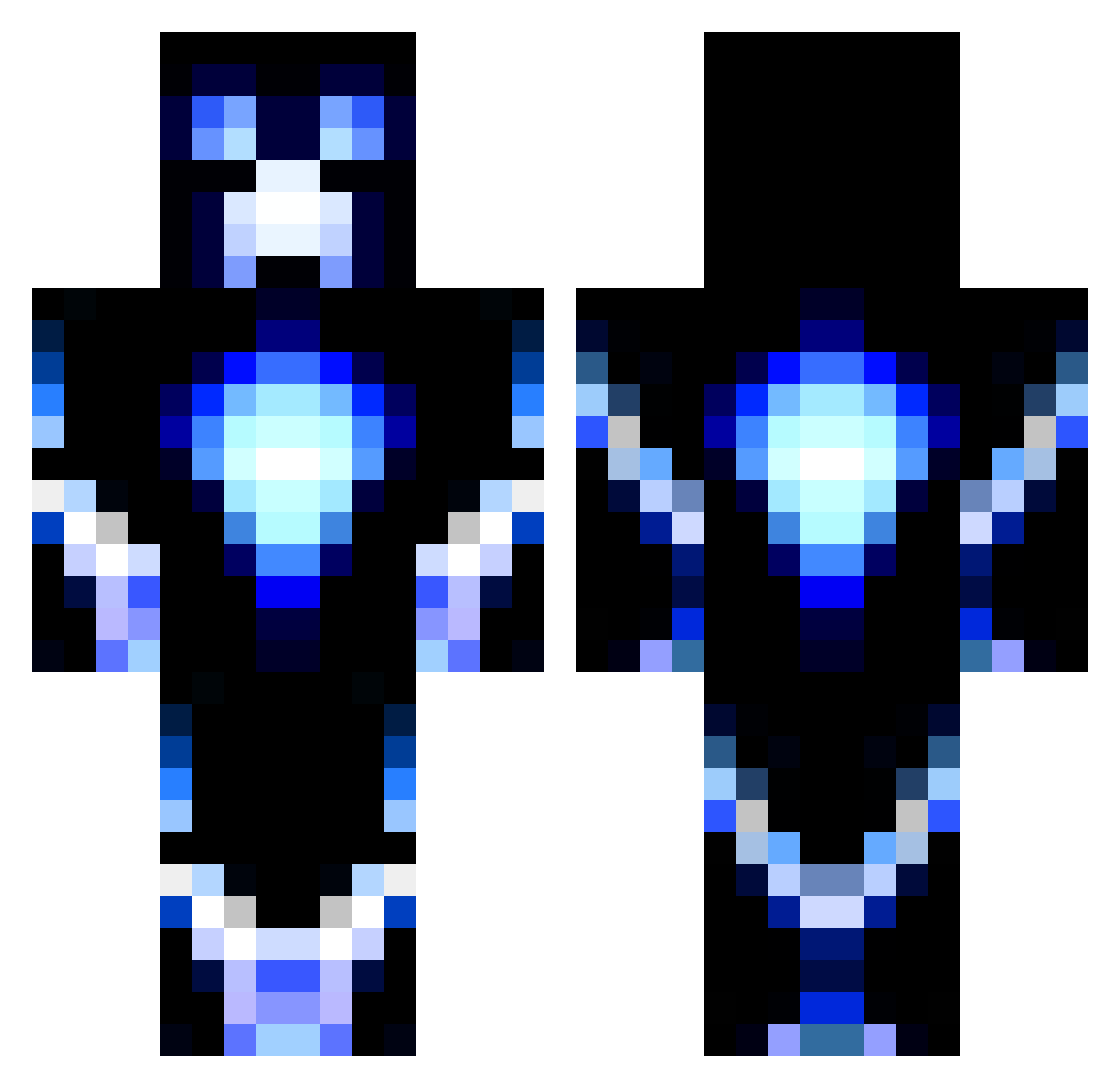
Current Minecraft skin of the player kiandro_v, loaded from the official Mojang API. Rotate the 3D model with your mouse or finger, then download the skin as a PNG file and use it in Minecraft: Bedrock Edition or Java Edition for free. When kiandro_v changes their skin, this page updates automatically and the old skin stays in the history below.
Other players with this skin (1197)
kiandro_v was the 831st player we have seen with this skin, first spotted on 08.10.2026. The same skin was seen on these players. Open a nickname to see their current skin and skin history.
 ilikemuffns vman18 ghostlyphantom13 MikkelSL Alex_KinG_012 BolinABaddie irishnija boobieslover CreamPie2300 leNvck ThatOneDruggo xXDragonchildXx frostizz SilentGamer7 CBGaming1 Shredder78 MAXXXXXXX16 hsvflo JBHutch24 zappro1 wingedlist571 TheFighter7777 SuperNate1235 nm4402 BestSergeant_C pikalucario thewordalive9999 kazuooo BlizZaR57 hbecca16 creepster740 wyattsama jackmcminn14 lava_man05 Loopyman2003 electrifycreeper Mike_Is_Here ChiaotzuOP Chromatyx jake5617 mindbias Bananaboat205 deadcop23 shishirotsubakey ATOMIC_HK johncarrot01 geekygork22 Tys0nz95 Rehuff G1NDr1nk3r Shadow_Wolf7874 dennie336 Lemonheadboyz Dj_Snipa diamondguy02 jopokemine impassive3 Starfish01 64payton64 SparklyGuns
More Glowing Minecraft skins
How to install the kiandro_v skin
- Press the Download button above to save the skin as a PNG file.
- Minecraft: Bedrock Edition (PE): open the Dressing Room from the main menu (or tap your character → Edit Character), go to Classic Skins → Owned, press the + (new skin) button, choose the downloaded PNG and pick the Classic (Steve) model. Works on PC and mobile; consoles cannot import custom skins.
- Minecraft: Java Edition: open the Minecraft Launcher, go to the Skins tab, click New Skin, load the PNG, pick the Classic (Steve) model and press Save & Use. You can also upload it at minecraft.net → Profile → Change Skin.
The skin does not show up after import - what should I do?
Restart Minecraft and open the Dressing Room again - imported skins sometimes appear only after a restart. Also make sure you selected the imported skin and picked the Classic (Steve) model.
Which model should I choose, Classic or Slim?
This skin is designed for the Classic (Steve) model. If you pick the wrong model, the arms of the skin will look stretched or squeezed.
Is the skin of kiandro_v free to download?
Yes. Press Download, save the PNG file and use it in Minecraft: Bedrock Edition or Java Edition - no payment or registration needed. The skin also works on multiplayer servers and Realms.
More skins
Looking for more? Go back to all Minecraft skins and check the top skins of the week, month and all time, or find any player's skin by nickname.