
kevmister5 - Minecraft Skins & Skin History
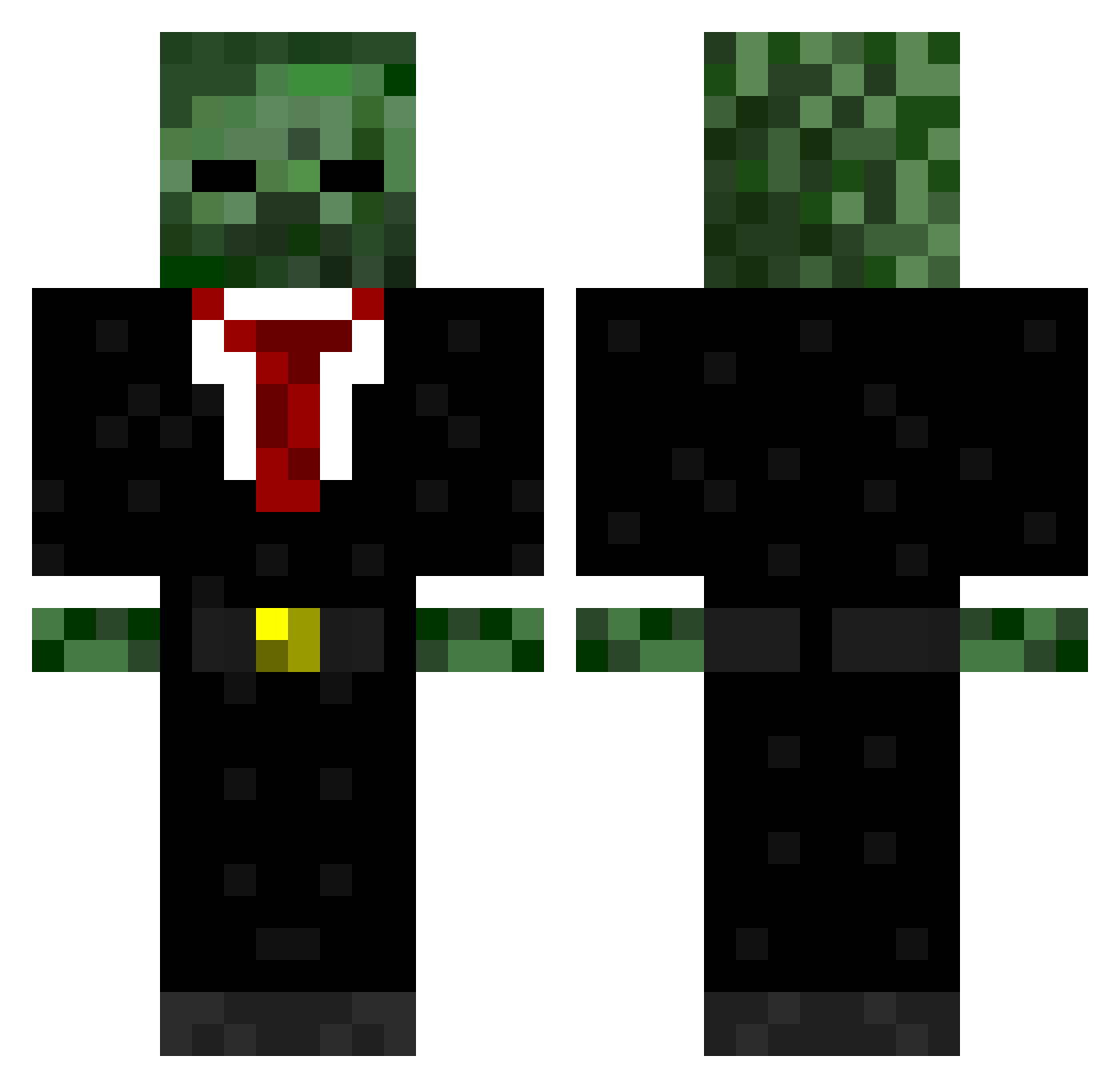
Current Minecraft skin of the player kevmister5, loaded from the official Mojang API. Rotate the 3D model with your mouse or finger, then download the skin as a PNG file and use it in Minecraft: Bedrock Edition or Java Edition for free. When kevmister5 changes their skin, this page updates automatically and the old skin stays in the history below.
Other players with this skin (571)
kevmister5 was the 257th player we have seen with this skin, first spotted on 16.09.2026. The same skin was seen on these players. Open a nickname to see their current skin and skin history.
 OowardyoO Raam_McTavish man512 The_Driddler Ag3ntHunterZz cthullu3 xDzyyTWO Mackbeaumont lelo140 GOODNESS1039 olly999dash Cam56 SamWaterson waterfrog3 Monk3y24_7 TheFallenGamer01 ShortsPlaysMC Spiki259 NlGGAT0 charlyfed7 starwarsfreak777 yoyo_0 ClintBolton16 Steelkid22 langy_99 keyes4 miloman202 kingrossco ThinkNoodle2 harris7001 serjohn iLaGzFuRy rampworks123 tommysaunders thetwistergirl KingKai223 rhys187 codmw2dud Flynn78 jamie36 Enduff RoyalChop Apax_kun Frag_Qrew weeertz purepowerr codeman11501 NextResolution kevinek08 MaggieH321 ClownfishDiamond legendcraftia millenniumchild Deividas2320 poopypro WraithX_ mrnumoo Lambchop4me ROYAL1ST Elite_Squirrel73
More Zombie Minecraft skins
How to install the kevmister5 skin
- Press the Download button above to save the skin as a PNG file.
- Minecraft: Bedrock Edition (PE): open the Dressing Room from the main menu (or tap your character → Edit Character), go to Classic Skins → Owned, press the + (new skin) button, choose the downloaded PNG and pick the Classic (Steve) model. Works on PC and mobile; consoles cannot import custom skins.
- Minecraft: Java Edition: open the Minecraft Launcher, go to the Skins tab, click New Skin, load the PNG, pick the Classic (Steve) model and press Save & Use. You can also upload it at minecraft.net → Profile → Change Skin.
The skin does not show up after import - what should I do?
Restart Minecraft and open the Dressing Room again - imported skins sometimes appear only after a restart. Also make sure you selected the imported skin and picked the Classic (Steve) model.
Which model should I choose, Classic or Slim?
This skin is designed for the Classic (Steve) model. If you pick the wrong model, the arms of the skin will look stretched or squeezed.
Is the skin of kevmister5 free to download?
Yes. Press Download, save the PNG file and use it in Minecraft: Bedrock Edition or Java Edition - no payment or registration needed. The skin also works on multiplayer servers and Realms.
More skins
Looking for more? Go back to all Minecraft skins and check the top skins of the week, month and all time, or find any player's skin by nickname.