
kani_cam - Minecraft Skins & Skin History
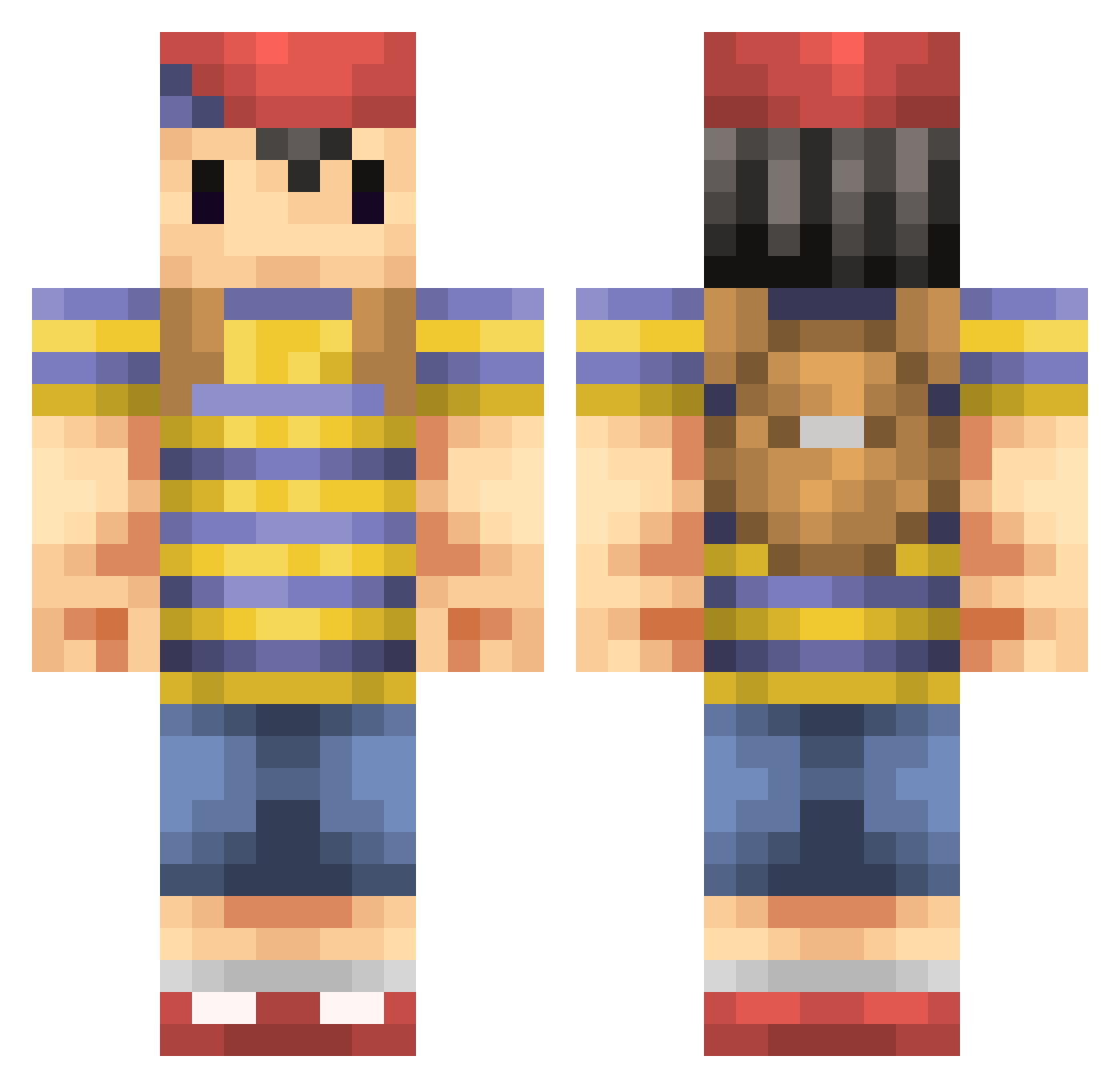
Current Minecraft skin of the player kani_cam, loaded from the official Mojang API. Rotate the 3D model with your mouse or finger, then download the skin as a PNG file and use it in Minecraft: Bedrock Edition or Java Edition for free. When kani_cam changes their skin, this page updates automatically and the old skin stays in the history below.
Other players with this skin (235)
kani_cam was the 134th player we have seen with this skin, first spotted on 28.09.2026. The same skin was seen on these players. Open a nickname to see their current skin and skin history.
 Tuque7 ppocius Space_Sandvich AdamM1996 shin4083 ThoDors remmer2345678 xAsPiRe Doodle2578 yama1205 Benezuela Sandjobs Slipperfish P0TAT000 Rcil Brakebusk Pandemonius Hazing UncleTomNook ytmet Valllae LTMumfordIII CpBausone kdnshk Jackbarn28 mariojumper12 Bybyspwn you_neek Pilpen andymatics kengo0225 Raginglez Martystar Enazdrassel NASTY_BOY Arkamn mooeybueno MrSubleak Stylz07 Sambosa Rabbitcode KewTea Stephanieplaysmc Glustert nettin08 kuroiruka724 Purple_Jello_ Gingeri BlinkVelveTT Alexwong12 mikmikeme Mottie777 MlXERY JangoBlango Rovelius Crafty425 LegoMyEggo carphreak ThatGuyWGuns S1LV3R_BULL3T
More Smash Bros Minecraft skins
How to install the kani_cam skin
- Press the Download button above to save the skin as a PNG file.
- Minecraft: Bedrock Edition (PE): open the Dressing Room from the main menu (or tap your character → Edit Character), go to Classic Skins → Owned, press the + (new skin) button, choose the downloaded PNG and pick the Classic (Steve) model. Works on PC and mobile; consoles cannot import custom skins.
- Minecraft: Java Edition: open the Minecraft Launcher, go to the Skins tab, click New Skin, load the PNG, pick the Classic (Steve) model and press Save & Use. You can also upload it at minecraft.net → Profile → Change Skin.
The skin does not show up after import - what should I do?
Restart Minecraft and open the Dressing Room again - imported skins sometimes appear only after a restart. Also make sure you selected the imported skin and picked the Classic (Steve) model.
Which model should I choose, Classic or Slim?
This skin is designed for the Classic (Steve) model. If you pick the wrong model, the arms of the skin will look stretched or squeezed.
Is the skin of kani_cam free to download?
Yes. Press Download, save the PNG file and use it in Minecraft: Bedrock Edition or Java Edition - no payment or registration needed. The skin also works on multiplayer servers and Realms.
More skins
Looking for more? Go back to all Minecraft skins and check the top skins of the week, month and all time, or find any player's skin by nickname.