
kagiiii - Minecraft Skins & Skin History
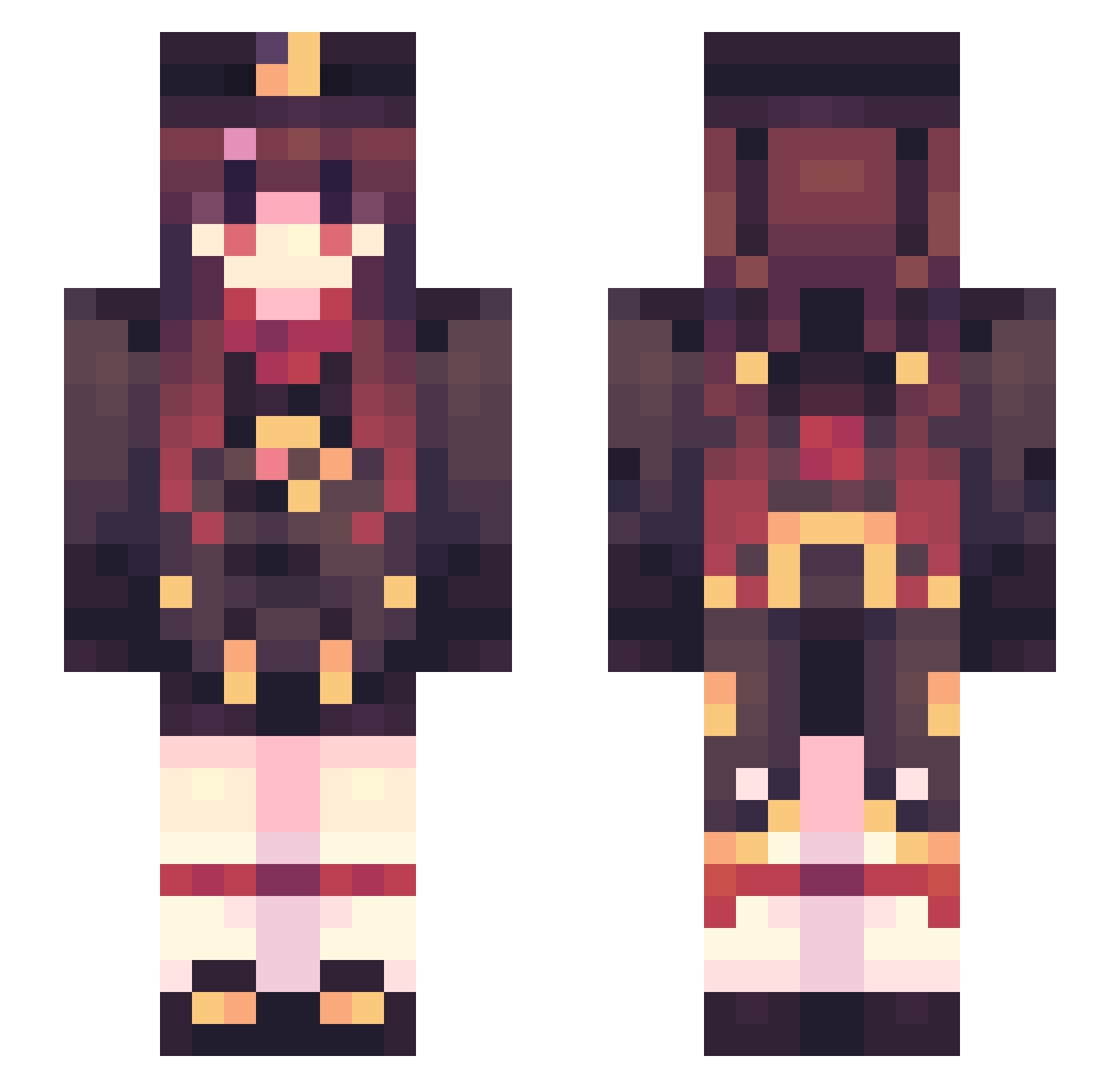
Current Minecraft skin of the player kagiiii, loaded from the official Mojang API. Rotate the 3D model with your mouse or finger, then download the skin as a PNG file and use it in Minecraft: Bedrock Edition or Java Edition for free. When kagiiii changes their skin, this page updates automatically and the old skin stays in the history below.
Other players with this skin (654)
kagiiii was the 557th player we have seen with this skin, first spotted on 04.11.2026. The same skin was seen on these players. Open a nickname to see their current skin and skin history.
 LeoZeLizard JE9NG love_xiu zmh0803 anay233 biliibili Cogecha3 JonnoN Clerayjay featherbeak KAI123SA optical_20 likehutaobest LuckyFlu 12354454 Duby_Kun yass_007 Cold_Milvus Aaawan Alexcrte4 Lina3199 NotAurelia ____HuTao____ xidadayo Arca_No1R hongdidi Reedkun Walledupman yuakn NuluDragon kir_kong DavideMattei Threespoonsugar lkg2020 Maple_night zhouzihua _Peng1963 WyRubia ALingFF Lalo03 Sha11ow_Lane Hutao_89D DiscreteTuna733 Hollowgast24 MXSLaser NCJOAQ momo_Xxquam pickette420 THUMR LING_CHUCHU SpiritVessel Y521 ccornwall04 _lychking hongyenzzi EINOvO_ junebell RashyDood XiongFei54088 ntmz30
More Hu Tao Minecraft skins
How to install the kagiiii skin
- Press the Download button above to save the skin as a PNG file.
- Minecraft: Bedrock Edition (PE): open the Dressing Room from the main menu (or tap your character → Edit Character), go to Classic Skins → Owned, press the + (new skin) button, choose the downloaded PNG and pick the Slim (Alex) model. Works on PC and mobile; consoles cannot import custom skins.
- Minecraft: Java Edition: open the Minecraft Launcher, go to the Skins tab, click New Skin, load the PNG, pick the Slim (Alex) model and press Save & Use. You can also upload it at minecraft.net → Profile → Change Skin.
The skin does not show up after import - what should I do?
Restart Minecraft and open the Dressing Room again - imported skins sometimes appear only after a restart. Also make sure you selected the imported skin and picked the Slim (Alex) model.
Which model should I choose, Classic or Slim?
This skin is designed for the Slim (Alex) model. If you pick the wrong model, the arms of the skin will look stretched or squeezed.
Is the skin of kagiiii free to download?
Yes. Press Download, save the PNG file and use it in Minecraft: Bedrock Edition or Java Edition - no payment or registration needed. The skin also works on multiplayer servers and Realms.
More skins
Looking for more? Go back to all Minecraft skins and check the top skins of the week, month and all time, or find any player's skin by nickname.