
k4r1n1sD0ne - Minecraft Skins & Skin History
Current Minecraft skin of the player k4r1n1sD0ne, loaded from the official Mojang API. Rotate the 3D model with your mouse or finger, then download the skin as a PNG file and use it in Minecraft: Bedrock Edition or Java Edition for free. When k4r1n1sD0ne changes their skin, this page updates automatically and the old skin stays in the history below.
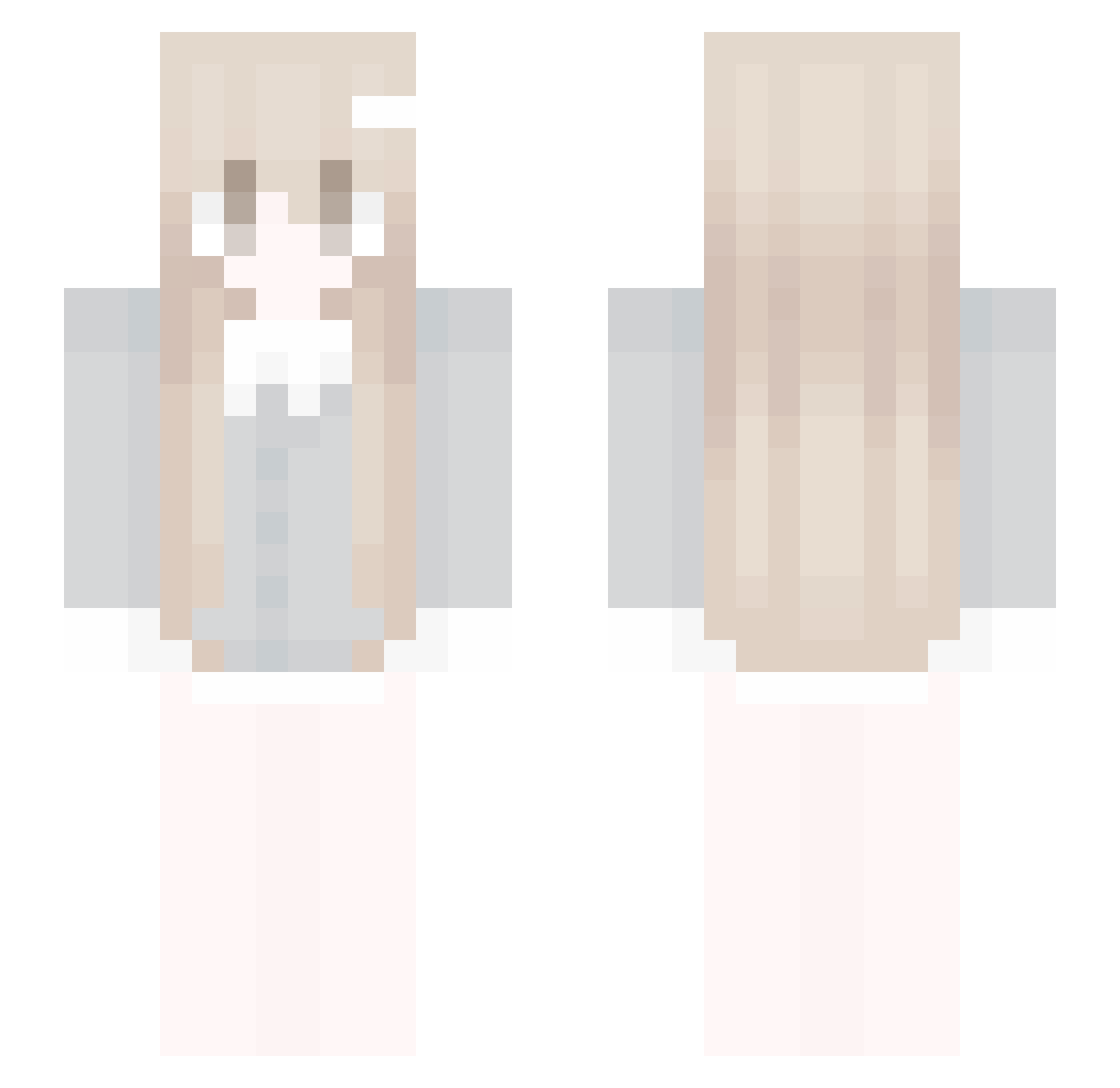
Other players with this skin (87)
k4r1n1sD0ne was the 26th player we have seen with this skin, first spotted on 15.08.2026. The same skin was seen on these players. Open a nickname to see their current skin and skin history.
 RoDzYnEkk bvyt _pauliine joochanparking JoSeHa qmmm_ Shxmmxr ichang0301 Butaa_1tk kxih poho1 kameleto lzimgg erXnebesny ondinapi
 MoltenTrool xAmelii xingti Y_DanXi Saylerrrr ibrahimpeker Ritokara
 qnsz ThisDudeReal _Kyou_ Rbil changenj xBajec AkieSora goldkixed Starry2006 0115abbie
 Vaporweave_ watching_rocat 13171 yitenlin
 Eliqxtiree
 assuRay Sanyomi detono VincentGourmet zlw959
 kinchwin
 Winterrsss gatinhas 90_x Imkatzez egimfun psy518 Kyubnite abiioo honghaislove BEICHEN114 laynahh nothing0825 BuRanL Dsayer Czikitkaa PetiteMommy eeveelover23
More Pastel Minecraft skins
How to install the k4r1n1sD0ne skin
- Press the Download button above to save the skin as a PNG file.
- Minecraft: Bedrock Edition (PE): open the Dressing Room from the main menu (or tap your character → Edit Character), go to Classic Skins → Owned, press the + (new skin) button, choose the downloaded PNG and pick the Slim (Alex) model. Works on PC and mobile; consoles cannot import custom skins.
- Minecraft: Java Edition: open the Minecraft Launcher, go to the Skins tab, click New Skin, load the PNG, pick the Slim (Alex) model and press Save & Use. You can also upload it at minecraft.net → Profile → Change Skin.
The skin does not show up after import - what should I do?
Restart Minecraft and open the Dressing Room again - imported skins sometimes appear only after a restart. Also make sure you selected the imported skin and picked the Slim (Alex) model.
Which model should I choose, Classic or Slim?
This skin is designed for the Slim (Alex) model. If you pick the wrong model, the arms of the skin will look stretched or squeezed.
Is the skin of k4r1n1sD0ne free to download?
Yes. Press Download, save the PNG file and use it in Minecraft: Bedrock Edition or Java Edition - no payment or registration needed. The skin also works on multiplayer servers and Realms.
More skins
Looking for more? Go back to all Minecraft skins and check the top skins of the week, month and all time, or find any player's skin by nickname.