
jontemm - Minecraft Skins & Skin History
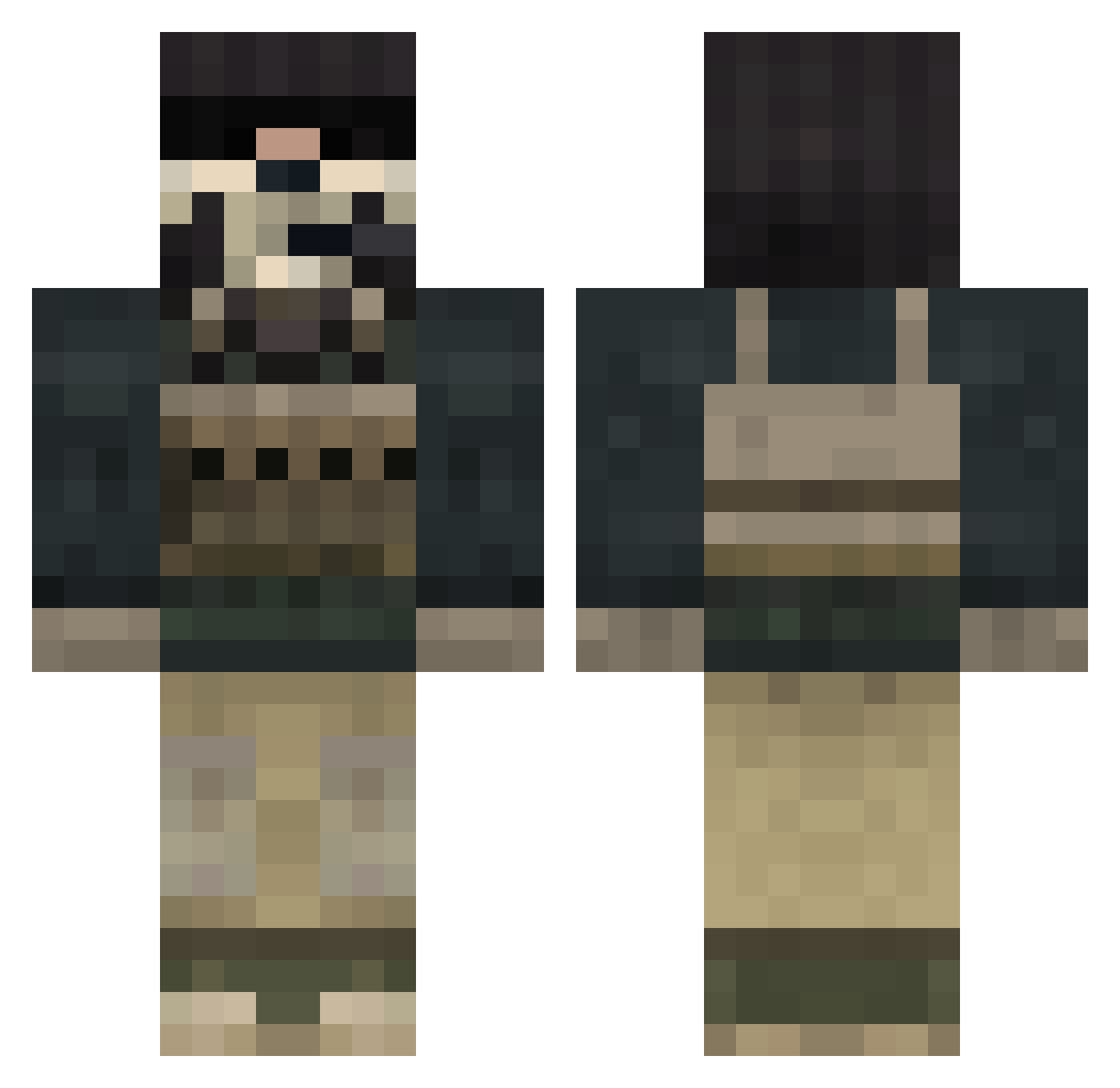
Current Minecraft skin of the player jontemm, loaded from the official Mojang API. Rotate the 3D model with your mouse or finger, then download the skin as a PNG file and use it in Minecraft: Bedrock Edition or Java Edition for free. When jontemm changes their skin, this page updates automatically and the old skin stays in the history below.
Other players with this skin (848)
jontemm was the 370th player we have seen with this skin, first spotted on 19.09.2026. The same skin was seen on these players. Open a nickname to see their current skin and skin history.
 xBackOutZz lemon0718 Shadsnow TheEediot Milly780 Wasko24 jacklemae aasi590 drworzul ButtermanXC enric_sebastien Urbanscope Artekudo let_me_try bailey_blade10 Elsa_Corona Ml9Il FolkKestrel tynanked starwars2414 Colegangnamstyle Kosior12345 wolfgang2k6 Gingerbeard6969 RJDDMart brettyboy21 Sweeney101 codyjoel Little_Dude_20 killer11102 TheMasterJ02 Black9mm Juigi armydude555 despe Dehors wakedragon Mr_Dude1234 tai469 klean8hs HASANYBODYGOT 54mur41b0b SavagePlayer texasblaze12 marc5076 mCakes12 nuggetpouch alenking charidekita blade9541 MercuryMineCraft Toto_M6 BJKGhost gqstudio92 BASTI1717 PePPerZ1712 Johnsen_2904 waxiersmile6 schweizer166 V13Master
More Call Of Duty Minecraft skins
See all 174 Call Of Duty skins
How to install the jontemm skin
- Press the Download button above to save the skin as a PNG file.
- Minecraft: Bedrock Edition (PE): open the Dressing Room from the main menu (or tap your character → Edit Character), go to Classic Skins → Owned, press the + (new skin) button, choose the downloaded PNG and pick the Classic (Steve) model. Works on PC and mobile; consoles cannot import custom skins.
- Minecraft: Java Edition: open the Minecraft Launcher, go to the Skins tab, click New Skin, load the PNG, pick the Classic (Steve) model and press Save & Use. You can also upload it at minecraft.net → Profile → Change Skin.
The skin does not show up after import - what should I do?
Restart Minecraft and open the Dressing Room again - imported skins sometimes appear only after a restart. Also make sure you selected the imported skin and picked the Classic (Steve) model.
Which model should I choose, Classic or Slim?
This skin is designed for the Classic (Steve) model. If you pick the wrong model, the arms of the skin will look stretched or squeezed.
Is the skin of jontemm free to download?
Yes. Press Download, save the PNG file and use it in Minecraft: Bedrock Edition or Java Edition - no payment or registration needed. The skin also works on multiplayer servers and Realms.
More skins
Looking for more? Go back to all Minecraft skins and check the top skins of the week, month and all time, or find any player's skin by nickname.