
jondunnn - Minecraft Skins & Skin History
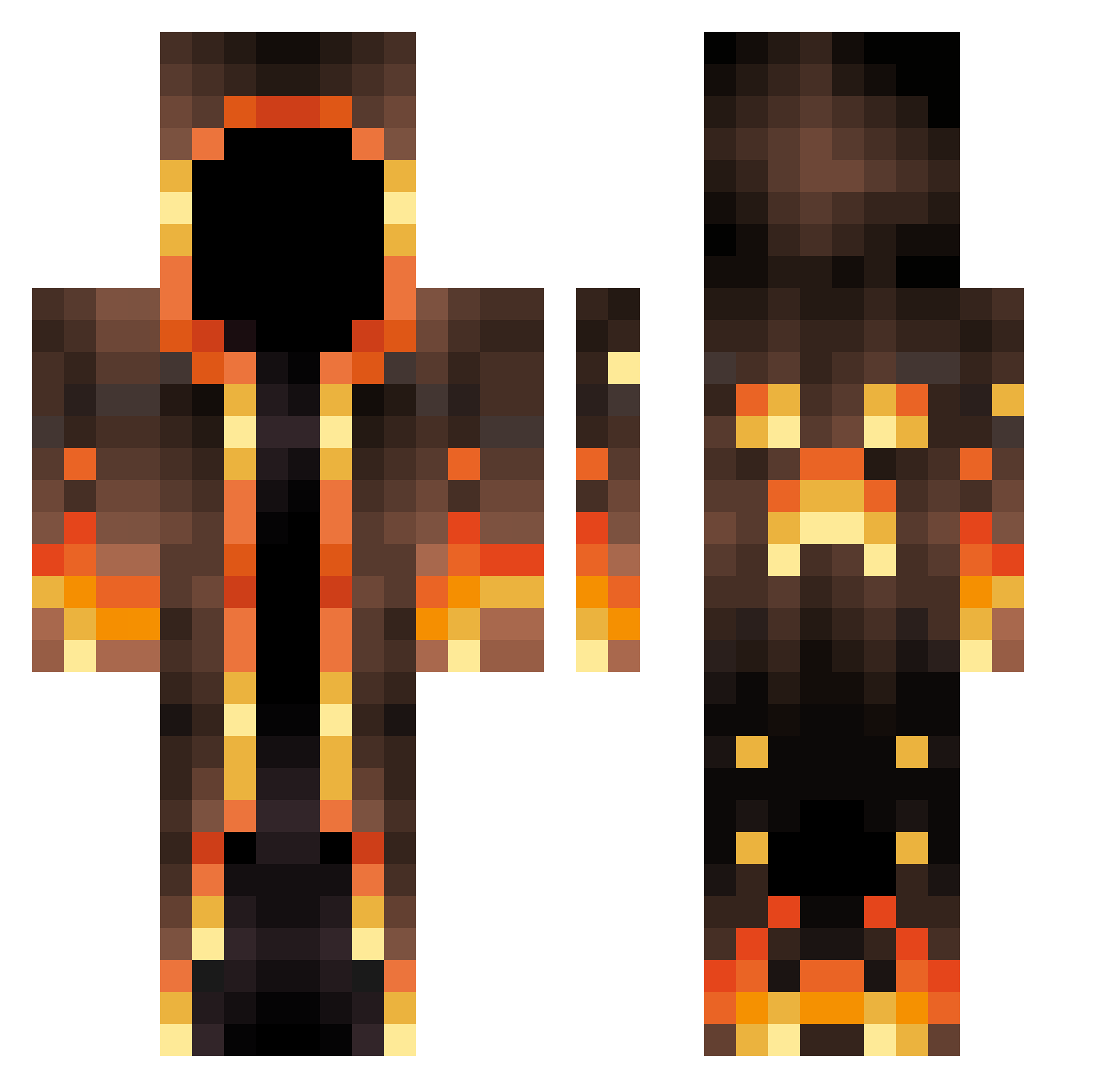
Current Minecraft skin of the player jondunnn, loaded from the official Mojang API. Rotate the 3D model with your mouse or finger, then download the skin as a PNG file and use it in Minecraft: Bedrock Edition or Java Edition for free. When jondunnn changes their skin, this page updates automatically and the old skin stays in the history below.
Other players with this skin (547)
jondunnn was the 405th player we have seen with this skin, first spotted on 01.10.2026. The same skin was seen on these players. Open a nickname to see their current skin and skin history.
 Thearacadeking Paulaner2021 Libbo95 Pe4enka_v_moloke Lilac_the_dragon morfeus95 MIRAMOHAMAD Wang20 Destroyer5625 Lamshell SlayAndSnipe Cynicalhermit ZederrNye crazygamer24241 SpotlessGlue Zwietschel mollamekk99 flipifyed BEER9243 xAuCax SilenceDefined SmallC0ckieBilly RzUnited Akix331 ArtP0 Hetkinen Aynjell Sxooby420 Sukocha LostHz2233 MrEnder2010 NICKY_2048 Dovabear1122 Dontel2884 Brodine magnus213213 seongmin0987 Hedgeaza _Revan___ DocileYeti81646 selorde Logz2004 KaiLun1219 Rinmert hypejezus llaison NewGalaxys10 GabrieIT7 Deisinho moustacheio13 ThorClapsCheeks3 kamui545 WizardOfThePC BackwardBinkie9 Rocket_Man21 USB99999 Miguelalbox Ringofates FunniestCoyote77 Asaf6637
More Magma Minecraft skins
How to install the jondunnn skin
- Press the Download button above to save the skin as a PNG file.
- Minecraft: Bedrock Edition (PE): open the Dressing Room from the main menu (or tap your character → Edit Character), go to Classic Skins → Owned, press the + (new skin) button, choose the downloaded PNG and pick the Classic (Steve) model. Works on PC and mobile; consoles cannot import custom skins.
- Minecraft: Java Edition: open the Minecraft Launcher, go to the Skins tab, click New Skin, load the PNG, pick the Classic (Steve) model and press Save & Use. You can also upload it at minecraft.net → Profile → Change Skin.
The skin does not show up after import - what should I do?
Restart Minecraft and open the Dressing Room again - imported skins sometimes appear only after a restart. Also make sure you selected the imported skin and picked the Classic (Steve) model.
Which model should I choose, Classic or Slim?
This skin is designed for the Classic (Steve) model. If you pick the wrong model, the arms of the skin will look stretched or squeezed.
Is the skin of jondunnn free to download?
Yes. Press Download, save the PNG file and use it in Minecraft: Bedrock Edition or Java Edition - no payment or registration needed. The skin also works on multiplayer servers and Realms.
More skins
Looking for more? Go back to all Minecraft skins and check the top skins of the week, month and all time, or find any player's skin by nickname.