
joker_yuyu - Minecraft Skins & Skin History
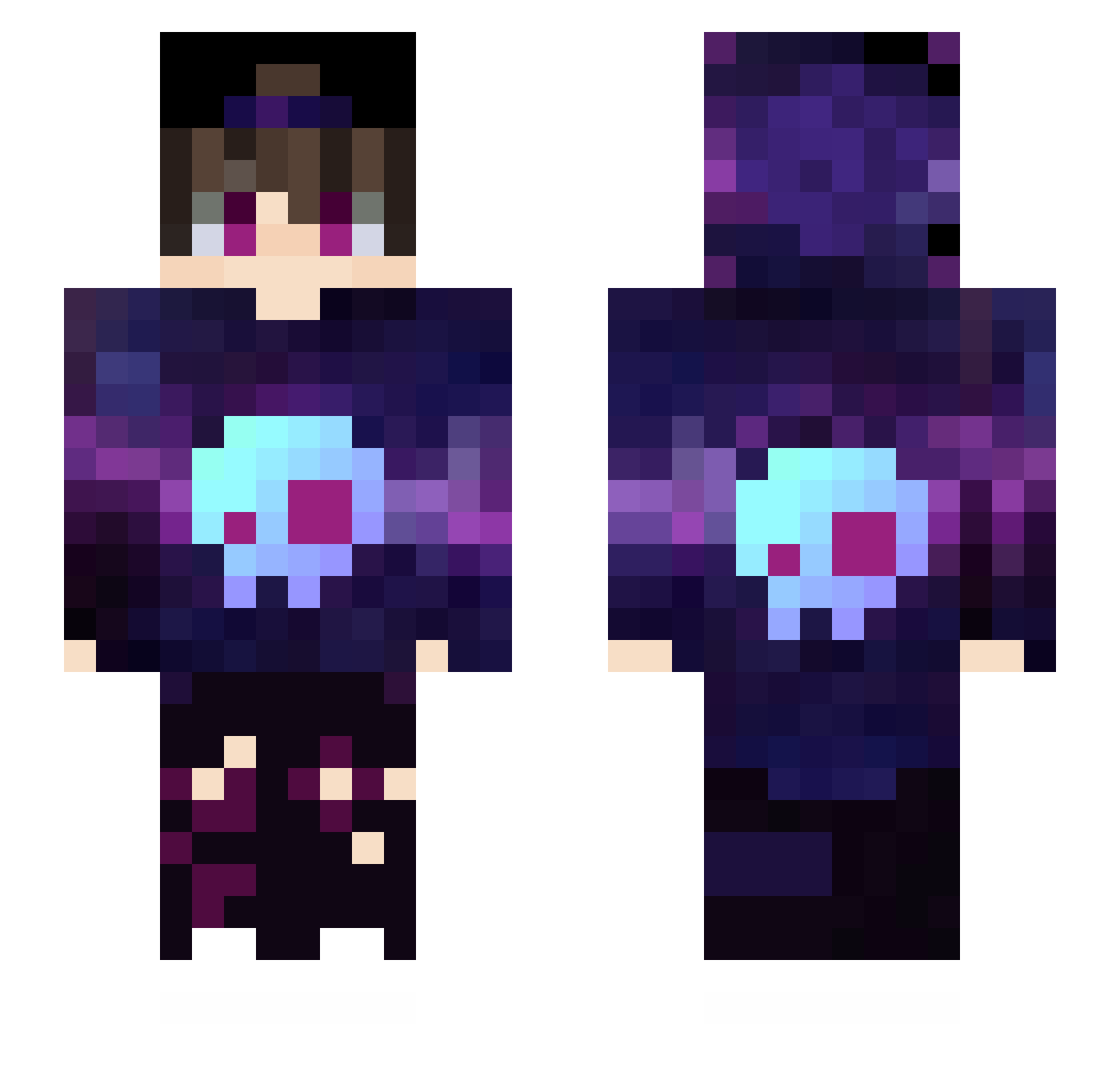
Current Minecraft skin of the player joker_yuyu, loaded from the official Mojang API. Rotate the 3D model with your mouse or finger, then download the skin as a PNG file and use it in Minecraft: Bedrock Edition or Java Edition for free. When joker_yuyu changes their skin, this page updates automatically and the old skin stays in the history below.
Other players with this skin (170)
joker_yuyu was the 105th player we have seen with this skin, first spotted on 05.10.2026. The same skin was seen on these players. Open a nickname to see their current skin and skin history.
 Maple_moon_ Yiderh HappyPlay228 NathanTheReal Nozomi_GM Lzq5599 Million_yang Fonta17 LimeYello Kuroi_Yue Skyfunx distokozak ALEXUS_GAME bendern00b4 Shu_oycn Ma75 Hantzuwu Yunlv Flygirlic catsheng SiMpsOn_GG DouChi Astelaxy Aidinuoya xCapta1N Mo_Xiao_Yan lovecoca _FangKuai wyh_hs Swaysholt yuqiqi144 alghh jacfxl Breavn kevin999555 O1xRanger SPODYGAMERZ8 BlackWhiteYuki MC_KB wangxianyv LuoAgen Levano vipers_knife EmektarDinazort Delhiay Type_M Cccoda Sakura1132 SUJIHA beznicku1234 Brilliantzz frk666 totocangex Dimysis antiogoos not_monty_ ying19 TrialAides xiaoshuojia93 drsio
More Skull Minecraft skins
How to install the joker_yuyu skin
- Press the Download button above to save the skin as a PNG file.
- Minecraft: Bedrock Edition (PE): open the Dressing Room from the main menu (or tap your character → Edit Character), go to Classic Skins → Owned, press the + (new skin) button, choose the downloaded PNG and pick the Slim (Alex) model. Works on PC and mobile; consoles cannot import custom skins.
- Minecraft: Java Edition: open the Minecraft Launcher, go to the Skins tab, click New Skin, load the PNG, pick the Slim (Alex) model and press Save & Use. You can also upload it at minecraft.net → Profile → Change Skin.
The skin does not show up after import - what should I do?
Restart Minecraft and open the Dressing Room again - imported skins sometimes appear only after a restart. Also make sure you selected the imported skin and picked the Slim (Alex) model.
Which model should I choose, Classic or Slim?
This skin is designed for the Slim (Alex) model. If you pick the wrong model, the arms of the skin will look stretched or squeezed.
Is the skin of joker_yuyu free to download?
Yes. Press Download, save the PNG file and use it in Minecraft: Bedrock Edition or Java Edition - no payment or registration needed. The skin also works on multiplayer servers and Realms.
More skins
Looking for more? Go back to all Minecraft skins and check the top skins of the week, month and all time, or find any player's skin by nickname.