
jobe_5 - Minecraft Skins & Skin History
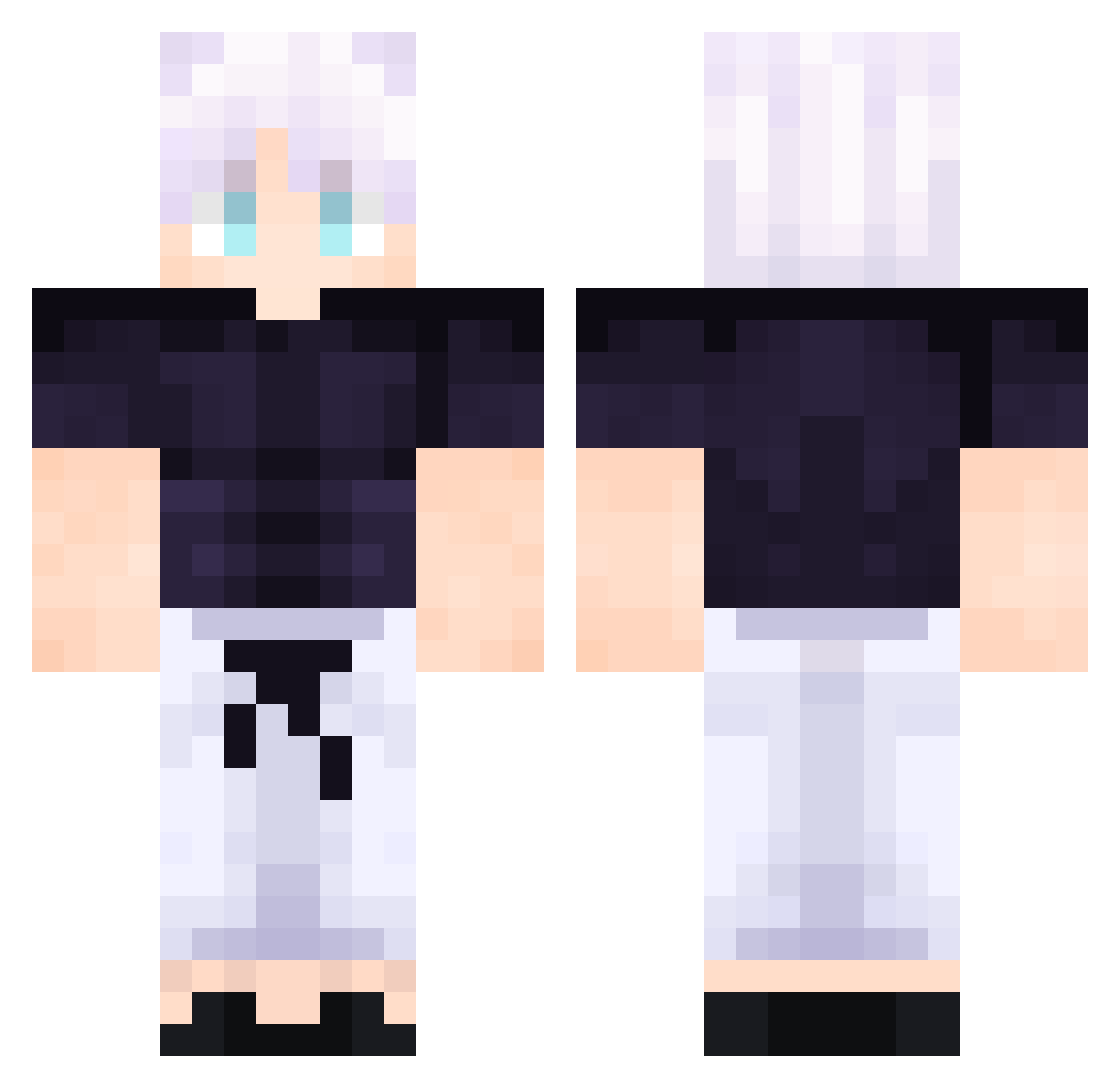
Current Minecraft skin of the player jobe_5, loaded from the official Mojang API. Rotate the 3D model with your mouse or finger, then download the skin as a PNG file and use it in Minecraft: Bedrock Edition or Java Edition for free. When jobe_5 changes their skin, this page updates automatically and the old skin stays in the history below.
Other players with this skin (55)
jobe_5 was the 14th player we have seen with this skin, first spotted on 16.08.2026. The same skin was seen on these players. Open a nickname to see their current skin and skin history.
 L9LABUBU TGrimSoulL Gafapaxta concolas333 carti3rr143 Estin22 Quadingel707 Soobers Xdavid04 BigbodyGLE Goldnights2007 ProyeraGHG Chogan_ Lisifer27 Hazmatzz Aexou PraetorTheReal UnknownGalaxyLOL Ametlep_YT AaronFlameMaster LiteralmenteGojo FOXY_THE_SSHADOW PRESTON5594 freakycreeper67 csfjkm Alaric_1 adventur_boy AlphaDarx Yihebn TheHonoredMango NinthSkate shadesofspades x_Acris_x AMMAR200 tomasss6 Clockunder fastsxz Etres18 Vario0525 HANOVIA Sniperboy1204 NonchalantNess Savoo5 RyanTheTrain n_ni S1ayerofGod jewishmeow Hamiko_Oris BigYoda52 Hihihiha_0131 sKiirtZ_ TEO_OR_ RexTheory Amg_5 Aown_Assaf33
More Satoru Gojo Minecraft skins
See all 1375 Satoru Gojo skins
How to install the jobe_5 skin
- Press the Download button above to save the skin as a PNG file.
- Minecraft: Bedrock Edition (PE): open the Dressing Room from the main menu (or tap your character → Edit Character), go to Classic Skins → Owned, press the + (new skin) button, choose the downloaded PNG and pick the Classic (Steve) model. Works on PC and mobile; consoles cannot import custom skins.
- Minecraft: Java Edition: open the Minecraft Launcher, go to the Skins tab, click New Skin, load the PNG, pick the Classic (Steve) model and press Save & Use. You can also upload it at minecraft.net → Profile → Change Skin.
The skin does not show up after import - what should I do?
Restart Minecraft and open the Dressing Room again - imported skins sometimes appear only after a restart. Also make sure you selected the imported skin and picked the Classic (Steve) model.
Which model should I choose, Classic or Slim?
This skin is designed for the Classic (Steve) model. If you pick the wrong model, the arms of the skin will look stretched or squeezed.
Is the skin of jobe_5 free to download?
Yes. Press Download, save the PNG file and use it in Minecraft: Bedrock Edition or Java Edition - no payment or registration needed. The skin also works on multiplayer servers and Realms.
More skins
Looking for more? Go back to all Minecraft skins and check the top skins of the week, month and all time, or find any player's skin by nickname.