
jmho904 - Minecraft Skins & Skin History
Current Minecraft skin of the player jmho904, loaded from the official Mojang API. Rotate the 3D model with your mouse or finger, then download the skin as a PNG file and use it in Minecraft: Bedrock Edition or Java Edition for free. When jmho904 changes their skin, this page updates automatically and the old skin stays in the history below.
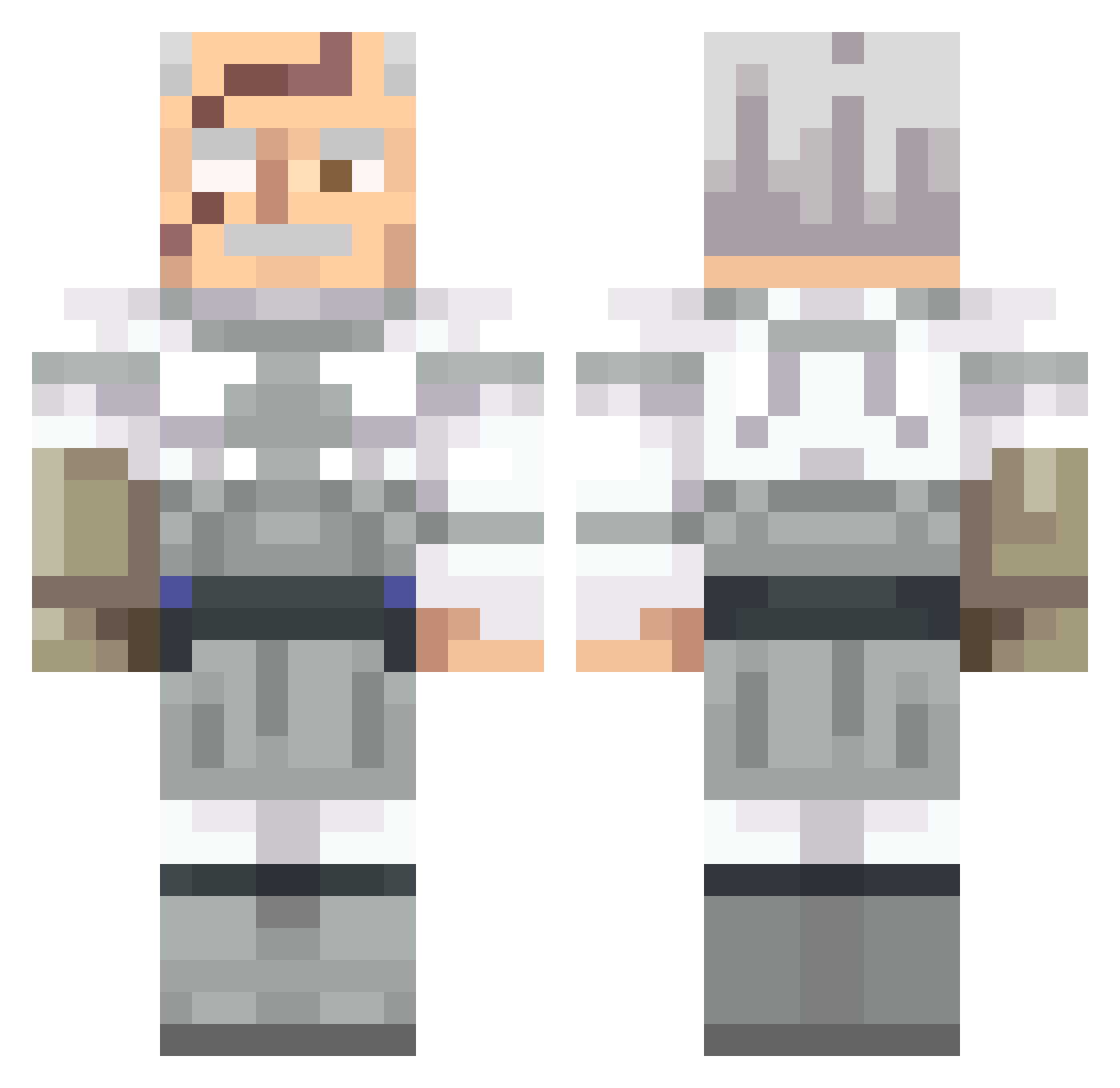
Other players with this skin (562)
jmho904 was the 233rd player we have seen with this skin, first spotted on 06.09.2026. The same skin was seen on these players. Open a nickname to see their current skin and skin history.
 estatuadaobsidad cholewczak007 navilro MasterHunter_999 Fiskenblyant notRiftzy claystars facialwash1 KramerTM RealGreatQassim logandamann
 RPGFISH10 fiendishfaum PradaPras Haendler1234 yung_star Zammael NinjaB07 dennY_ ILikeDads Grak2001 JLings skelatalb0ne Torta_Pounder1 DaDon8065 oFranssa aliencat20 ShalomMattia MinorityBeard Mostarda23 NotFleshy Swanson21x Azrewy Picolanator Titalin2 Rgod_SP ToFat4Mlg Antognosbhz LucaZade_ dicey420 SirDippington
 Kroxx07 XelsiorKing Panda4489 Entitilo_BvRMh Lollokikkio782 EvrilLeBaron Luvia84 Humble888 ShadowMonarch78 Brutul jbraid06 Koala_24 LOOOLOLOLXDXDXD Bressqn yeeter_babyeater Gimeysoup99 Kuzzo404 Critadex
 Shrek_Is_Green
More Commander Pyxis Minecraft skins
See all 3 Commander Pyxis skins
How to install the jmho904 skin
- Press the Download button above to save the skin as a PNG file.
- Minecraft: Bedrock Edition (PE): open the Dressing Room from the main menu (or tap your character → Edit Character), go to Classic Skins → Owned, press the + (new skin) button, choose the downloaded PNG and pick the Classic (Steve) model. Works on PC and mobile; consoles cannot import custom skins.
- Minecraft: Java Edition: open the Minecraft Launcher, go to the Skins tab, click New Skin, load the PNG, pick the Classic (Steve) model and press Save & Use. You can also upload it at minecraft.net → Profile → Change Skin.
The skin does not show up after import - what should I do?
Restart Minecraft and open the Dressing Room again - imported skins sometimes appear only after a restart. Also make sure you selected the imported skin and picked the Classic (Steve) model.
Which model should I choose, Classic or Slim?
This skin is designed for the Classic (Steve) model. If you pick the wrong model, the arms of the skin will look stretched or squeezed.
Is the skin of jmho904 free to download?
Yes. Press Download, save the PNG file and use it in Minecraft: Bedrock Edition or Java Edition - no payment or registration needed. The skin also works on multiplayer servers and Realms.
More skins
Looking for more? Go back to all Minecraft skins and check the top skins of the week, month and all time, or find any player's skin by nickname.