
jlpmine - Minecraft Skins & Skin History
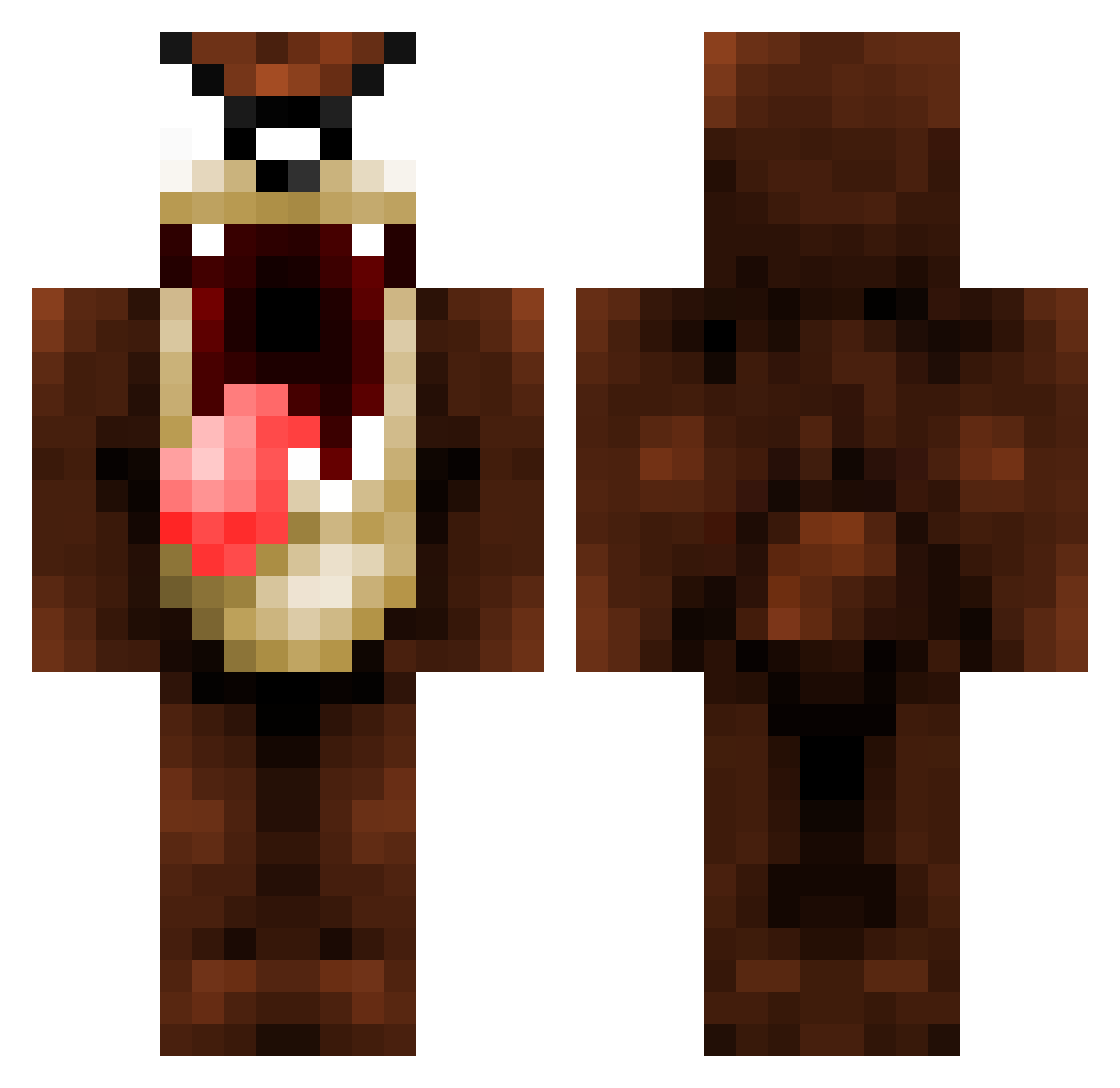
Current Minecraft skin of the player jlpmine, loaded from the official Mojang API. Rotate the 3D model with your mouse or finger, then download the skin as a PNG file and use it in Minecraft: Bedrock Edition or Java Edition for free. When jlpmine changes their skin, this page updates automatically and the old skin stays in the history below.
Other players with this skin (84)
jlpmine was the 14th player we have seen with this skin, first spotted on 11.08.2026. The same skin was seen on these players. Open a nickname to see their current skin and skin history.
 GaMeJuNkY97 ITz_peyton evilgenuis8 Al3xit99 ItzPeyi freestylerstwo crazyboi97 ThePyt22 mmmd Hielete Tapu350 PiratLars owie102 ibi8 stargazer27101 milkymilkshake45 chace1 PMC9 Inumos Teiphoon RH_ALFAILAKAWI baconlover0492 Dorn667 tliodim UpAllKnight bennet_b RyCrafte motorbikemt Aspa lazyman2014 ToxicJ360 EvilSlayer666 fireball5230 jackattack110 claremont_009 BaddiemaddieE f1_fanatic Fronts DoctorDril Berkin 98thJOSH EsCool68 iPiggyyy minecraftisme32 livesaysl BIG_DAWG77 staxcod Swoop3y anthonykgross GrOsBiLL45 Frankie_buzz XxvalgasxX JasminHernandez toxickid Infinity_ffs JusKiddin beastamonium NatiDJM20 marc118 Totterybinkie27
More Taz Minecraft skins
How to install the jlpmine skin
- Press the Download button above to save the skin as a PNG file.
- Minecraft: Bedrock Edition (PE): open the Dressing Room from the main menu (or tap your character → Edit Character), go to Classic Skins → Owned, press the + (new skin) button, choose the downloaded PNG and pick the Classic (Steve) model. Works on PC and mobile; consoles cannot import custom skins.
- Minecraft: Java Edition: open the Minecraft Launcher, go to the Skins tab, click New Skin, load the PNG, pick the Classic (Steve) model and press Save & Use. You can also upload it at minecraft.net → Profile → Change Skin.
The skin does not show up after import - what should I do?
Restart Minecraft and open the Dressing Room again - imported skins sometimes appear only after a restart. Also make sure you selected the imported skin and picked the Classic (Steve) model.
Which model should I choose, Classic or Slim?
This skin is designed for the Classic (Steve) model. If you pick the wrong model, the arms of the skin will look stretched or squeezed.
Is the skin of jlpmine free to download?
Yes. Press Download, save the PNG file and use it in Minecraft: Bedrock Edition or Java Edition - no payment or registration needed. The skin also works on multiplayer servers and Realms.
More skins
Looking for more? Go back to all Minecraft skins and check the top skins of the week, month and all time, or find any player's skin by nickname.