
jeremdos - Minecraft Skins & Skin History
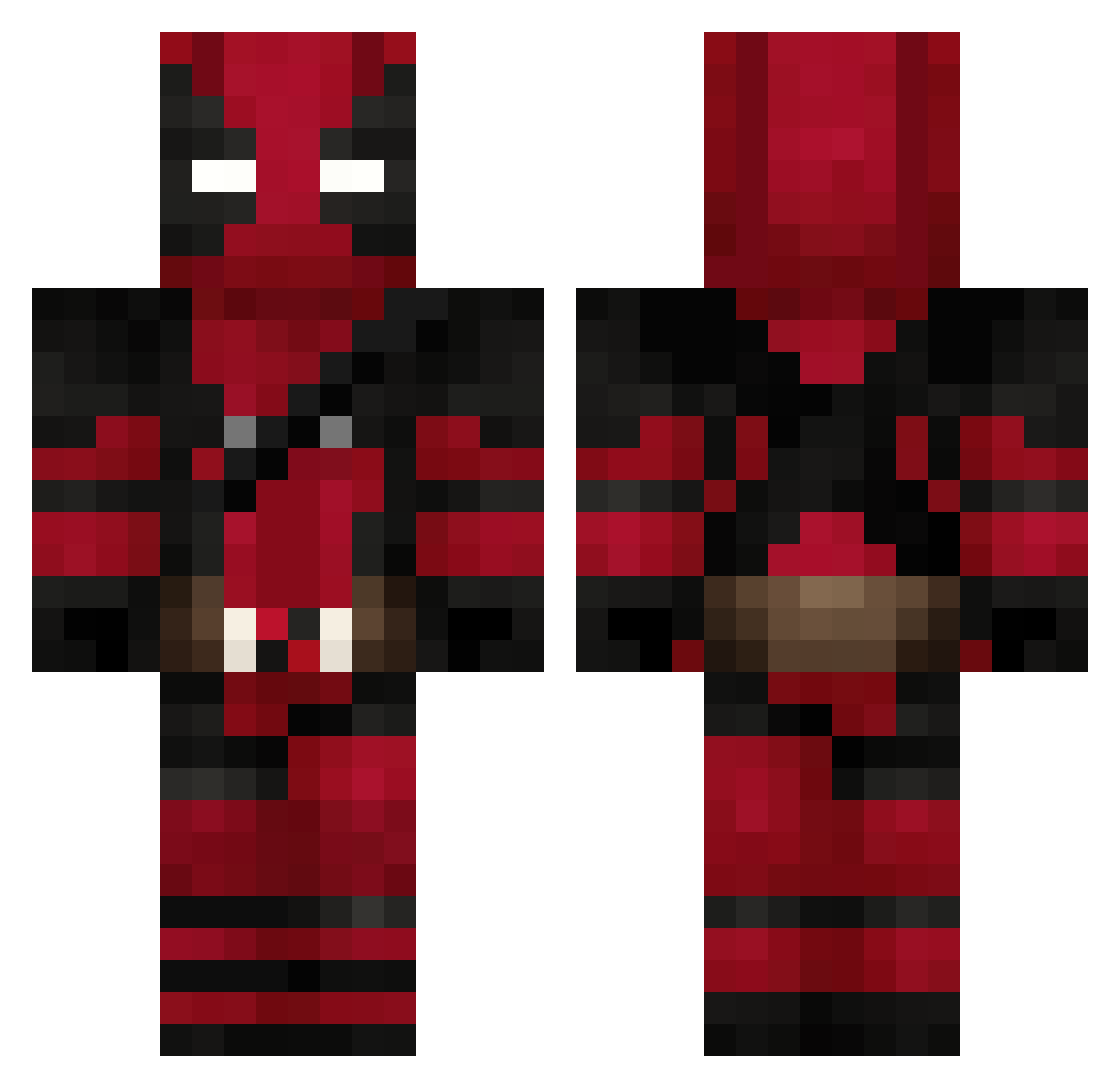
Current Minecraft skin of the player jeremdos, loaded from the official Mojang API. Rotate the 3D model with your mouse or finger, then download the skin as a PNG file and use it in Minecraft: Bedrock Edition or Java Edition for free. When jeremdos changes their skin, this page updates automatically and the old skin stays in the history below.
Other players with this skin (624)
jeremdos was the 49th player we have seen with this skin, first spotted on 01.08.2026. The same skin was seen on these players. Open a nickname to see their current skin and skin history.
 mixmage fnatic_jackninja SkyLineJG ToxicFluffy Twitch_C45Live Gargoyle73 muppetfart87 IDelTaFleXzI shido59 brwarr RedJohn973 Peluri24 PaRiiSe _T4C0_ Aqwatic agltw ShanePain08 Reyu121 trompetilla_17 Edmund LOLITA1028 Darkalu Emixam7 StiG18 kjaerdrengenJ Der_Nowakn opsPANDORA DeeKayOhh AbdullahM7 ScarfHobbit maeshippo ElBorderJumper SebasHerrera97 CayDawgMurks Mustik38x LunaBlack88 crazycowss
 guruguru86 Stinkaap_ SpaceNinja564 Sly_Dog88 muraat23 Nociception1 Timindo XMETALJESTERX YungB DeadpoolVGC Aldahirfr Leverellin DeadlyRacing1 ArtemisTimb dundo04 ICEEBABYYY WilloWnl MERK_allday99 Deadpool78 EL3V4TE milboy0409 WaspOG hawkem1
More Deadpool Minecraft skins
How to install the jeremdos skin
- Press the Download button above to save the skin as a PNG file.
- Minecraft: Bedrock Edition (PE): open the Dressing Room from the main menu (or tap your character → Edit Character), go to Classic Skins → Owned, press the + (new skin) button, choose the downloaded PNG and pick the Classic (Steve) model. Works on PC and mobile; consoles cannot import custom skins.
- Minecraft: Java Edition: open the Minecraft Launcher, go to the Skins tab, click New Skin, load the PNG, pick the Classic (Steve) model and press Save & Use. You can also upload it at minecraft.net → Profile → Change Skin.
The skin does not show up after import - what should I do?
Restart Minecraft and open the Dressing Room again - imported skins sometimes appear only after a restart. Also make sure you selected the imported skin and picked the Classic (Steve) model.
Which model should I choose, Classic or Slim?
This skin is designed for the Classic (Steve) model. If you pick the wrong model, the arms of the skin will look stretched or squeezed.
Is the skin of jeremdos free to download?
Yes. Press Download, save the PNG file and use it in Minecraft: Bedrock Edition or Java Edition - no payment or registration needed. The skin also works on multiplayer servers and Realms.
More skins
Looking for more? Go back to all Minecraft skins and check the top skins of the week, month and all time, or find any player's skin by nickname.