
jegom__ - Minecraft Skins & Skin History
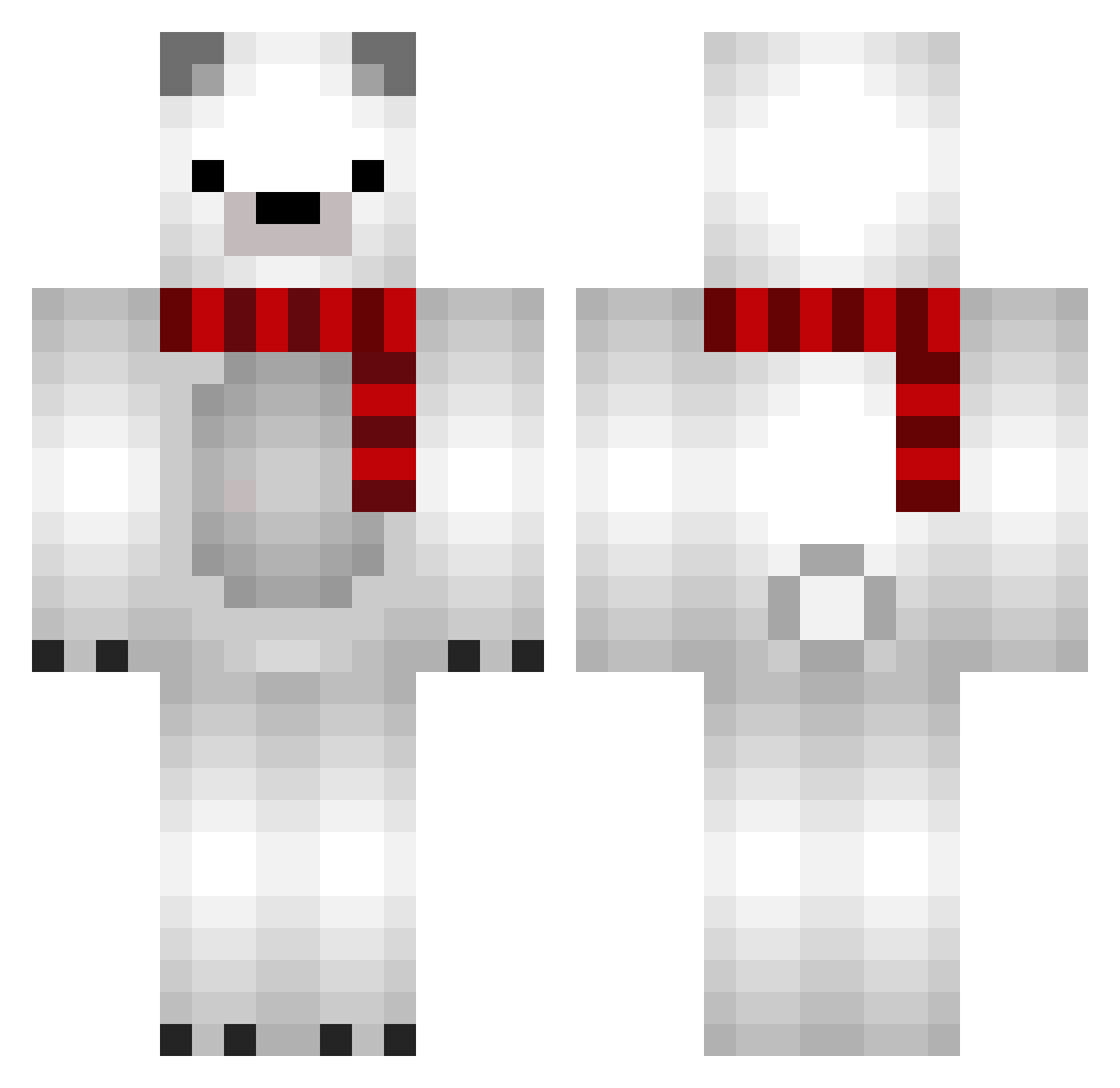
Current Minecraft skin of the player jegom__, loaded from the official Mojang API. Rotate the 3D model with your mouse or finger, then download the skin as a PNG file and use it in Minecraft: Bedrock Edition or Java Edition for free. When jegom__ changes their skin, this page updates automatically and the old skin stays in the history below.
Other players with this skin (690)
jegom__ was the 214th player we have seen with this skin, first spotted on 22.08.2026. The same skin was seen on these players. Open a nickname to see their current skin and skin history.
 nan7252 hereisheaven DoBeUsMonkey qsc6808 56dayo Wehrmacht88 Kancho0_0 Wen4ik43 Uskuci Chii0728 knanknonop ImpiedosoBanha Ksssssyyy whitebear0 onioooon Claorus MP_BeaR mkteea Cbrod_ ANT0121 Kangtaejoon1013 Polarbear_027 IGo_35 realsorto Mr_Piniu DDULOO DDo_Rim gwbbb yungbars takechi89 DoriDori97 amarox7 KumaTubaki LoudMothh JunShen kt27 2SOO_H PlusMoon_Lee chungchungchun Imdandani Mota_CMT darong2e hooni9604 un_deux_trois216 Abblou14 sakkusaku Hyang_su GIDDK tommiehjansen chunksy Junylue UTOWER psychicpuppy omochi001_ ydwoh vviinniii Logy_0215 White_Bear_Lord ONCE0922 HangryAggie
More Polar Bear Minecraft skins
How to install the jegom__ skin
- Press the Download button above to save the skin as a PNG file.
- Minecraft: Bedrock Edition (PE): open the Dressing Room from the main menu (or tap your character → Edit Character), go to Classic Skins → Owned, press the + (new skin) button, choose the downloaded PNG and pick the Classic (Steve) model. Works on PC and mobile; consoles cannot import custom skins.
- Minecraft: Java Edition: open the Minecraft Launcher, go to the Skins tab, click New Skin, load the PNG, pick the Classic (Steve) model and press Save & Use. You can also upload it at minecraft.net → Profile → Change Skin.
The skin does not show up after import - what should I do?
Restart Minecraft and open the Dressing Room again - imported skins sometimes appear only after a restart. Also make sure you selected the imported skin and picked the Classic (Steve) model.
Which model should I choose, Classic or Slim?
This skin is designed for the Classic (Steve) model. If you pick the wrong model, the arms of the skin will look stretched or squeezed.
Is the skin of jegom__ free to download?
Yes. Press Download, save the PNG file and use it in Minecraft: Bedrock Edition or Java Edition - no payment or registration needed. The skin also works on multiplayer servers and Realms.
More skins
Looking for more? Go back to all Minecraft skins and check the top skins of the week, month and all time, or find any player's skin by nickname.