
jarno908 - Minecraft Skins & Skin History
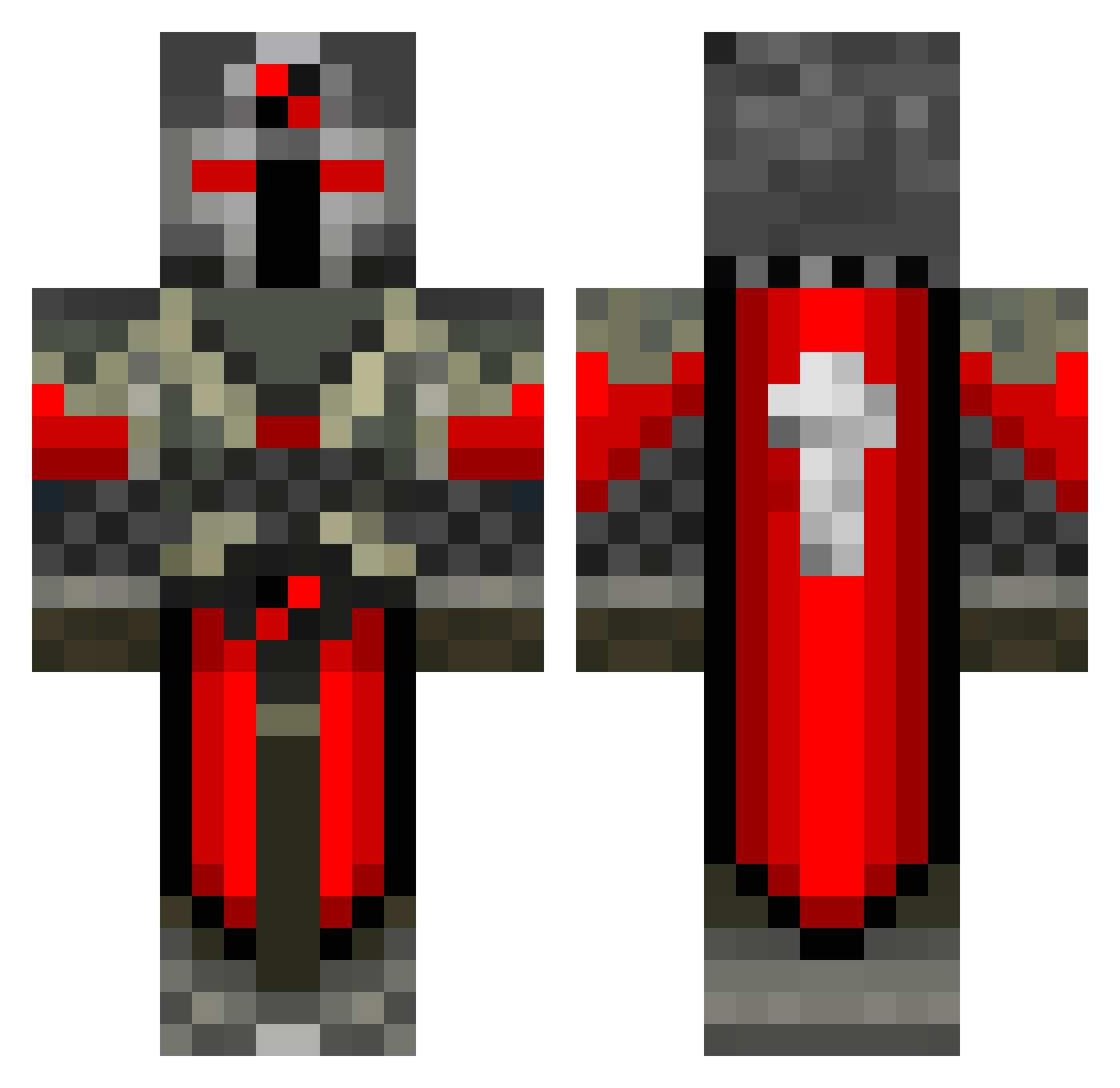
Current Minecraft skin of the player jarno908, loaded from the official Mojang API. Rotate the 3D model with your mouse or finger, then download the skin as a PNG file and use it in Minecraft: Bedrock Edition or Java Edition for free. When jarno908 changes their skin, this page updates automatically and the old skin stays in the history below.
Other players with this skin (550)
jarno908 was the 128th player we have seen with this skin, first spotted on 21.08.2026. The same skin was seen on these players. Open a nickname to see their current skin and skin history.
 AJSOLO44 vulture449 JAchilles10 catboy50 Zonerio warriorblade40 Shinimo_ Northwood2 Emblazon BERSERKER_LP capnow Ageis4Life MoinMoin_Meine OniRyoushi srg1994 mohammed_khalid darknez14 zbrownie locococo123 Tehajr SuperCloutBas TomBob321 NordicMayhem shadowwolf597 Shamata LoganTheKidQW Sfdude TheLoLgaMer6 killer210991 Iragana Hutto_10 DeStrucTOR_BeasT ImJustClicking ichunddu1503 pnovotny olekev pson11 Butterflygirl808 ljpn Ragen_Hell BossPat10 kikbutninja ibic789 fattyMcnasty jrobb1999 dasbat777 TheBlack__Knight SwiftyLaRoo Constitutional astrack Doomsater maulik39 Black_Knight9 wickedswiss Tyradar richard1008 Brotato141 Evil_Sarevok captainjo22 beretsch
More Crusader Minecraft skins
How to install the jarno908 skin
- Press the Download button above to save the skin as a PNG file.
- Minecraft: Bedrock Edition (PE): open the Dressing Room from the main menu (or tap your character → Edit Character), go to Classic Skins → Owned, press the + (new skin) button, choose the downloaded PNG and pick the Classic (Steve) model. Works on PC and mobile; consoles cannot import custom skins.
- Minecraft: Java Edition: open the Minecraft Launcher, go to the Skins tab, click New Skin, load the PNG, pick the Classic (Steve) model and press Save & Use. You can also upload it at minecraft.net → Profile → Change Skin.
The skin does not show up after import - what should I do?
Restart Minecraft and open the Dressing Room again - imported skins sometimes appear only after a restart. Also make sure you selected the imported skin and picked the Classic (Steve) model.
Which model should I choose, Classic or Slim?
This skin is designed for the Classic (Steve) model. If you pick the wrong model, the arms of the skin will look stretched or squeezed.
Is the skin of jarno908 free to download?
Yes. Press Download, save the PNG file and use it in Minecraft: Bedrock Edition or Java Edition - no payment or registration needed. The skin also works on multiplayer servers and Realms.
More skins
Looking for more? Go back to all Minecraft skins and check the top skins of the week, month and all time, or find any player's skin by nickname.