
jankOn_ - Minecraft Skins & Skin History
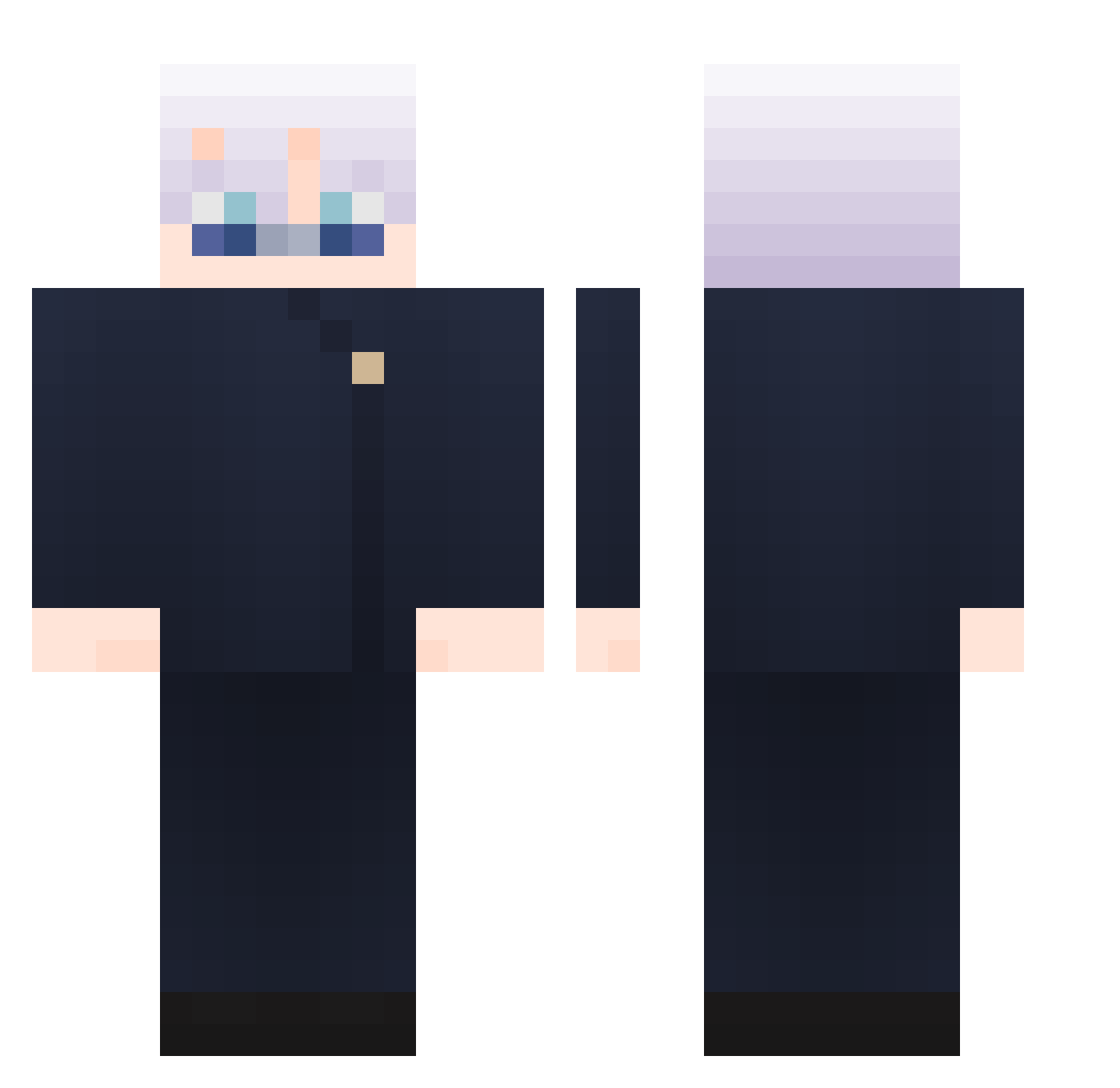
Current Minecraft skin of the player jankOn_, loaded from the official Mojang API. Rotate the 3D model with your mouse or finger, then download the skin as a PNG file and use it in Minecraft: Bedrock Edition or Java Edition for free. When jankOn_ changes their skin, this page updates automatically and the old skin stays in the history below.
Other players with this skin (865)
jankOn_ was the 95th player we have seen with this skin, first spotted on 06.08.2026. The same skin was seen on these players. Open a nickname to see their current skin and skin history.
 SeiryuSleipnir rai9888 GuardDuo dasdwasdwa xzh_hs Exumay Minisoe wt30309 shortgeorge
 Rauleliasxd DanCrack03 gi_hwan BlueCodeWolf Micro_dream daveyur OobyLooby xHypnotic5953 Groot0509 JoseZX lzlinom TUNA0611 x8yu andreesorantees Miaugk
 Zek1800 EB___ AmanYi TheBigOne2030 BlaceZenned SamAlves2012
 Eduardito234 Augur2003 wt_vl Papadragon233 kynzxu amerikan7 rogerwen ikrinu Jhamesss AMNESIACZERO086 Radaiii fabi99v huang073 shiximon kilicapalot alt345235 Lan1ern1976 Wayne_JH BOCK109 zarozpx YuchaDao Yu_Peng char_ZeNo ahaze_ suzu023 wkvfhsezv1 Luchogky JellyBios Jeteregale
 onlymnq
More Satoru Gojo Minecraft skins
See all 1223 Satoru Gojo skins
How to install the jankOn_ skin
- Press the Download button above to save the skin as a PNG file.
- Minecraft: Bedrock Edition (PE): open the Dressing Room from the main menu (or tap your character → Edit Character), go to Classic Skins → Owned, press the + (new skin) button, choose the downloaded PNG and pick the Classic (Steve) model. Works on PC and mobile; consoles cannot import custom skins.
- Minecraft: Java Edition: open the Minecraft Launcher, go to the Skins tab, click New Skin, load the PNG, pick the Classic (Steve) model and press Save & Use. You can also upload it at minecraft.net → Profile → Change Skin.
The skin does not show up after import - what should I do?
Restart Minecraft and open the Dressing Room again - imported skins sometimes appear only after a restart. Also make sure you selected the imported skin and picked the Classic (Steve) model.
Which model should I choose, Classic or Slim?
This skin is designed for the Classic (Steve) model. If you pick the wrong model, the arms of the skin will look stretched or squeezed.
Is the skin of jankOn_ free to download?
Yes. Press Download, save the PNG file and use it in Minecraft: Bedrock Edition or Java Edition - no payment or registration needed. The skin also works on multiplayer servers and Realms.
More skins
Looking for more? Go back to all Minecraft skins and check the top skins of the week, month and all time, or find any player's skin by nickname.