
janee69 - Minecraft Skins & Skin History
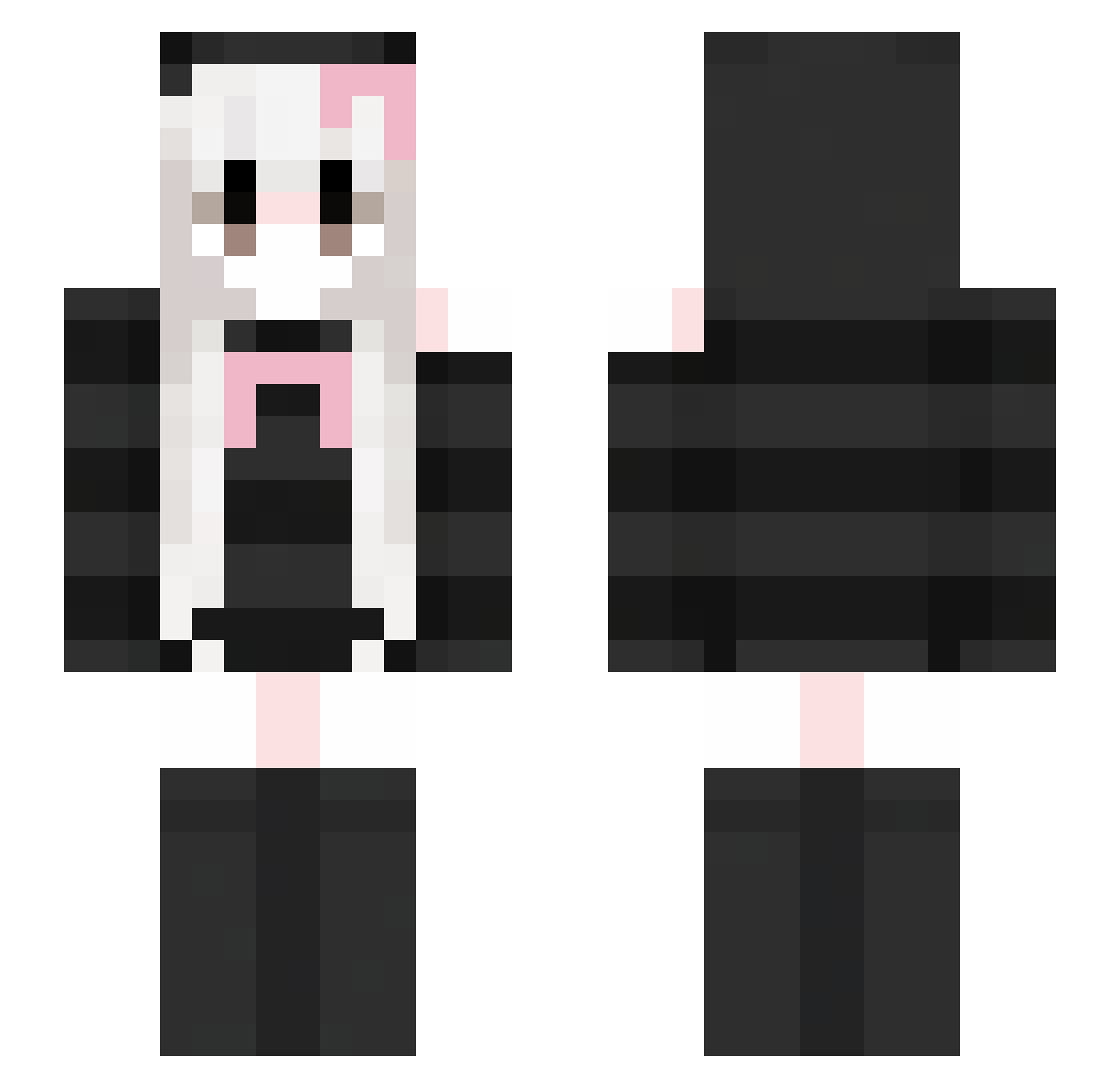
Current Minecraft skin of the player janee69, loaded from the official Mojang API. Rotate the 3D model with your mouse or finger, then download the skin as a PNG file and use it in Minecraft: Bedrock Edition or Java Edition for free. When janee69 changes their skin, this page updates automatically and the old skin stays in the history below.
Other players with this skin (352)
janee69 was the 33rd player we have seen with this skin, first spotted on 02.08.2026. The same skin was seen on these players. Open a nickname to see their current skin and skin history.
 sn4kel4dy wuxuhao666 Milky225 idkmara Dissducking muxiabreeze gotta_luv_kenzie EchoesOfLumi shefaregina SOYEON2114 NLL198 MccDG caillou2512 kaspalp Wobblezs bluberryslime Jerry0201 ALLIN_0214 2Woo91 OoosandcastleooO Sundae79 DARKO_xD _196_ Jorunna_parva_19 Piggy_owo Arurora TryLoki tako325 bugeater9999 dakongdakong Kittycat_73 __bel_ ShadowBadOmen ieux_ kk065 tipsticky227 SVS_030 __XIaoQing snow_724 Jean2034 Echoude Nekoneko0427 vvalkyriex CyberAngxl shelly139 Tumpel AEGAEG SilverRain0210 xxq1110 ESray crowHAN Ardi58 jessixcaaaa JenSi3 HNFNT Ameeiliaa2006a wInKkkkkkk FairyberryXO s000y ilovecats97
More Face Mask Minecraft skins
How to install the janee69 skin
- Press the Download button above to save the skin as a PNG file.
- Minecraft: Bedrock Edition (PE): open the Dressing Room from the main menu (or tap your character → Edit Character), go to Classic Skins → Owned, press the + (new skin) button, choose the downloaded PNG and pick the Slim (Alex) model. Works on PC and mobile; consoles cannot import custom skins.
- Minecraft: Java Edition: open the Minecraft Launcher, go to the Skins tab, click New Skin, load the PNG, pick the Slim (Alex) model and press Save & Use. You can also upload it at minecraft.net → Profile → Change Skin.
The skin does not show up after import - what should I do?
Restart Minecraft and open the Dressing Room again - imported skins sometimes appear only after a restart. Also make sure you selected the imported skin and picked the Slim (Alex) model.
Which model should I choose, Classic or Slim?
This skin is designed for the Slim (Alex) model. If you pick the wrong model, the arms of the skin will look stretched or squeezed.
Is the skin of janee69 free to download?
Yes. Press Download, save the PNG file and use it in Minecraft: Bedrock Edition or Java Edition - no payment or registration needed. The skin also works on multiplayer servers and Realms.
More skins
Looking for more? Go back to all Minecraft skins and check the top skins of the week, month and all time, or find any player's skin by nickname.