
jamnio_00 - Minecraft Skins & Skin History
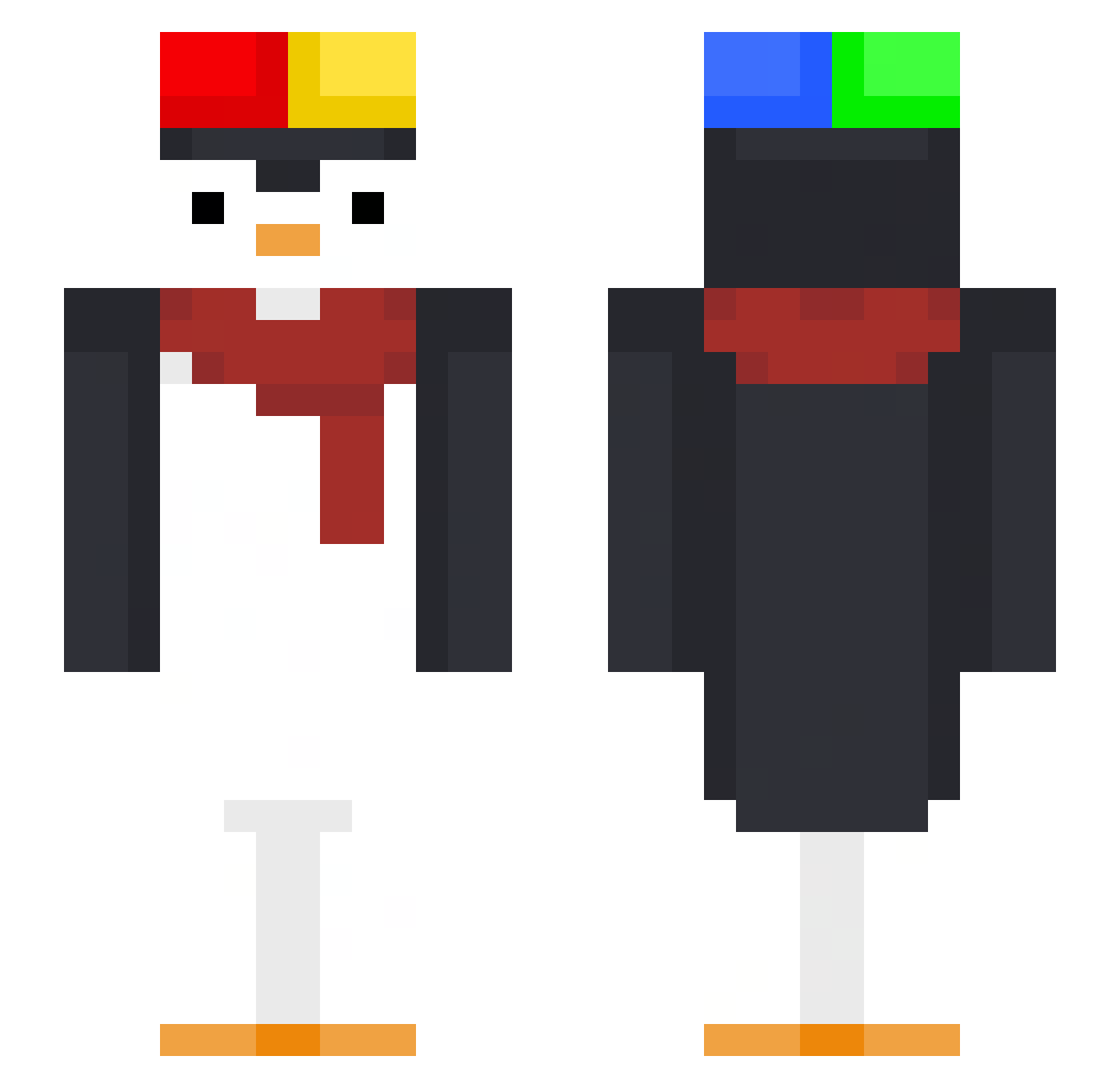
Current Minecraft skin of the player jamnio_00, loaded from the official Mojang API. Rotate the 3D model with your mouse or finger, then download the skin as a PNG file and use it in Minecraft: Bedrock Edition or Java Edition for free. When jamnio_00 changes their skin, this page updates automatically and the old skin stays in the history below.
Other players with this skin (48)
jamnio_00 was the 25th player we have seen with this skin, first spotted on 07.09.2026. The same skin was seen on these players. Open a nickname to see their current skin and skin history.
 llIlIlIIIlI jiugae12 Shwimps cryxky FrenchOFF
 Gnomozin lleanp TN_xz GanpangHS Obsst Rafab27 RPowier Dift_TH Mingaul potato_0604 Icalebs Takyyys Welliguidao th140927
 SUKJUNHO0215 Szybki_Rower kimmychii_
 WhosAvery10 Jul1en_
 ReckyXD1 dwuizzyyy Hastier _P1NGUIN_ Gwenga12 piyan123 octobot24 Vinterskogen QHuy01 proud12_ ClayX8476 gear8568 werdo442 TheBigSteak pintixanu IC3D_HD Mthmorandi
 ManePapaya whblguyx quiryxx
 pingvinuk chemik69 Cookiedacki Star1o_
More Winter Minecraft skins
How to install the jamnio_00 skin
- Press the Download button above to save the skin as a PNG file.
- Minecraft: Bedrock Edition (PE): open the Dressing Room from the main menu (or tap your character → Edit Character), go to Classic Skins → Owned, press the + (new skin) button, choose the downloaded PNG and pick the Slim (Alex) model. Works on PC and mobile; consoles cannot import custom skins.
- Minecraft: Java Edition: open the Minecraft Launcher, go to the Skins tab, click New Skin, load the PNG, pick the Slim (Alex) model and press Save & Use. You can also upload it at minecraft.net → Profile → Change Skin.
The skin does not show up after import - what should I do?
Restart Minecraft and open the Dressing Room again - imported skins sometimes appear only after a restart. Also make sure you selected the imported skin and picked the Slim (Alex) model.
Which model should I choose, Classic or Slim?
This skin is designed for the Slim (Alex) model. If you pick the wrong model, the arms of the skin will look stretched or squeezed.
Is the skin of jamnio_00 free to download?
Yes. Press Download, save the PNG file and use it in Minecraft: Bedrock Edition or Java Edition - no payment or registration needed. The skin also works on multiplayer servers and Realms.
More skins
Looking for more? Go back to all Minecraft skins and check the top skins of the week, month and all time, or find any player's skin by nickname.