
jakedev52 - Minecraft Skins & Skin History
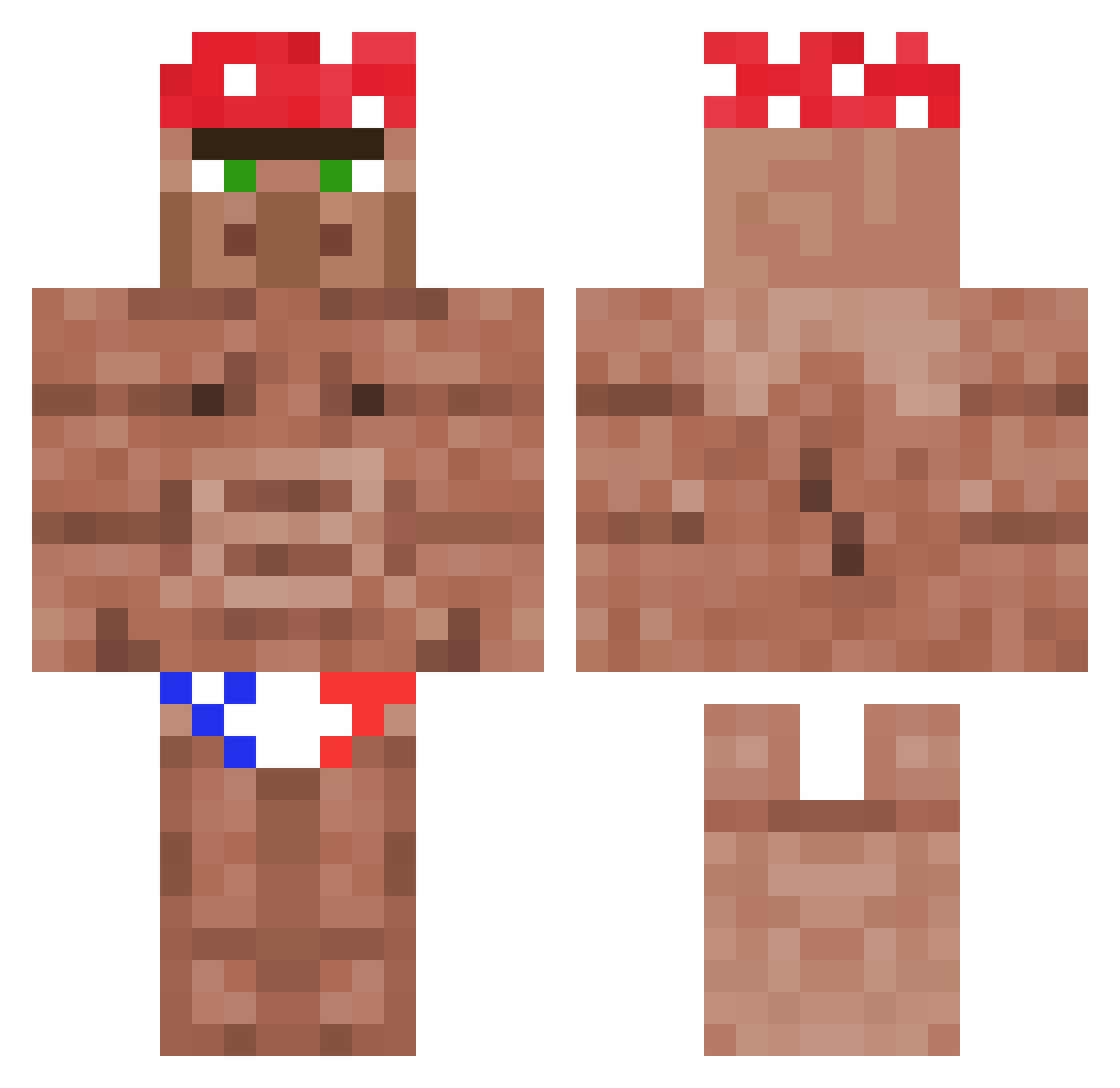
Current Minecraft skin of the player jakedev52, loaded from the official Mojang API. Rotate the 3D model with your mouse or finger, then download the skin as a PNG file and use it in Minecraft: Bedrock Edition or Java Edition for free. When jakedev52 changes their skin, this page updates automatically and the old skin stays in the history below.
Other players with this skin (1179)
jakedev52 was the 501st player we have seen with this skin, first spotted on 13.09.2026. The same skin was seen on these players. Open a nickname to see their current skin and skin history.
 antifreeze13 SlugChrist BigBoi2965 ItzSalvation ILear OtakuLMSH Villager_Ricardo elBoch LowKeyTrash hedgehogR rucyp NotGullus KIL0M3T3RS Pooptsu SKing_08 MeHowHere ElCholo1221 CamelToast18 CR179965 thornhillhero100 JaGeumSunG XxSypecxX wotjer Raviioliiiii MC_autism Hesinluvwitsam Venn13 SWOLOPOLY Digthedug96 Thatpersonkeyon NambouRe ElypSeKodoku zkingston2 xLqmDrip Lexrooy Jabaoude zerfxag iCreeplaCrepe Filip11K jaden15 Baztinho43 Lumpus77 Pickle_boi42 avumbue NeoG2006 Tjiego Saisei15 Gamer_2_0_ nico102 nick_goat Kraftwerrk zLowDrack Mcpl3yer Mojuets Mohamed_Batity SkinGuru PoezzeWoef69 pablobomito whos_joe
 Enanardo1
More Ricardo Milos Minecraft skins
See all 100 Ricardo Milos skins
How to install the jakedev52 skin
- Press the Download button above to save the skin as a PNG file.
- Minecraft: Bedrock Edition (PE): open the Dressing Room from the main menu (or tap your character → Edit Character), go to Classic Skins → Owned, press the + (new skin) button, choose the downloaded PNG and pick the Classic (Steve) model. Works on PC and mobile; consoles cannot import custom skins.
- Minecraft: Java Edition: open the Minecraft Launcher, go to the Skins tab, click New Skin, load the PNG, pick the Classic (Steve) model and press Save & Use. You can also upload it at minecraft.net → Profile → Change Skin.
The skin does not show up after import - what should I do?
Restart Minecraft and open the Dressing Room again - imported skins sometimes appear only after a restart. Also make sure you selected the imported skin and picked the Classic (Steve) model.
Which model should I choose, Classic or Slim?
This skin is designed for the Classic (Steve) model. If you pick the wrong model, the arms of the skin will look stretched or squeezed.
Is the skin of jakedev52 free to download?
Yes. Press Download, save the PNG file and use it in Minecraft: Bedrock Edition or Java Edition - no payment or registration needed. The skin also works on multiplayer servers and Realms.
More skins
Looking for more? Go back to all Minecraft skins and check the top skins of the week, month and all time, or find any player's skin by nickname.