
imsotiredXD - Minecraft Skins & Skin History
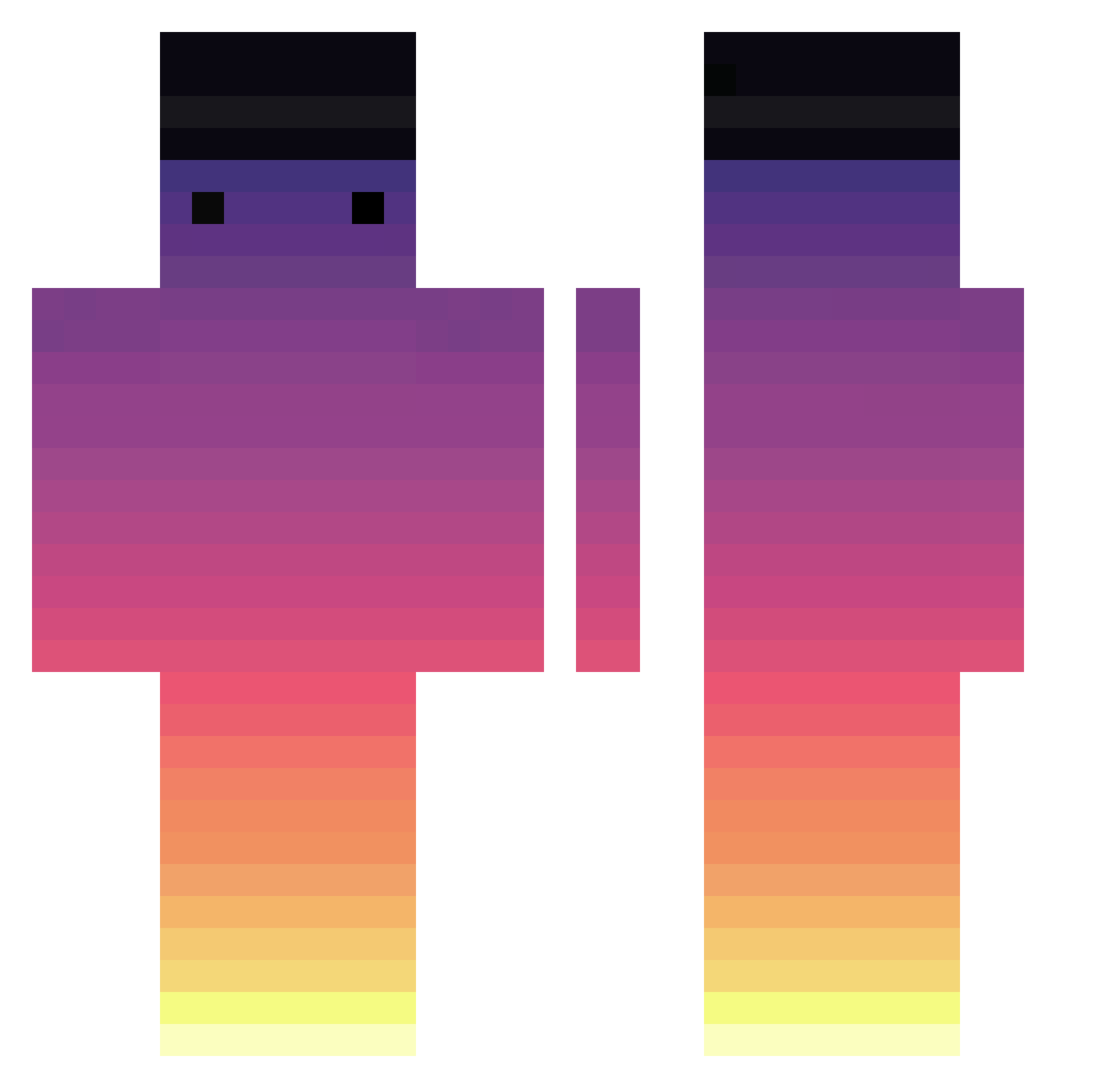
Current Minecraft skin of the player imsotiredXD, loaded from the official Mojang API. Rotate the 3D model with your mouse or finger, then download the skin as a PNG file and use it in Minecraft: Bedrock Edition or Java Edition for free. When imsotiredXD changes their skin, this page updates automatically and the old skin stays in the history below.
Other players with this skin (717)
imsotiredXD was the 502nd player we have seen with this skin, first spotted on 08.10.2026. The same skin was seen on these players. Open a nickname to see their current skin and skin history.
 ELIASW_ Junka_90 BlindTurtle16 Selestron Zorn34 Calabasas9 rob_robot SyncnyS pittaah Alfiejakee EnoughBoat pkpawi FlipFlop2352 maidan_ Potato_Army_ DevilAngel94 wegalex itnisz btgfore1130 dugong44 QxP369 SunR15e_ Derelinquo_ Kingkilljoy117 DreadDrake81006 nicklxjoe Le_Ratz 240xenz Didocas viny22KO Baf_Abry mcmasterlukester MagicalTurtles Zipikoe Kyvra Brasillas Thea_The_Pug SHANGLU hengmordi Typhoon_KTM tHoibon Borowaa12 plygo jaceton KILIS02 avent7 899ms Gyu_yomi WuichoChour Lincage 1101gman1 Extra108 PriyankaGupta Wilson2304 lelo12 mriynuk ZKWill212 OldStreets EscalaReal xxxgamerguyxxxxx
How to install the imsotiredXD skin
- Press the Download button above to save the skin as a PNG file.
- Minecraft: Bedrock Edition (PE): open the Dressing Room from the main menu (or tap your character → Edit Character), go to Classic Skins → Owned, press the + (new skin) button, choose the downloaded PNG and pick the Classic (Steve) model. Works on PC and mobile; consoles cannot import custom skins.
- Minecraft: Java Edition: open the Minecraft Launcher, go to the Skins tab, click New Skin, load the PNG, pick the Classic (Steve) model and press Save & Use. You can also upload it at minecraft.net → Profile → Change Skin.
The skin does not show up after import - what should I do?
Restart Minecraft and open the Dressing Room again - imported skins sometimes appear only after a restart. Also make sure you selected the imported skin and picked the Classic (Steve) model.
Which model should I choose, Classic or Slim?
This skin is designed for the Classic (Steve) model. If you pick the wrong model, the arms of the skin will look stretched or squeezed.
Is the skin of imsotiredXD free to download?
Yes. Press Download, save the PNG file and use it in Minecraft: Bedrock Edition or Java Edition - no payment or registration needed. The skin also works on multiplayer servers and Realms.
More skins
Looking for more? Go back to all Minecraft skins and check the top skins of the week, month and all time, or find any player's skin by nickname.