
imabenji - Minecraft Skins & Skin History
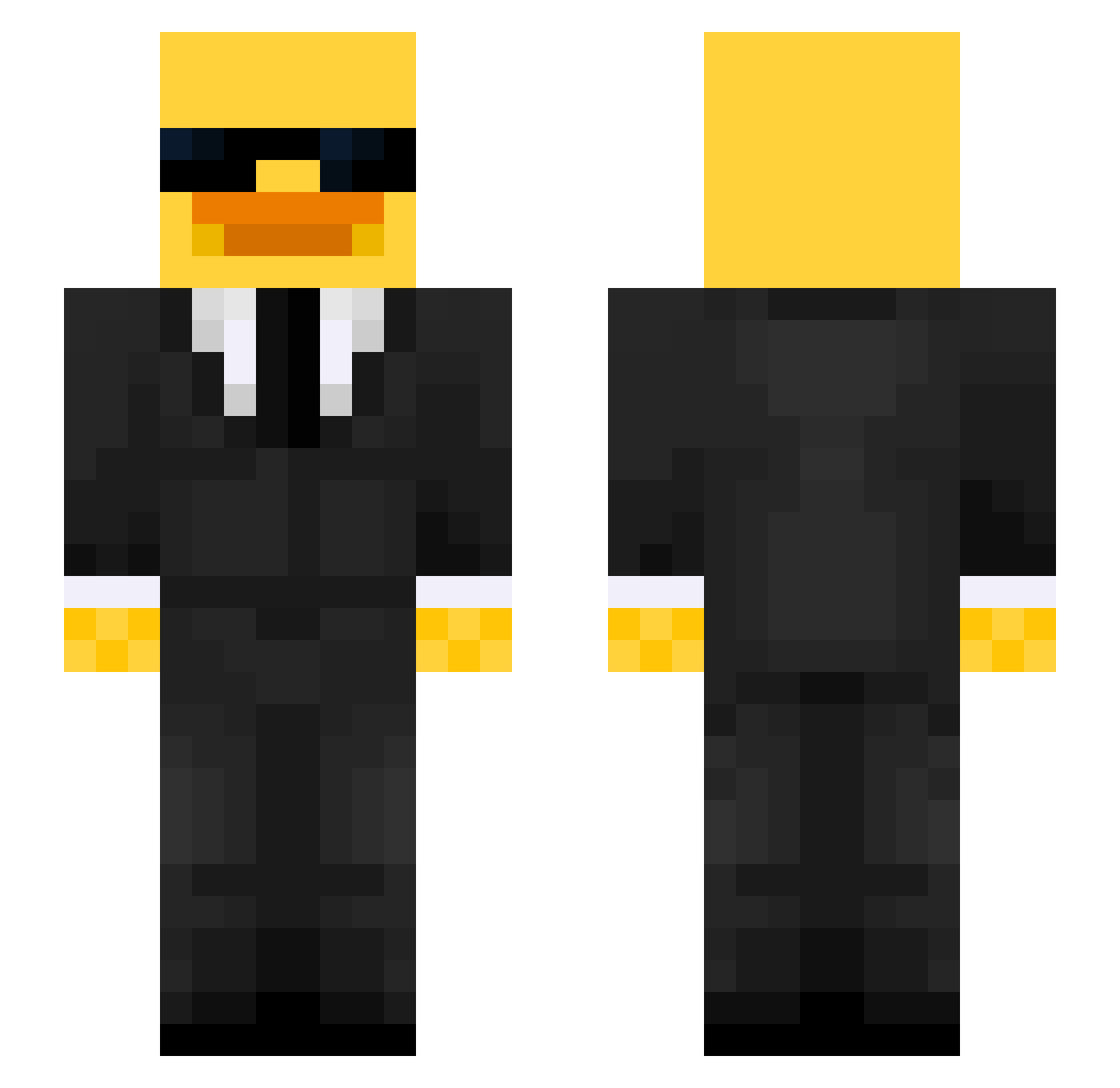
Current Minecraft skin of the player imabenji, loaded from the official Mojang API. Rotate the 3D model with your mouse or finger, then download the skin as a PNG file and use it in Minecraft: Bedrock Edition or Java Edition for free. When imabenji changes their skin, this page updates automatically and the old skin stays in the history below.
Other players with this skin (656)
imabenji was the 549th player we have seen with this skin, first spotted on 25.10.2026. The same skin was seen on these players. Open a nickname to see their current skin and skin history.
 DancingBurito Falbak341 Barbos_ GHJx201 HisCi joukieboy WatonPantene69 YuannZhen Sentriks Hannibal_monarch AlejandroVVB xxyanqing Solenco104 Sosa_30 CharLy2388 Baklavaki23 76456890 Malok3 Adamix96 Tomuu2015 NotBrutalOp kimchodle GEUNI99 Grlla_Giall kasti_999 crombieminecraft mikesterv Matux1012 GodIsGreatt cocococococoo JADMAA dimou42 Marc6179 azecnarf Sm0rsche LucasCurry30 tibodesmedt Maciekhizr gili321 yzLxrd M3teoo44 Finyex Schreiner69 Vimosi AFRICAN_MALE Blimku Cenoon clee37282 scoutmain1337 NPolarfuchs123 EvoPhinox Emery_Huang formaIduck DripOnRX Soderberg2009 MochiINot900lbs Happymow LegendaMimio12 Artizaan Fxisl_
More Duck Minecraft skins
How to install the imabenji skin
- Press the Download button above to save the skin as a PNG file.
- Minecraft: Bedrock Edition (PE): open the Dressing Room from the main menu (or tap your character → Edit Character), go to Classic Skins → Owned, press the + (new skin) button, choose the downloaded PNG and pick the Slim (Alex) model. Works on PC and mobile; consoles cannot import custom skins.
- Minecraft: Java Edition: open the Minecraft Launcher, go to the Skins tab, click New Skin, load the PNG, pick the Slim (Alex) model and press Save & Use. You can also upload it at minecraft.net → Profile → Change Skin.
The skin does not show up after import - what should I do?
Restart Minecraft and open the Dressing Room again - imported skins sometimes appear only after a restart. Also make sure you selected the imported skin and picked the Slim (Alex) model.
Which model should I choose, Classic or Slim?
This skin is designed for the Slim (Alex) model. If you pick the wrong model, the arms of the skin will look stretched or squeezed.
Is the skin of imabenji free to download?
Yes. Press Download, save the PNG file and use it in Minecraft: Bedrock Edition or Java Edition - no payment or registration needed. The skin also works on multiplayer servers and Realms.
More skins
Looking for more? Go back to all Minecraft skins and check the top skins of the week, month and all time, or find any player's skin by nickname.