
ikamon357 - Minecraft Skins & Skin History
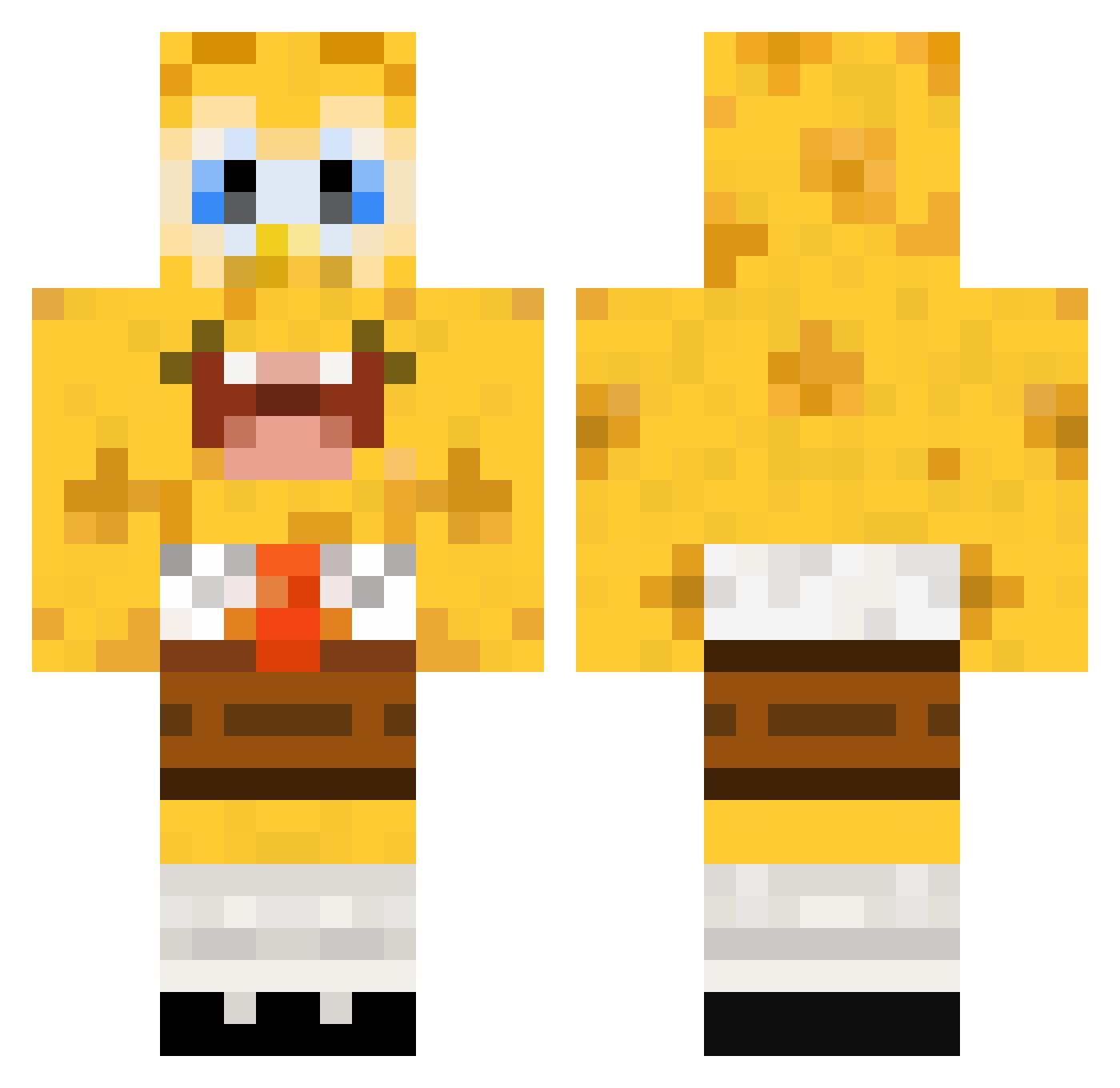
Current Minecraft skin of the player ikamon357, loaded from the official Mojang API. Rotate the 3D model with your mouse or finger, then download the skin as a PNG file and use it in Minecraft: Bedrock Edition or Java Edition for free. When ikamon357 changes their skin, this page updates automatically and the old skin stays in the history below.
Other players with this skin (112)
ikamon357 was the 73rd player we have seen with this skin, first spotted on 01.10.2026. The same skin was seen on these players. Open a nickname to see their current skin and skin history.
 DaC4T PhokingAndrew Alon_Chai akkebro123 Sayborgbaby rezzyboi Fuji363 mimturr longhorn1535 ppBarney Fransmannetjie ztg903 al3xavery Monroka Noah_DavidB Sw3etHomeAlabama KdommTV laursincy 1Rama MattHockey02 Pukidy Btanner2003 Nor_Ruuud YanLongxia123 Kylloux MastahBuddha NongPrice Daisy_246 Codosyax KornChng MinecraftVilmerz McNuggets1290 Kubuii yokonuts BaoZ1Xuan JJWv2 7motaaaa manwithatutu Avocados02 obamadiddy E7F0 KaelynL7 Ayden_Acebo vvzero Claire_Shao Slvter LobsterSaur xiaoluo_OvO louisr18922 thelasttwinkie newichok monster8023 salalavage brighthoon ThngsCATScantEat Eoin2010 Timzenos Cirrcle Forteng95 doublecherryo
More Spongebob Minecraft skins
How to install the ikamon357 skin
- Press the Download button above to save the skin as a PNG file.
- Minecraft: Bedrock Edition (PE): open the Dressing Room from the main menu (or tap your character → Edit Character), go to Classic Skins → Owned, press the + (new skin) button, choose the downloaded PNG and pick the Classic (Steve) model. Works on PC and mobile; consoles cannot import custom skins.
- Minecraft: Java Edition: open the Minecraft Launcher, go to the Skins tab, click New Skin, load the PNG, pick the Classic (Steve) model and press Save & Use. You can also upload it at minecraft.net → Profile → Change Skin.
The skin does not show up after import - what should I do?
Restart Minecraft and open the Dressing Room again - imported skins sometimes appear only after a restart. Also make sure you selected the imported skin and picked the Classic (Steve) model.
Which model should I choose, Classic or Slim?
This skin is designed for the Classic (Steve) model. If you pick the wrong model, the arms of the skin will look stretched or squeezed.
Is the skin of ikamon357 free to download?
Yes. Press Download, save the PNG file and use it in Minecraft: Bedrock Edition or Java Edition - no payment or registration needed. The skin also works on multiplayer servers and Realms.
More skins
Looking for more? Go back to all Minecraft skins and check the top skins of the week, month and all time, or find any player's skin by nickname.