
igor393 - Minecraft Skins & Skin History
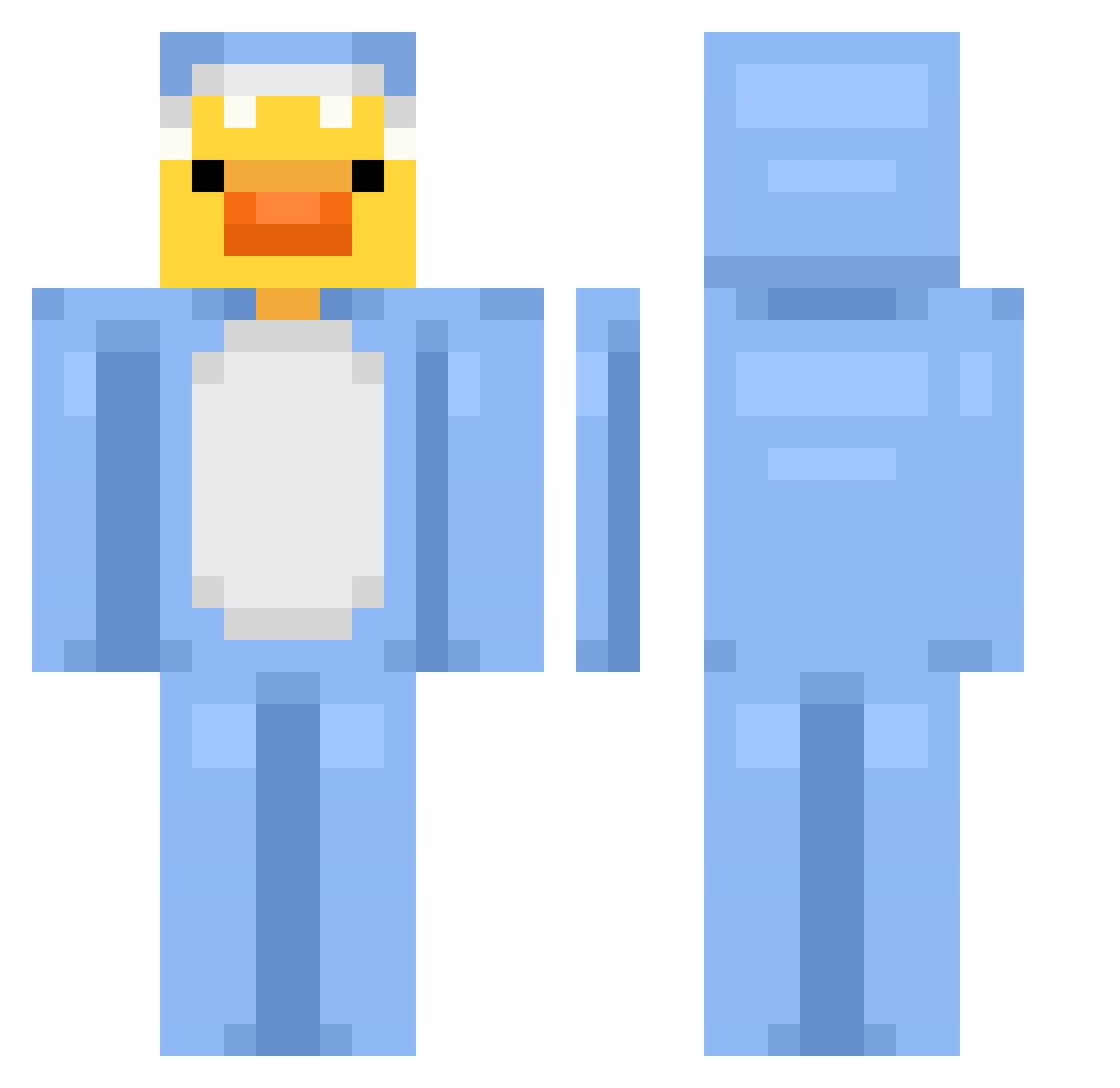
Current Minecraft skin of the player igor393, loaded from the official Mojang API. Rotate the 3D model with your mouse or finger, then download the skin as a PNG file and use it in Minecraft: Bedrock Edition or Java Edition for free. When igor393 changes their skin, this page updates automatically and the old skin stays in the history below.
Other players with this skin (700)
igor393 was the 105th player we have seen with this skin, first spotted on 08.08.2026. The same skin was seen on these players. Open a nickname to see their current skin and skin history.
 Schminkkoffer Telegrams CLOUDS0_ 7Tanikino7 yusuflexx mamaheeyai BajalyNavajaly
 Trykyyyy DMC_is_COLD AntiDemonzz Vibrutin shark4life4491 Buckbeak7 soltys_67 bugra_34 ACExRAM Applesauce00 Kroonox11 ArtJung_ guacsoup stilexx24 WilliamSun23 ollneee AnyTick10855002 Szmergiel777 lasuliwoo NoobPvP0_0 Handreassen manhuahaven Chickenteryaki FabsPlayz Batagor_12 The_DuckBoi DRN122 Bomiii madoguchi 297kk Regic hollywalle AhmadMosin xMarkster chicachicc WildFX duckyt2 zefjio0
 Tama_3 Thomas3892 Armando214 giogio499 hugoo1989 LooseGoose18 hoseinsins Luis6GO NIMO131 JustRealfake grenyer2013 ImLovelyLia
 Stura SkyLordjj2011 seraaaaaaaaaa
More Onesie Minecraft skins
How to install the igor393 skin
- Press the Download button above to save the skin as a PNG file.
- Minecraft: Bedrock Edition (PE): open the Dressing Room from the main menu (or tap your character → Edit Character), go to Classic Skins → Owned, press the + (new skin) button, choose the downloaded PNG and pick the Classic (Steve) model. Works on PC and mobile; consoles cannot import custom skins.
- Minecraft: Java Edition: open the Minecraft Launcher, go to the Skins tab, click New Skin, load the PNG, pick the Classic (Steve) model and press Save & Use. You can also upload it at minecraft.net → Profile → Change Skin.
The skin does not show up after import - what should I do?
Restart Minecraft and open the Dressing Room again - imported skins sometimes appear only after a restart. Also make sure you selected the imported skin and picked the Classic (Steve) model.
Which model should I choose, Classic or Slim?
This skin is designed for the Classic (Steve) model. If you pick the wrong model, the arms of the skin will look stretched or squeezed.
Is the skin of igor393 free to download?
Yes. Press Download, save the PNG file and use it in Minecraft: Bedrock Edition or Java Edition - no payment or registration needed. The skin also works on multiplayer servers and Realms.
More skins
Looking for more? Go back to all Minecraft skins and check the top skins of the week, month and all time, or find any player's skin by nickname.