
iceddive - Minecraft Skins & Skin History
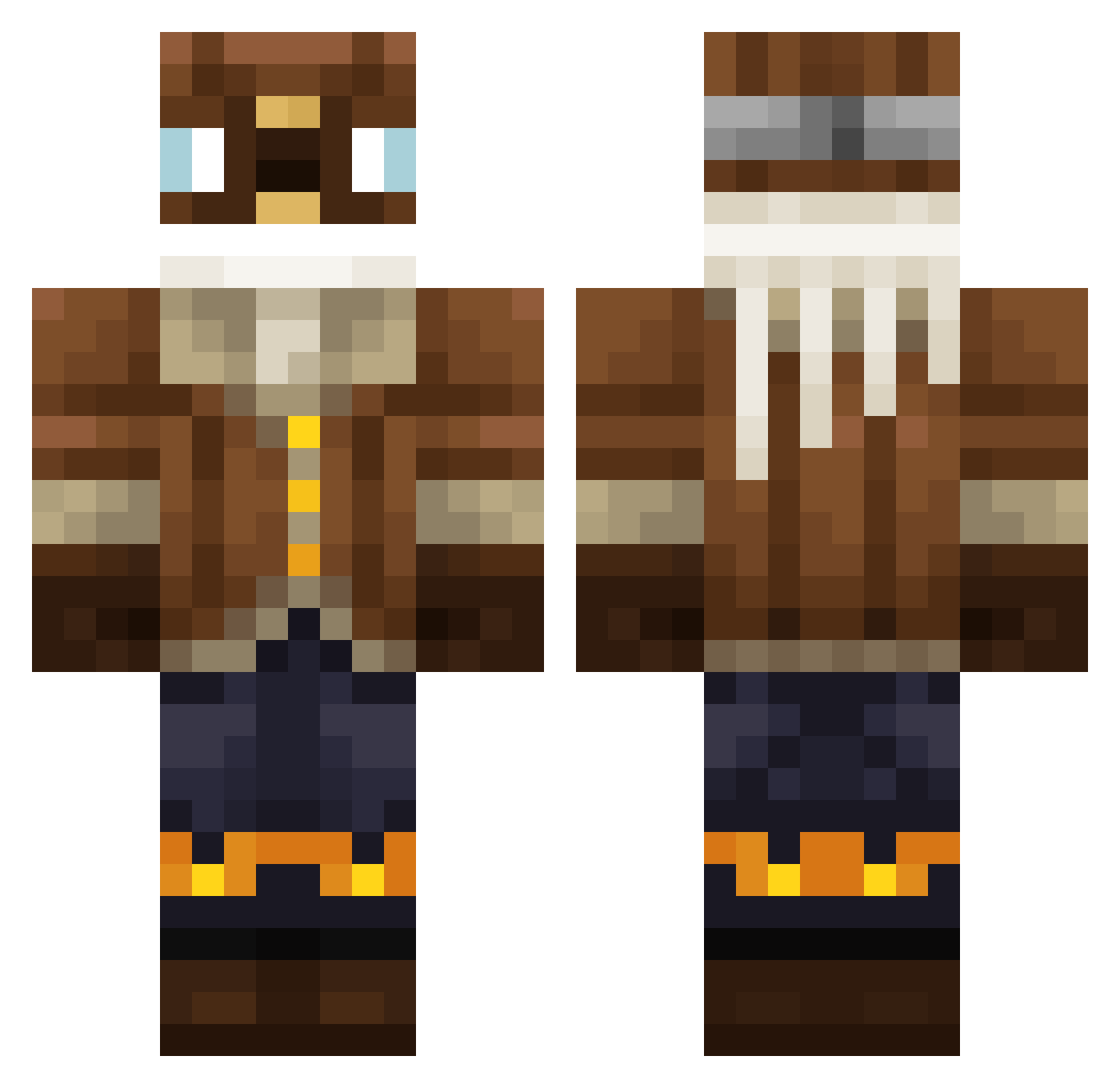
Current Minecraft skin of the player iceddive, loaded from the official Mojang API. Rotate the 3D model with your mouse or finger, then download the skin as a PNG file and use it in Minecraft: Bedrock Edition or Java Edition for free. When iceddive changes their skin, this page updates automatically and the old skin stays in the history below.
Other players with this skin (344)
iceddive was the 245th player we have seen with this skin, first spotted on 04.10.2026. The same skin was seen on these players. Open a nickname to see their current skin and skin history.
 LUNCHY666 Tetramental Alexandra1237 Glacial_March cuzb MrSirBro Yaags latelea MegaWaschlappen SpeedRUNNERx Gemstone_King Marginated MRLeenBeen itzyaboiBB GuxGux DinnerIsNotOver enderslapper52 Bobbee22 zepler FishnslipsMC RialSim _ZuHo Birdeye7 Mihiiii idohamelh rainnvb NCE_NT imuo0526 Monky6667 ProfNutmeg El_FireFox Christian2109 Sweetpupale TheRealJo14 olive_wilfried scudlidudel turtlepen69 TheJoCraft1520 superbebeson iboatnarak Hillel10000 Kr3most HACK3D10101 mike_upbot jens72 CmonBuddy Tonifresh cagethebrian Jaanit0r Nayer222 SiersLv Wladdd911 AismaN lmcdonald2 tim1234324 LegendaryGod482 valist05 BronzeTheFish axzereuw DampfBurrito93
More Aviator Minecraft skins
How to install the iceddive skin
- Press the Download button above to save the skin as a PNG file.
- Minecraft: Bedrock Edition (PE): open the Dressing Room from the main menu (or tap your character → Edit Character), go to Classic Skins → Owned, press the + (new skin) button, choose the downloaded PNG and pick the Classic (Steve) model. Works on PC and mobile; consoles cannot import custom skins.
- Minecraft: Java Edition: open the Minecraft Launcher, go to the Skins tab, click New Skin, load the PNG, pick the Classic (Steve) model and press Save & Use. You can also upload it at minecraft.net → Profile → Change Skin.
The skin does not show up after import - what should I do?
Restart Minecraft and open the Dressing Room again - imported skins sometimes appear only after a restart. Also make sure you selected the imported skin and picked the Classic (Steve) model.
Which model should I choose, Classic or Slim?
This skin is designed for the Classic (Steve) model. If you pick the wrong model, the arms of the skin will look stretched or squeezed.
Is the skin of iceddive free to download?
Yes. Press Download, save the PNG file and use it in Minecraft: Bedrock Edition or Java Edition - no payment or registration needed. The skin also works on multiplayer servers and Realms.
More skins
Looking for more? Go back to all Minecraft skins and check the top skins of the week, month and all time, or find any player's skin by nickname.