
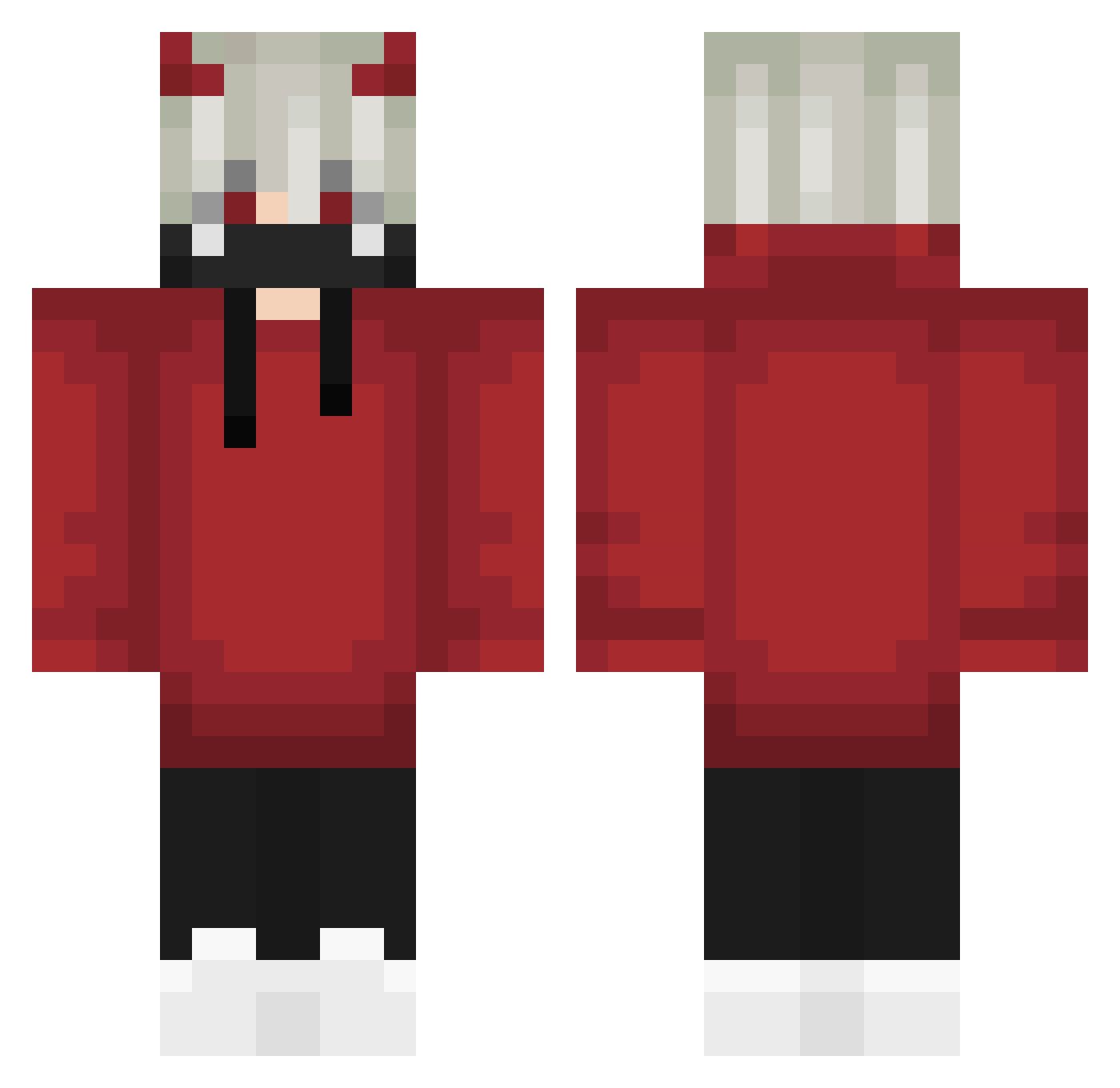
Current Minecraft skin of the player iTzCizarPvP, loaded from the official Mojang API. Rotate the 3D model with your mouse or finger, then download the skin as a PNG file and use it in Minecraft: Bedrock Edition or Java Edition for free. When iTzCizarPvP changes their skin, this page updates automatically and the old skin stays in the history below.
Other players with this skin (572)
iTzCizarPvP was the 89th player we have seen with this skin, first spotted on 07.08.2026. The same skin was seen on these players. Open a nickname to see their current skin and skin history.
 ItzTom1k_
 _RenSeven_ TheBlackFishh _feather cmca123 Daiwen35 Hojiae Dezo_OG TenGuxiaotian zaksenvi5477 Ghostboy01 Matvey2966 Mitico99 CypherMeme Crumpet_King bowlerx warior4372 Antaram GrumpTV ly_jxGrM_1103 FruityRudy32 RQTi1 WichtigerDennis Yuttu200 WanQiu_ww RoughIncubus ddoocd EltasJJ Lord_Azuken pomeranc333 NyokoXIV Destuu honor_6146 Gh0sTTx1 DanteEnemy HINOSHI ReallyEz wuhq yellowbrother RhaastEh HUZIYYDS Toxiccrow38 Zer0Times JasonleePascal Anonymous_Bear DrPaid Itz_no1zzzz Miroinwan sonekazz Diablolo stong2525 Kvng_Thunder Ruslashkaa Slugger49 bidoubaz Ling157 Hellsaiber MrXGamerMAx ILYANBG IONanOI
More Demon Horns Minecraft skins
How to install the iTzCizarPvP skin
- Press the Download button above to save the skin as a PNG file.
- Minecraft: Bedrock Edition (PE): open the Dressing Room from the main menu (or tap your character → Edit Character), go to Classic Skins → Owned, press the + (new skin) button, choose the downloaded PNG and pick the Classic (Steve) model. Works on PC and mobile; consoles cannot import custom skins.
- Minecraft: Java Edition: open the Minecraft Launcher, go to the Skins tab, click New Skin, load the PNG, pick the Classic (Steve) model and press Save & Use. You can also upload it at minecraft.net → Profile → Change Skin.
The skin does not show up after import - what should I do?
Restart Minecraft and open the Dressing Room again - imported skins sometimes appear only after a restart. Also make sure you selected the imported skin and picked the Classic (Steve) model.
Which model should I choose, Classic or Slim?
This skin is designed for the Classic (Steve) model. If you pick the wrong model, the arms of the skin will look stretched or squeezed.
Is the skin of iTzCizarPvP free to download?
Yes. Press Download, save the PNG file and use it in Minecraft: Bedrock Edition or Java Edition - no payment or registration needed. The skin also works on multiplayer servers and Realms.
More skins
Looking for more? Go back to all Minecraft skins and check the top skins of the week, month and all time, or find any player's skin by nickname.