
iShield94 - Minecraft Skins & Skin History
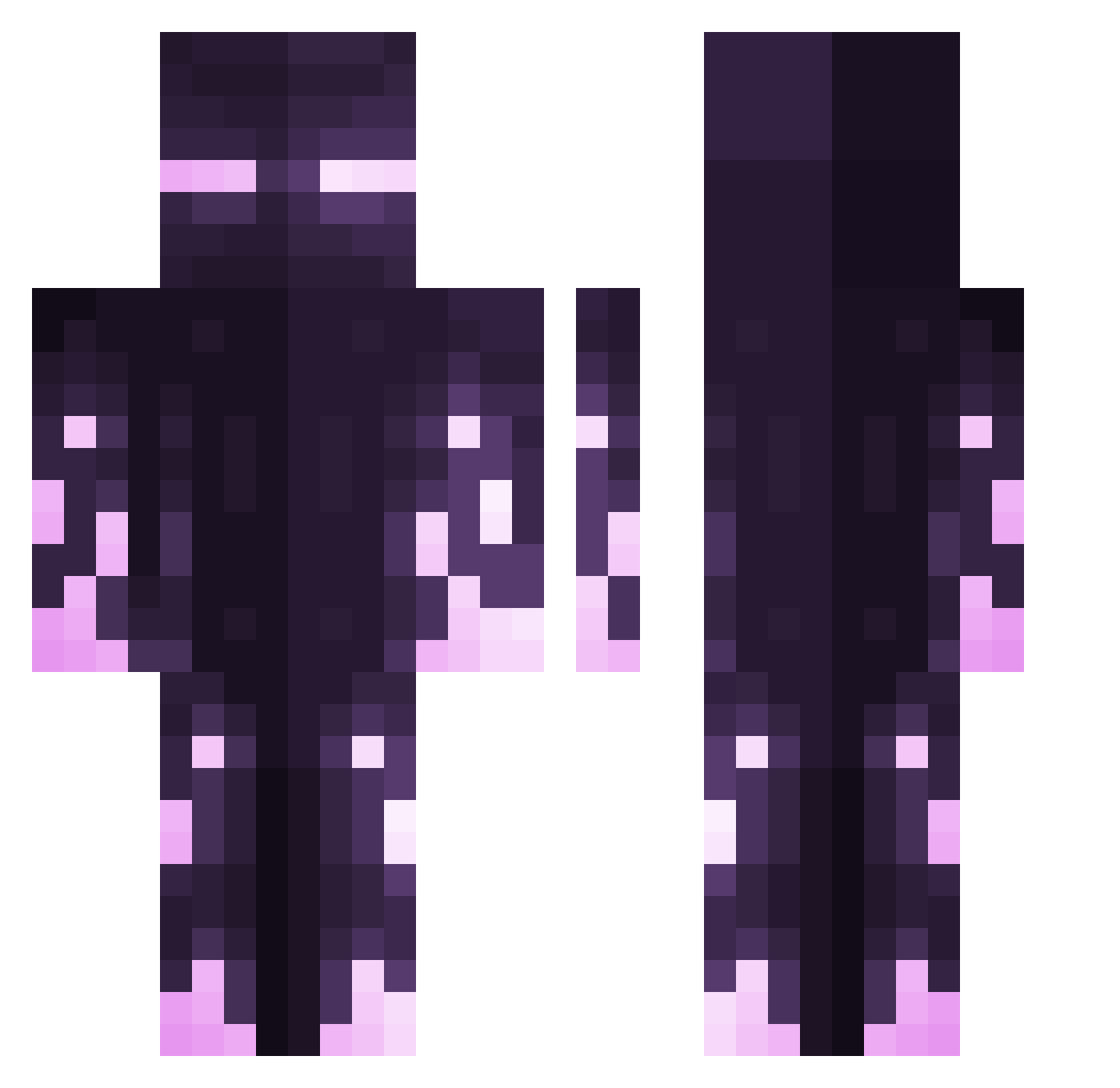
Current Minecraft skin of the player iShield94, loaded from the official Mojang API. Rotate the 3D model with your mouse or finger, then download the skin as a PNG file and use it in Minecraft: Bedrock Edition or Java Edition for free. When iShield94 changes their skin, this page updates automatically and the old skin stays in the history below.
Other players with this skin (426)
iShield94 was the 55th player we have seen with this skin, first spotted on 09.08.2026. The same skin was seen on these players. Open a nickname to see their current skin and skin history.
 elNinu Klortx kii925 Creaminas StewyPlays ExoticPurple Lewis0601 Theflyingcookie7 Juanira THEWAGESTER The_Dreadfather Noob2513 GalaxyWizard054 jenjen03 Flotze_ Aimer15 NotEZG PillarSauce boowwe13 A_F_13 Silvac_ Linefront QuietPayne DoctorGearss YyoshyY Closet_Gamer LilMorris CokeKilla Kaxiixxk PrismaWhite SonRyuki KrimiSun
 eimaimlks Mowgli_i Lazygamingperson G6Miner Tangzzer miguel10angel12 Nachocheeze22 potatogaming12 Habb1x Tschwartzie rvrxs SaMe10 Ekipson AFK_Micro4eliK Poolooly po22o
 leona19477 SpiritSun FLAME_MAN_DM AlphaRegulus6 SuperRagingGamer xSorvin TheNovaWreck LunitaPink Pablus_III DireNova Kasamitama ItzReuben
More Enderman Minecraft skins
How to install the iShield94 skin
- Press the Download button above to save the skin as a PNG file.
- Minecraft: Bedrock Edition (PE): open the Dressing Room from the main menu (or tap your character → Edit Character), go to Classic Skins → Owned, press the + (new skin) button, choose the downloaded PNG and pick the Classic (Steve) model. Works on PC and mobile; consoles cannot import custom skins.
- Minecraft: Java Edition: open the Minecraft Launcher, go to the Skins tab, click New Skin, load the PNG, pick the Classic (Steve) model and press Save & Use. You can also upload it at minecraft.net → Profile → Change Skin.
The skin does not show up after import - what should I do?
Restart Minecraft and open the Dressing Room again - imported skins sometimes appear only after a restart. Also make sure you selected the imported skin and picked the Classic (Steve) model.
Which model should I choose, Classic or Slim?
This skin is designed for the Classic (Steve) model. If you pick the wrong model, the arms of the skin will look stretched or squeezed.
Is the skin of iShield94 free to download?
Yes. Press Download, save the PNG file and use it in Minecraft: Bedrock Edition or Java Edition - no payment or registration needed. The skin also works on multiplayer servers and Realms.
More skins
Looking for more? Go back to all Minecraft skins and check the top skins of the week, month and all time, or find any player's skin by nickname.