
iMSh4rkyy - Minecraft Skins & Skin History
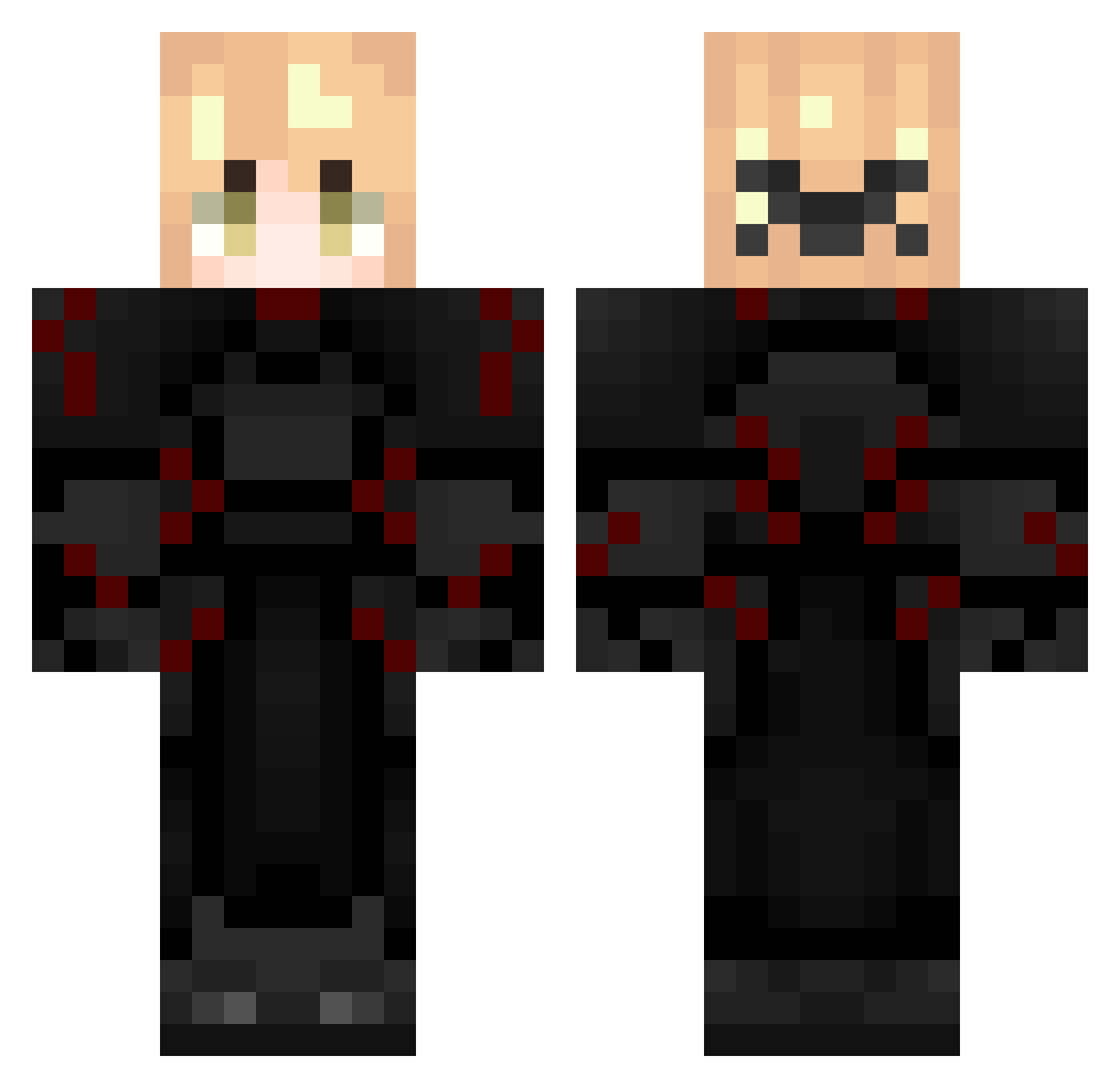
Current Minecraft skin of the player iMSh4rkyy, loaded from the official Mojang API. Rotate the 3D model with your mouse or finger, then download the skin as a PNG file and use it in Minecraft: Bedrock Edition or Java Edition for free. When iMSh4rkyy changes their skin, this page updates automatically and the old skin stays in the history below.
Other players with this skin (287)
iMSh4rkyy was the 85th player we have seen with this skin, first spotted on 24.08.2026. The same skin was seen on these players. Open a nickname to see their current skin and skin history.
 LiebeS_
 VexoMC
 TrickierZZZ enderuler177 TigerBois ChimVNecronBlade calarity TheCanadianCooky autonomNNY HwngHuHong Atarashiii NRGMason48
 grraggious conexion
 Void_53
 akarayme
 StepOnMyEgo Zeyneo123 Itz_Xeronn wggl_YuLQv_1231 Tojiru5604 F1a2y HANS_tYIljV
 ferrokinesis FortniteLegand24 devonchenzo Whising
 Balokso Phoenix_288 YoriichiNice_ Temptazion izlski ER90R
 braistkd sxmeru Prota0 GentleHammond Not_ClownPierce Kitsan_ leSketcher Raijinnn67 ryuksrijan yyyy2012 reversedream30
 QuippsHD Steorra_aer Formidablade CaCoffiny benplayz351
 ItsZenRealYT AadiHQ yuckyx30 Slick456 A1Idn II19lI rume_ Tymofiiyka232fun Yahya_0003
 Franklinho Emerald_secret22
More Knight Minecraft skins
How to install the iMSh4rkyy skin
- Press the Download button above to save the skin as a PNG file.
- Minecraft: Bedrock Edition (PE): open the Dressing Room from the main menu (or tap your character → Edit Character), go to Classic Skins → Owned, press the + (new skin) button, choose the downloaded PNG and pick the Classic (Steve) model. Works on PC and mobile; consoles cannot import custom skins.
- Minecraft: Java Edition: open the Minecraft Launcher, go to the Skins tab, click New Skin, load the PNG, pick the Classic (Steve) model and press Save & Use. You can also upload it at minecraft.net → Profile → Change Skin.
The skin does not show up after import - what should I do?
Restart Minecraft and open the Dressing Room again - imported skins sometimes appear only after a restart. Also make sure you selected the imported skin and picked the Classic (Steve) model.
Which model should I choose, Classic or Slim?
This skin is designed for the Classic (Steve) model. If you pick the wrong model, the arms of the skin will look stretched or squeezed.
Is the skin of iMSh4rkyy free to download?
Yes. Press Download, save the PNG file and use it in Minecraft: Bedrock Edition or Java Edition - no payment or registration needed. The skin also works on multiplayer servers and Realms.
More skins
Looking for more? Go back to all Minecraft skins and check the top skins of the week, month and all time, or find any player's skin by nickname.