
iLinky20 - Minecraft Skins & Skin History
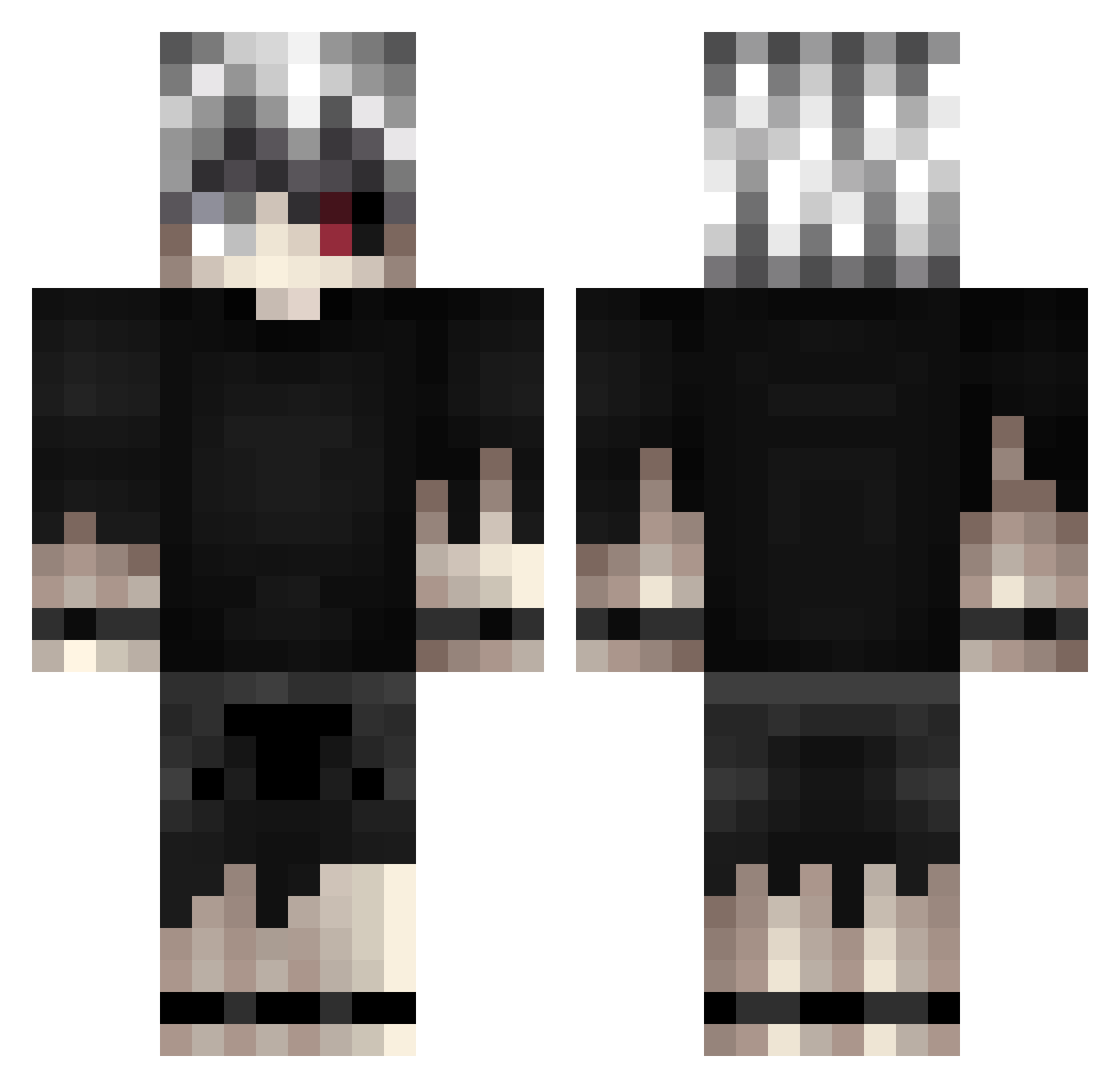
Current Minecraft skin of the player iLinky20, loaded from the official Mojang API. Rotate the 3D model with your mouse or finger, then download the skin as a PNG file and use it in Minecraft: Bedrock Edition or Java Edition for free. When iLinky20 changes their skin, this page updates automatically and the old skin stays in the history below.
Other players with this skin (421)
iLinky20 was the 244th player we have seen with this skin, first spotted on 02.10.2026. The same skin was seen on these players. Open a nickname to see their current skin and skin history.
 ByHonext chepiidamelio Capsuna25 NIshKunn Zargem ItzzShaaDow Serenni Gospeleyes aizen_6969 Ziratex koelkit ILVB logooo GyLarzz oDaiCuCozminuu BroskyXS R3D1SH zxchokage_ ItzzLeon merdann D4nikoso ToleSkizo unerbom CarboNoXx Seikigami Laexosran Naaizu BnnMarinh Joker125_ Dreneq renyuner PapiDavid Nekr02K Corbanick Kaneki_Sh saijaku12 Nodashi ShinraAzusagawa Micro_ice09 magblams BluestFalcon EugeneBro MozayanA Chikuila ariss3345 bansonfroy Devilmanday_ Fiiilou Saxz28 roccoasv boulevards kkevxx ShashiMC anakinxde Maciolk77 MK_Nova SenpaiiEXE LikeLively ShingoMC sskoopie
More Kaneki Ken Minecraft skins
How to install the iLinky20 skin
- Press the Download button above to save the skin as a PNG file.
- Minecraft: Bedrock Edition (PE): open the Dressing Room from the main menu (or tap your character → Edit Character), go to Classic Skins → Owned, press the + (new skin) button, choose the downloaded PNG and pick the Classic (Steve) model. Works on PC and mobile; consoles cannot import custom skins.
- Minecraft: Java Edition: open the Minecraft Launcher, go to the Skins tab, click New Skin, load the PNG, pick the Classic (Steve) model and press Save & Use. You can also upload it at minecraft.net → Profile → Change Skin.
The skin does not show up after import - what should I do?
Restart Minecraft and open the Dressing Room again - imported skins sometimes appear only after a restart. Also make sure you selected the imported skin and picked the Classic (Steve) model.
Which model should I choose, Classic or Slim?
This skin is designed for the Classic (Steve) model. If you pick the wrong model, the arms of the skin will look stretched or squeezed.
Is the skin of iLinky20 free to download?
Yes. Press Download, save the PNG file and use it in Minecraft: Bedrock Edition or Java Edition - no payment or registration needed. The skin also works on multiplayer servers and Realms.
More skins
Looking for more? Go back to all Minecraft skins and check the top skins of the week, month and all time, or find any player's skin by nickname.