
iEatGucci - Minecraft Skins & Skin History
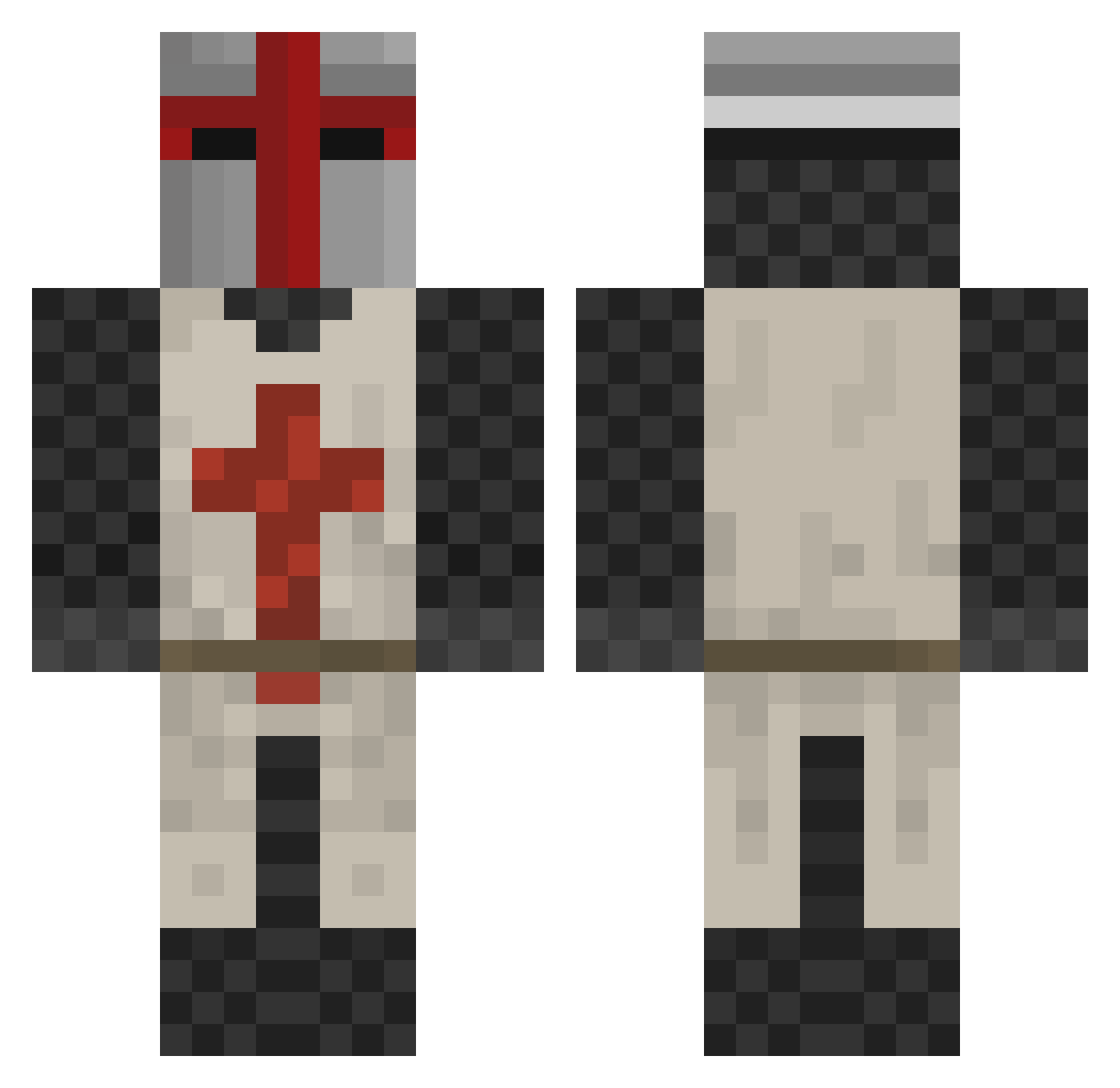
Current Minecraft skin of the player iEatGucci, loaded from the official Mojang API. Rotate the 3D model with your mouse or finger, then download the skin as a PNG file and use it in Minecraft: Bedrock Edition or Java Edition for free. When iEatGucci changes their skin, this page updates automatically and the old skin stays in the history below.
Other players with this skin (413)
iEatGucci was the 371st player we have seen with this skin, first spotted on 21.10.2026. The same skin was seen on these players. Open a nickname to see their current skin and skin history.
 duffmonya fif89 sagittariusa rub1nh0 YouMustObey walkinwithjesu TheDobler Lord_Nikon47 zachtar ItsRyoko Singollo9213 _Ancap_ karbun robinette_dan TheJaff_ie nogetmeget GuyWhoLikesHats Pfiiil cartathra ProDragonSlayer9 BrotherXBones Neo_Psy HanZzDieter srO_Orz Maggoty_Bread SirShartyPants fishninja498 slayer4317 BeckerCraft Sandbornius Srgt_WTF Djjacobwolf Mowgli_Mclovin rrravin ballzdeep69 Dragonil NinjaEvo Kourand smookiEEE BJD018 Resnus Amfony Grantbratcher27 zeekhel BrianK990 LordLesu GTorres24 canem89 AudioSwitchblade Mr__Hyde Furank awesamdad zeroter5 Tigiy iTickleCats Kegle96 Mohrama19 MicroKeePer solidcentaur ArtSta
More Crusader Minecraft skins
How to install the iEatGucci skin
- Press the Download button above to save the skin as a PNG file.
- Minecraft: Bedrock Edition (PE): open the Dressing Room from the main menu (or tap your character → Edit Character), go to Classic Skins → Owned, press the + (new skin) button, choose the downloaded PNG and pick the Classic (Steve) model. Works on PC and mobile; consoles cannot import custom skins.
- Minecraft: Java Edition: open the Minecraft Launcher, go to the Skins tab, click New Skin, load the PNG, pick the Classic (Steve) model and press Save & Use. You can also upload it at minecraft.net → Profile → Change Skin.
The skin does not show up after import - what should I do?
Restart Minecraft and open the Dressing Room again - imported skins sometimes appear only after a restart. Also make sure you selected the imported skin and picked the Classic (Steve) model.
Which model should I choose, Classic or Slim?
This skin is designed for the Classic (Steve) model. If you pick the wrong model, the arms of the skin will look stretched or squeezed.
Is the skin of iEatGucci free to download?
Yes. Press Download, save the PNG file and use it in Minecraft: Bedrock Edition or Java Edition - no payment or registration needed. The skin also works on multiplayer servers and Realms.
More skins
Looking for more? Go back to all Minecraft skins and check the top skins of the week, month and all time, or find any player's skin by nickname.