
hytm_exe - Minecraft Skins & Skin History
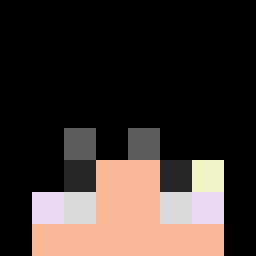
Current Minecraft skin of the player hytm_exe, loaded from the official Mojang API. Rotate the 3D model with your mouse or finger, then download the skin as a PNG file and use it in Minecraft: Bedrock Edition or Java Edition for free. When hytm_exe changes their skin, this page updates automatically and the old skin stays in the history below.

Other players with this skin (389)
hytm_exe was the 139th player we have seen with this skin, first spotted on 24.08.2026. The same skin was seen on these players. Open a nickname to see their current skin and skin history.
 Idiot92423 Ricardo520520 Dankey_ Paster_VN ElPescadoMojado Varoon03 Vaes2 Dewiirrzz szczurek1122 iiiniveddd
 Veloci_Rex873
 Fazy_22 charlyyow Ashh_09 Sihaidashuai Konsekwencja HowMuchCps Stackai Luke03407 xxBurkn celestialpig3eon Hunto143 EliteClutch XxX_08 n2n2n2n2n2n2n2n2 Ig0tIk MineralMincer analizim Dixels Dihless MoritzGMB 0Dion0 Sufferr DaHai_Fu_Huo downey008
 Cqntaloupe x1qf Yatin04 DaddyRoachy Cudiepie1 SopHriman Adriano3223 Frostwalless blackIndianMonk xDewierx thomazyk2
 Diddi1 N_Elliot mesutbedwarss Sidaaaaa zuado Xx_oSmart_xX Puck312 LordofGhost
 SweptSans IcedArrow XioryPvP anton_po bojack_horsman wqtxr
More Peter Griffin Minecraft skins
See all 204 Peter Griffin skins
How to install the hytm_exe skin
- Press the Download button above to save the skin as a PNG file.
- Minecraft: Bedrock Edition (PE): open the Dressing Room from the main menu (or tap your character → Edit Character), go to Classic Skins → Owned, press the + (new skin) button, choose the downloaded PNG and pick the Classic (Steve) model. Works on PC and mobile; consoles cannot import custom skins.
- Minecraft: Java Edition: open the Minecraft Launcher, go to the Skins tab, click New Skin, load the PNG, pick the Classic (Steve) model and press Save & Use. You can also upload it at minecraft.net → Profile → Change Skin.
The skin does not show up after import - what should I do?
Restart Minecraft and open the Dressing Room again - imported skins sometimes appear only after a restart. Also make sure you selected the imported skin and picked the Classic (Steve) model.
Which model should I choose, Classic or Slim?
This skin is designed for the Classic (Steve) model. If you pick the wrong model, the arms of the skin will look stretched or squeezed.
Is the skin of hytm_exe free to download?
Yes. Press Download, save the PNG file and use it in Minecraft: Bedrock Edition or Java Edition - no payment or registration needed. The skin also works on multiplayer servers and Realms.
More skins
Looking for more? Go back to all Minecraft skins and check the top skins of the week, month and all time, or find any player's skin by nickname.