
hwx09 - Minecraft Skins & Skin History
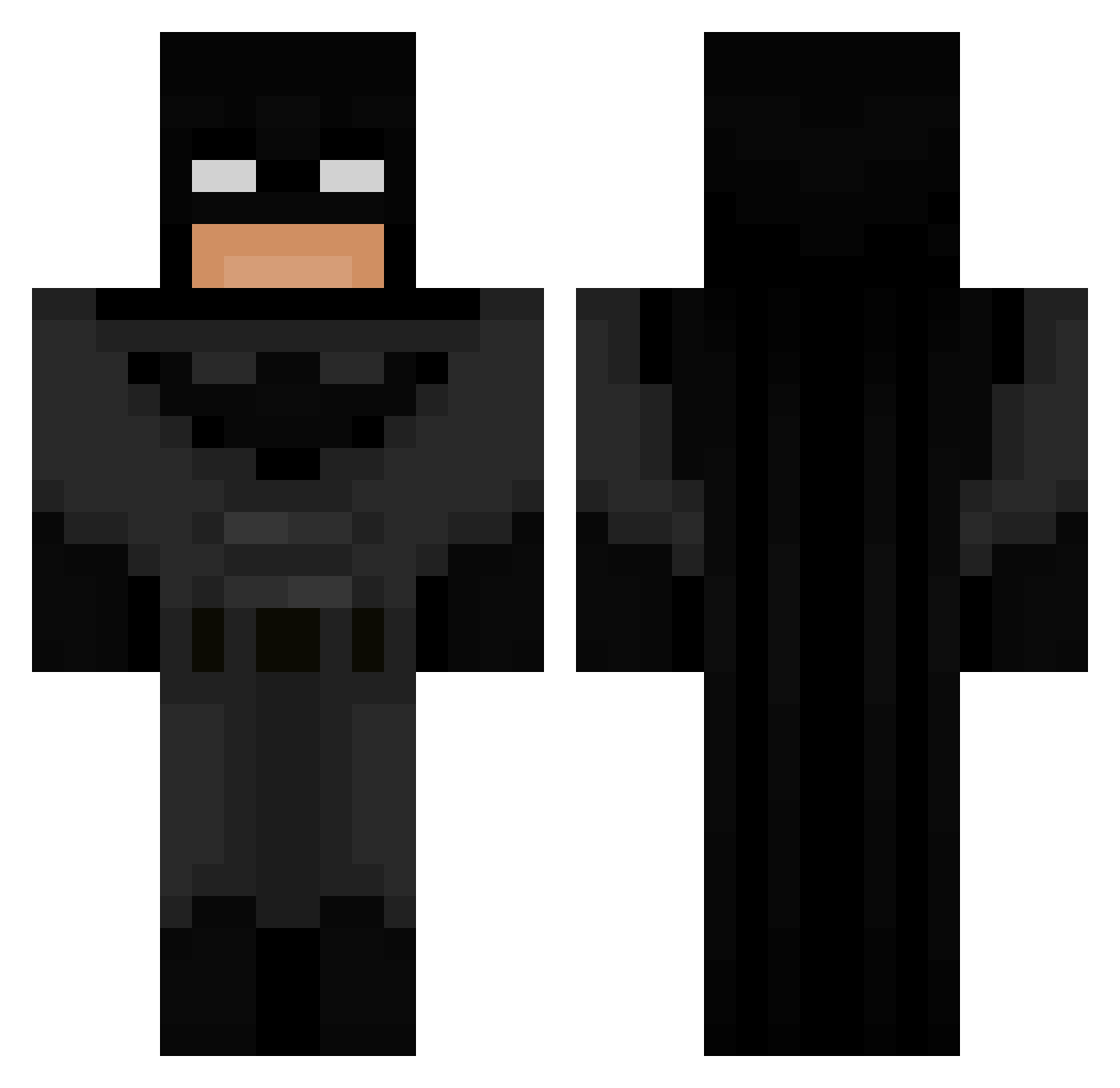
Current Minecraft skin of the player hwx09, loaded from the official Mojang API. Rotate the 3D model with your mouse or finger, then download the skin as a PNG file and use it in Minecraft: Bedrock Edition or Java Edition for free. When hwx09 changes their skin, this page updates automatically and the old skin stays in the history below.
Other players with this skin (694)
hwx09 was the 430th player we have seen with this skin, first spotted on 26.09.2026. The same skin was seen on these players. Open a nickname to see their current skin and skin history.
 YaHoeL43 BoopSnoot22 shadoow_271 Batmanfan58 tou6a TBZ_Mathis HenyCZ17 WielkaKaka DeViLDonKey24 Sna1c_killer Drxppy_Otaku LeBronze07 efgi s0ckeyttv Prowsey110 Chrixten karvzMC DDXS1 1_zekko BIG_LOCO Shillbull ClubbedCargo541 YEYE187 KingNewt08 Tukafe Blixs__ horriblenailer BigLance22 xC4Q1TO misharyscott10 Dark_No1 AlexthegreatZayt 22cozza Jandy_06 PlagueXtinct Nonkle_Frush nickisiono PauliusOnTop Jones9036 nailpolish_ imLZH1 PatrickBateman67 TheRagingFlame thetree90 ExtinctThunder Megnetron TiggyBiggy stangry avak4 Sunny10010 KyzekiSan QShark12 VoyagerBomb Frecher_Fid Carnerote VictorSchlie CoolBoyMaxCZ2010 warzonex010 Potetgamer9564 Hubert_MC
More Batman Minecraft skins
How to install the hwx09 skin
- Press the Download button above to save the skin as a PNG file.
- Minecraft: Bedrock Edition (PE): open the Dressing Room from the main menu (or tap your character → Edit Character), go to Classic Skins → Owned, press the + (new skin) button, choose the downloaded PNG and pick the Classic (Steve) model. Works on PC and mobile; consoles cannot import custom skins.
- Minecraft: Java Edition: open the Minecraft Launcher, go to the Skins tab, click New Skin, load the PNG, pick the Classic (Steve) model and press Save & Use. You can also upload it at minecraft.net → Profile → Change Skin.
The skin does not show up after import - what should I do?
Restart Minecraft and open the Dressing Room again - imported skins sometimes appear only after a restart. Also make sure you selected the imported skin and picked the Classic (Steve) model.
Which model should I choose, Classic or Slim?
This skin is designed for the Classic (Steve) model. If you pick the wrong model, the arms of the skin will look stretched or squeezed.
Is the skin of hwx09 free to download?
Yes. Press Download, save the PNG file and use it in Minecraft: Bedrock Edition or Java Edition - no payment or registration needed. The skin also works on multiplayer servers and Realms.
More skins
Looking for more? Go back to all Minecraft skins and check the top skins of the week, month and all time, or find any player's skin by nickname.