
hopolin - Minecraft Skins & Skin History
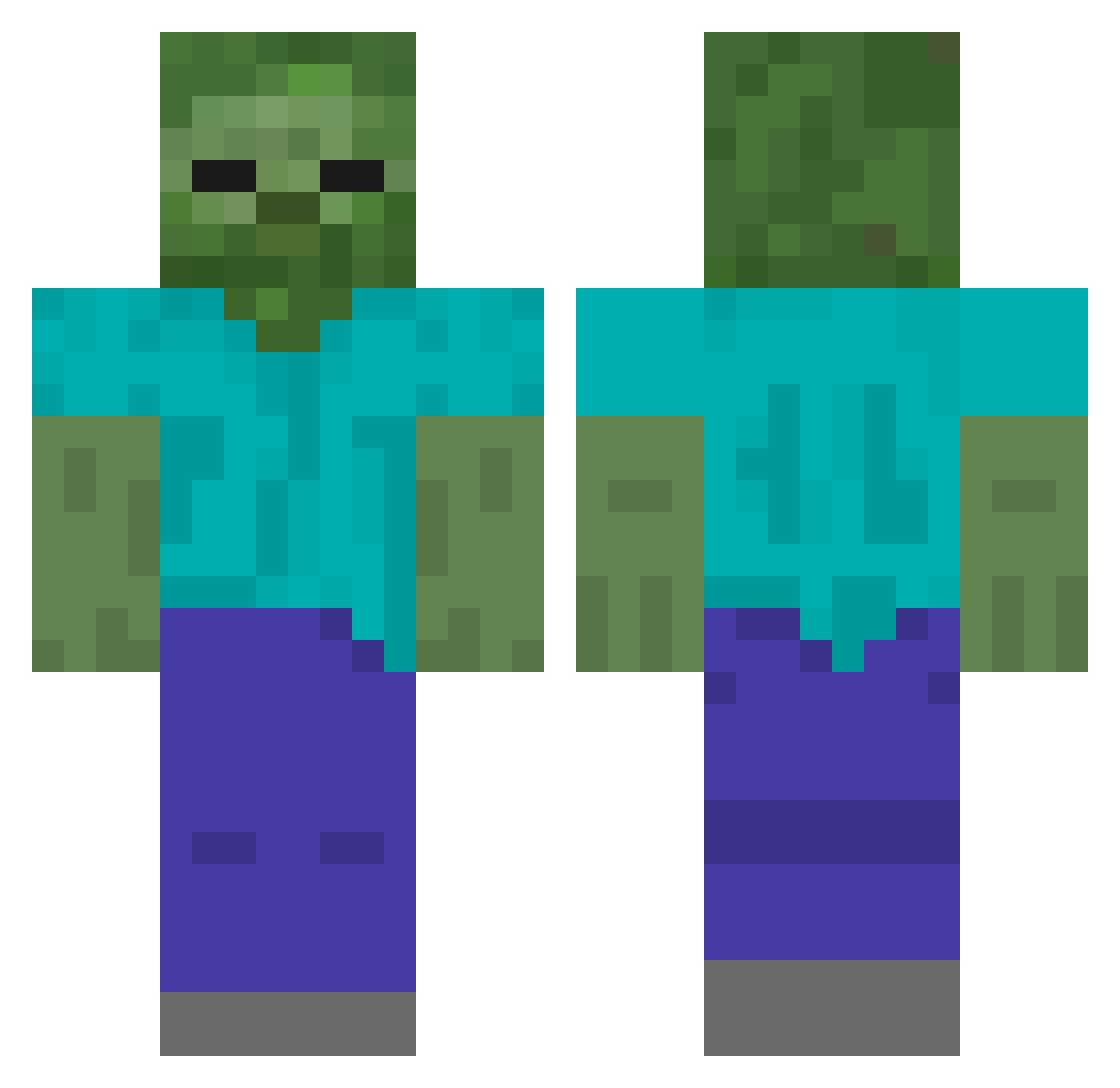
Current Minecraft skin of the player hopolin, loaded from the official Mojang API. Rotate the 3D model with your mouse or finger, then download the skin as a PNG file and use it in Minecraft: Bedrock Edition or Java Edition for free. When hopolin changes their skin, this page updates automatically and the old skin stays in the history below.
Other players with this skin (211)
hopolin was the 161st player we have seen with this skin, first spotted on 16.10.2026. The same skin was seen on these players. Open a nickname to see their current skin and skin history.
 PapaD99 mindcraft1212 man3_7 annikeny0 quertz766 Lava_XD cooler_FINN jeffocdg el_jugador frank606 kakadu12 TheGallagher ADM93 ZumbiZoX NewBess tigavieira hikikon kurtless Raydenkent DzikiMob Tyran4k Zombiegamer LystFiskeren TheeDecoy QuattroBaneeja mavQWQ renzcrafter Jazza_125 Golden_Potato nuggijoe Manu_2042 Glue_on_Smile Menaro Melvin_Giant Scrooge_McJones miggymachine yoon_chan_soo1 mrdudles15 K_Suboo kevyngimenez 111405 Im_Peikko SayShelley Tito140 MyBaeUnaib sim0n137 Xiavor_ Ross850 Tart_Man Tuberose suskeliini HerobrineLPs _Disnev DartThePanther Minebr gamerboy438 Hotwowman kursten55555 liner3 kgam
More Undead Minecraft skins
How to install the hopolin skin
- Press the Download button above to save the skin as a PNG file.
- Minecraft: Bedrock Edition (PE): open the Dressing Room from the main menu (or tap your character → Edit Character), go to Classic Skins → Owned, press the + (new skin) button, choose the downloaded PNG and pick the Classic (Steve) model. Works on PC and mobile; consoles cannot import custom skins.
- Minecraft: Java Edition: open the Minecraft Launcher, go to the Skins tab, click New Skin, load the PNG, pick the Classic (Steve) model and press Save & Use. You can also upload it at minecraft.net → Profile → Change Skin.
The skin does not show up after import - what should I do?
Restart Minecraft and open the Dressing Room again - imported skins sometimes appear only after a restart. Also make sure you selected the imported skin and picked the Classic (Steve) model.
Which model should I choose, Classic or Slim?
This skin is designed for the Classic (Steve) model. If you pick the wrong model, the arms of the skin will look stretched or squeezed.
Is the skin of hopolin free to download?
Yes. Press Download, save the PNG file and use it in Minecraft: Bedrock Edition or Java Edition - no payment or registration needed. The skin also works on multiplayer servers and Realms.
More skins
Looking for more? Go back to all Minecraft skins and check the top skins of the week, month and all time, or find any player's skin by nickname.