
hola186 - Minecraft Skins & Skin History
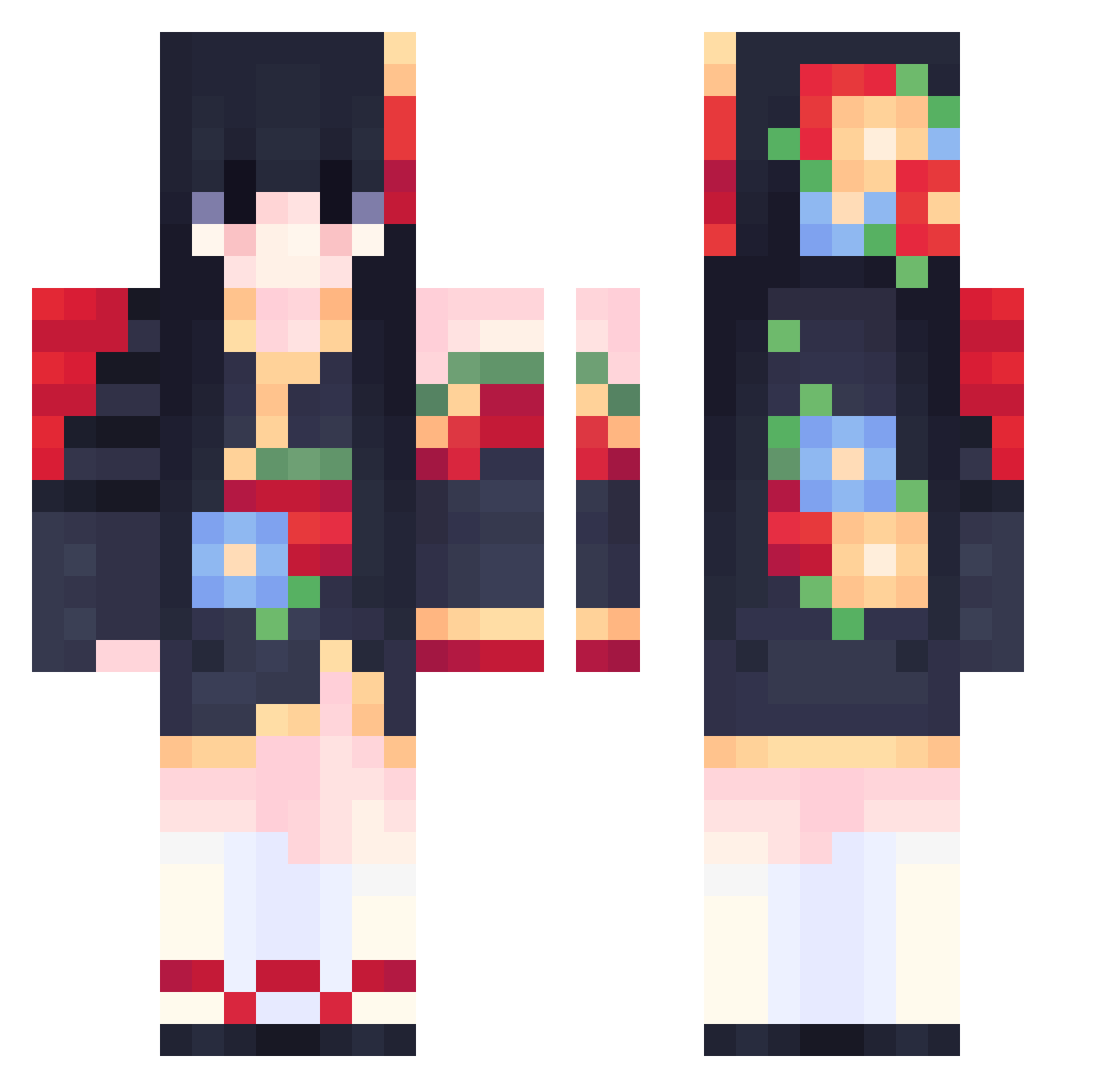
Current Minecraft skin of the player hola186, loaded from the official Mojang API. Rotate the 3D model with your mouse or finger, then download the skin as a PNG file and use it in Minecraft: Bedrock Edition or Java Edition for free. When hola186 changes their skin, this page updates automatically and the old skin stays in the history below.
Other players with this skin (556)
hola186 was the 411th player we have seen with this skin, first spotted on 11.10.2026. The same skin was seen on these players. Open a nickname to see their current skin and skin history.
 Savannva TeaTime273 Antooniaa nawon41 CutestRopeBunny SSAGII Can__Meng Acacya Seatseeker Franoz235 shaolinrouge nicht324 Mayumim HiKiMiTo Strawberry4274 selom1254 yoreyi MurayamaZ kimuiui_ DeaJang_ godkey02 HopeGal barbiewiktoria Alpha_ideal ashenone555 k1ttyxoxo romz22 Velvettaa YinYanger DVivi Ay712 9God5811 sklouss Kumiko911209 AkumaChann RYOU_U_U OniBaki Lannieee ggband886 OnceWCY Ram4Head hatridlol Sirahara h_ru_320 Strayapts Nnai_iY KikyoRain Ririanna whalemaomao XiiaoBao esdsd anni0120 Lagostini JiangChenYue yadwuen minecraftpvp8721 naughtynek0 PanDeNanami Javeliinn AngelKR07
More Floral Minecraft skins
How to install the hola186 skin
- Press the Download button above to save the skin as a PNG file.
- Minecraft: Bedrock Edition (PE): open the Dressing Room from the main menu (or tap your character → Edit Character), go to Classic Skins → Owned, press the + (new skin) button, choose the downloaded PNG and pick the Classic (Steve) model. Works on PC and mobile; consoles cannot import custom skins.
- Minecraft: Java Edition: open the Minecraft Launcher, go to the Skins tab, click New Skin, load the PNG, pick the Classic (Steve) model and press Save & Use. You can also upload it at minecraft.net → Profile → Change Skin.
The skin does not show up after import - what should I do?
Restart Minecraft and open the Dressing Room again - imported skins sometimes appear only after a restart. Also make sure you selected the imported skin and picked the Classic (Steve) model.
Which model should I choose, Classic or Slim?
This skin is designed for the Classic (Steve) model. If you pick the wrong model, the arms of the skin will look stretched or squeezed.
Is the skin of hola186 free to download?
Yes. Press Download, save the PNG file and use it in Minecraft: Bedrock Edition or Java Edition - no payment or registration needed. The skin also works on multiplayer servers and Realms.
More skins
Looking for more? Go back to all Minecraft skins and check the top skins of the week, month and all time, or find any player's skin by nickname.