
hmm502 - Minecraft Skins & Skin History
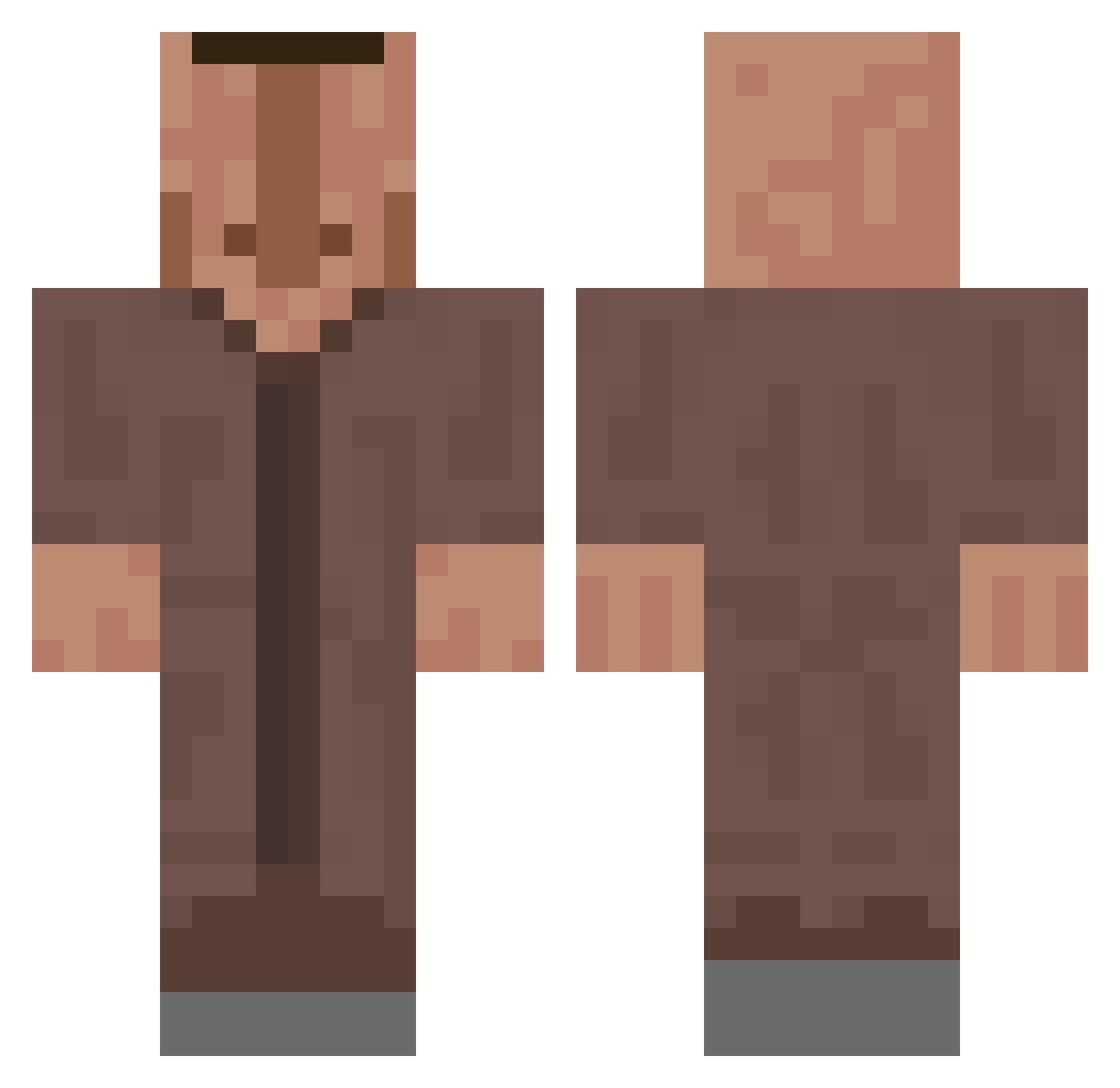
Current Minecraft skin of the player hmm502, loaded from the official Mojang API. Rotate the 3D model with your mouse or finger, then download the skin as a PNG file and use it in Minecraft: Bedrock Edition or Java Edition for free. When hmm502 changes their skin, this page updates automatically and the old skin stays in the history below.
Other players with this skin (659)
hmm502 was the 93rd player we have seen with this skin, first spotted on 08.08.2026. The same skin was seen on these players. Open a nickname to see their current skin and skin history.
 GuusMeeuwus cbirky CasianMax dmsdnek Billystump Crackfern chinabaguette Ibadersson Hen_05 CtrlAltDominate Polo0198 Krispy_Memes dbzxcv _Lipt0N_ JugoSAS Jurinz 6969toni6969 Kliunkius NthMegaBro NeraticYT BMNFS_2008 CursedMeinKraft Ciolgaming Jerry0712 CARFEFUL Gott24 gust4v__ ChickenFlipFlops SuperPib_a gayazzree DER_MOND_GULASCH JohnnySins187 TeslaTorsten tmpdarki JorgeGnz00 b4umgratz _Not_Tom__ CvD_Nesto Kinter SPlCYYY WhiskeySnaz _CuzImChris_ Quino66 Ghost_t77 MrPadel hiro_oyo YeetlolXDJKlol Lalleh69 Buzbyy Czorny2137 XParanoidX reselasco EzrasGoodGaming Paulopicasso Turkeyyyyy yungbruhRIP _Leiko_ Petlewen bonk_UwU LailletDeMontule
More Villager Minecraft skins
How to install the hmm502 skin
- Press the Download button above to save the skin as a PNG file.
- Minecraft: Bedrock Edition (PE): open the Dressing Room from the main menu (or tap your character → Edit Character), go to Classic Skins → Owned, press the + (new skin) button, choose the downloaded PNG and pick the Classic (Steve) model. Works on PC and mobile; consoles cannot import custom skins.
- Minecraft: Java Edition: open the Minecraft Launcher, go to the Skins tab, click New Skin, load the PNG, pick the Classic (Steve) model and press Save & Use. You can also upload it at minecraft.net → Profile → Change Skin.
The skin does not show up after import - what should I do?
Restart Minecraft and open the Dressing Room again - imported skins sometimes appear only after a restart. Also make sure you selected the imported skin and picked the Classic (Steve) model.
Which model should I choose, Classic or Slim?
This skin is designed for the Classic (Steve) model. If you pick the wrong model, the arms of the skin will look stretched or squeezed.
Is the skin of hmm502 free to download?
Yes. Press Download, save the PNG file and use it in Minecraft: Bedrock Edition or Java Edition - no payment or registration needed. The skin also works on multiplayer servers and Realms.
More skins
Looking for more? Go back to all Minecraft skins and check the top skins of the week, month and all time, or find any player's skin by nickname.