
hm10261 - Minecraft Skins & Skin History
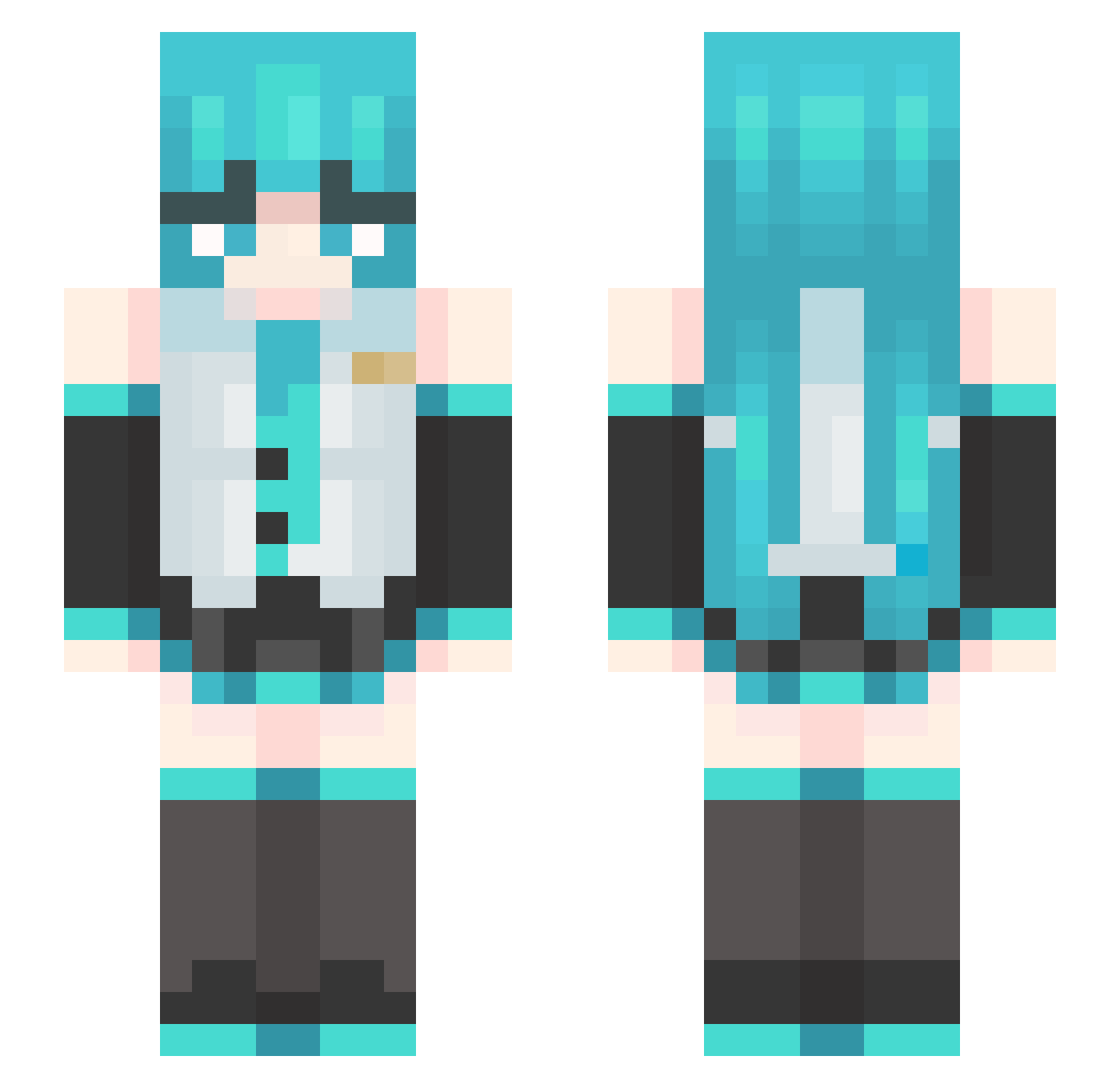
Current Minecraft skin of the player hm10261, loaded from the official Mojang API. Rotate the 3D model with your mouse or finger, then download the skin as a PNG file and use it in Minecraft: Bedrock Edition or Java Edition for free. When hm10261 changes their skin, this page updates automatically and the old skin stays in the history below.
Other players with this skin (489)
hm10261 was the 302nd player we have seen with this skin, first spotted on 02.10.2026. The same skin was seen on these players. Open a nickname to see their current skin and skin history.
 DARG2008 binkpp _NWOE_ Yue_ge_z cangshuxiansheng KermieTea yangjinhong Schnitzler718 dipoots aoaona williesantana ToJaEdzio hyc1024 Bassframe NoMeatLasange Rennkya Muffinhead055 XuanXing_ Troninho69 qgs6 MikuM1kuBeam BossOfKFC airqiqi chen5223 chudbud1 DogeMaster2010 Meliodas_assalt Aspectable RIOS_117 Neeko757 bigmamy1 Sayyykinaii GDJH1 oamiwasabi Ultimate_Legend_ falkmannn kokomako ImNotHatsuneMiku Elitemikox RivalDanie1 LilyBarkerVP T0xiczek yamamayu4472 Nefit taehee6140 Sakura__Fox Otaku_Vampire coopdiss ZllMllT scydb IGUSushi Lulusee backill2 choonging EKSteve Reddosuta_ fatbacon03 MegatronAlice Thijz Ricokang
More Hatsune Miku Minecraft skins
See all 904 Hatsune Miku skins
How to install the hm10261 skin
- Press the Download button above to save the skin as a PNG file.
- Minecraft: Bedrock Edition (PE): open the Dressing Room from the main menu (or tap your character → Edit Character), go to Classic Skins → Owned, press the + (new skin) button, choose the downloaded PNG and pick the Slim (Alex) model. Works on PC and mobile; consoles cannot import custom skins.
- Minecraft: Java Edition: open the Minecraft Launcher, go to the Skins tab, click New Skin, load the PNG, pick the Slim (Alex) model and press Save & Use. You can also upload it at minecraft.net → Profile → Change Skin.
The skin does not show up after import - what should I do?
Restart Minecraft and open the Dressing Room again - imported skins sometimes appear only after a restart. Also make sure you selected the imported skin and picked the Slim (Alex) model.
Which model should I choose, Classic or Slim?
This skin is designed for the Slim (Alex) model. If you pick the wrong model, the arms of the skin will look stretched or squeezed.
Is the skin of hm10261 free to download?
Yes. Press Download, save the PNG file and use it in Minecraft: Bedrock Edition or Java Edition - no payment or registration needed. The skin also works on multiplayer servers and Realms.
More skins
Looking for more? Go back to all Minecraft skins and check the top skins of the week, month and all time, or find any player's skin by nickname.