
hjdhadw - Minecraft Skins & Skin History
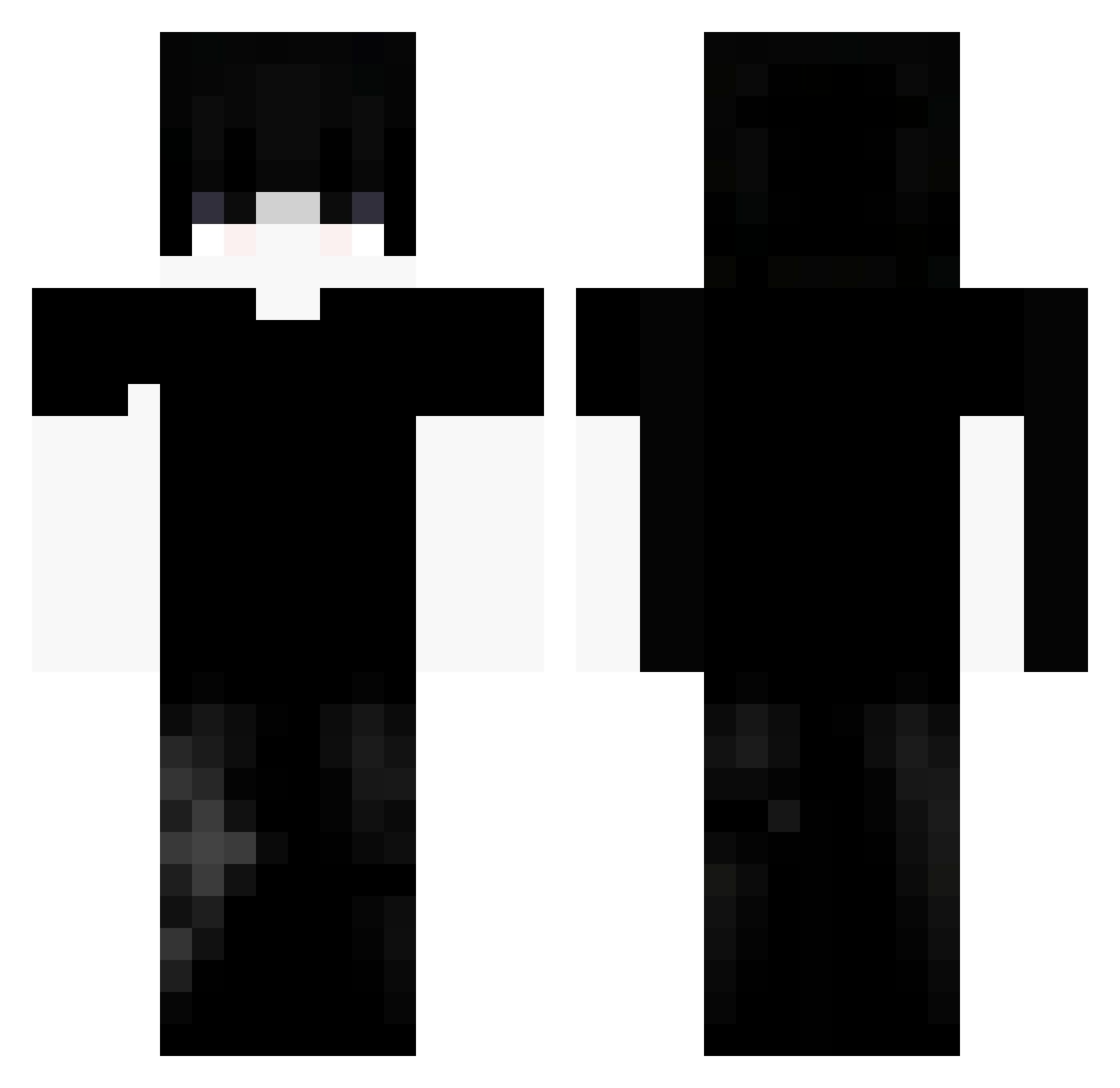
Current Minecraft skin of the player hjdhadw, loaded from the official Mojang API. Rotate the 3D model with your mouse or finger, then download the skin as a PNG file and use it in Minecraft: Bedrock Edition or Java Edition for free. When hjdhadw changes their skin, this page updates automatically and the old skin stays in the history below.
Other players with this skin (75)
hjdhadw was the 4th player we have seen with this skin, first spotted on 24.07.2026. The same skin was seen on these players. Open a nickname to see their current skin and skin history.
 femboyboy32
 Reillusion Hamzah121 dym3kk_ TILN80
 _Botond_
 Trenttrex123 SinFoGreed siqueiragoat raulalejandropp kuromuro2012 sadzzzz Tsuki4025 BMOTV0
 JanOsiem
 gavoh_
 xkrante77 00__ barameee Faintpulse_ siema123789 Jula_30 Veznnypvp fexadyne santiidk_ SaddiqBey Keyb0y_ Hexo_Games 4drg yo_maexle xura232
 r4cc0n1 fghfghf52 Konohaxd123
 Lz_Vortex001 emberqwq Simo9990 BakerGD Blessedx62 x7Bw seolgi_tteok Sayuriexe liewza RonaldinhoDoRock LiqzzXitil qvpv After1Am TOMB_Real xin_01 Dark_nat_ytb Howieking TouxByBeuhhh420 Kapibara_mc1979 JesBabes 9under Francesco2115 Its_Tmes ySnow2 JamesStar_VI ZEOO3
More Emo Minecraft skins
How to install the hjdhadw skin
- Press the Download button above to save the skin as a PNG file.
- Minecraft: Bedrock Edition (PE): open the Dressing Room from the main menu (or tap your character → Edit Character), go to Classic Skins → Owned, press the + (new skin) button, choose the downloaded PNG and pick the Classic (Steve) model. Works on PC and mobile; consoles cannot import custom skins.
- Minecraft: Java Edition: open the Minecraft Launcher, go to the Skins tab, click New Skin, load the PNG, pick the Classic (Steve) model and press Save & Use. You can also upload it at minecraft.net → Profile → Change Skin.
The skin does not show up after import - what should I do?
Restart Minecraft and open the Dressing Room again - imported skins sometimes appear only after a restart. Also make sure you selected the imported skin and picked the Classic (Steve) model.
Which model should I choose, Classic or Slim?
This skin is designed for the Classic (Steve) model. If you pick the wrong model, the arms of the skin will look stretched or squeezed.
Is the skin of hjdhadw free to download?
Yes. Press Download, save the PNG file and use it in Minecraft: Bedrock Edition or Java Edition - no payment or registration needed. The skin also works on multiplayer servers and Realms.
More skins
Looking for more? Go back to all Minecraft skins and check the top skins of the week, month and all time, or find any player's skin by nickname.