
herold2 - Minecraft Skins & Skin History
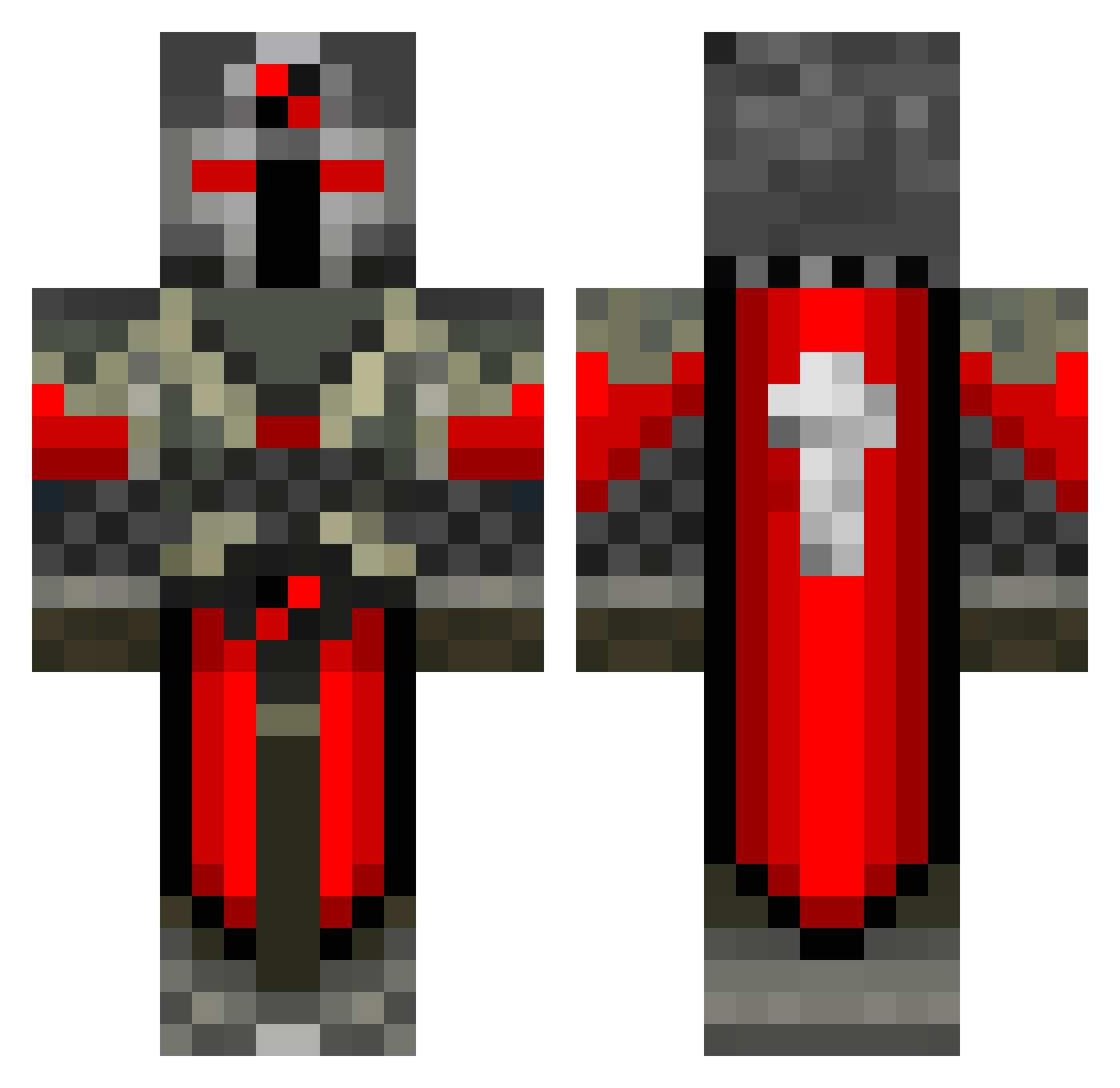
Current Minecraft skin of the player herold2, loaded from the official Mojang API. Rotate the 3D model with your mouse or finger, then download the skin as a PNG file and use it in Minecraft: Bedrock Edition or Java Edition for free. When herold2 changes their skin, this page updates automatically and the old skin stays in the history below.
Other players with this skin (550)
herold2 was the 228th player we have seen with this skin, first spotted on 11.09.2026. The same skin was seen on these players. Open a nickname to see their current skin and skin history.
 waffles456 tacojoe100 Pailo00 muechli KhoaFTW Godly_Warrior irritating_pixel ninjatank LucasPovlsen swiftstriker239 xStriqZz MasterRebel45 Hauly Bellator23 dan445 vinruk icehug sk8erDave98 Niliu Gametastic1000 Tojnuh Terrytt9 XxChriChrixX sebanekberanek Rasmusduemoller SpecialGash MinZdrav228 krusekube Smug_umin larskg Obi123kenobi snowy_neko DanLau1020 Jirali92 Camostar15 demonictwilight daan_nhn zammo920 pur3ph33r imaasian TAWJZY Kobbanen remidoodle TheWalking037 JR135 DarDarHo JoshTheFrog beastofgeorgia rockhardkiller1 subthebeast neozoicum zarrok DaMerkKid millenniam Kounig Houndy95 bakrlden _Cryptic iiPeach_ pirana_master
More Crusader Minecraft skins
How to install the herold2 skin
- Press the Download button above to save the skin as a PNG file.
- Minecraft: Bedrock Edition (PE): open the Dressing Room from the main menu (or tap your character → Edit Character), go to Classic Skins → Owned, press the + (new skin) button, choose the downloaded PNG and pick the Classic (Steve) model. Works on PC and mobile; consoles cannot import custom skins.
- Minecraft: Java Edition: open the Minecraft Launcher, go to the Skins tab, click New Skin, load the PNG, pick the Classic (Steve) model and press Save & Use. You can also upload it at minecraft.net → Profile → Change Skin.
The skin does not show up after import - what should I do?
Restart Minecraft and open the Dressing Room again - imported skins sometimes appear only after a restart. Also make sure you selected the imported skin and picked the Classic (Steve) model.
Which model should I choose, Classic or Slim?
This skin is designed for the Classic (Steve) model. If you pick the wrong model, the arms of the skin will look stretched or squeezed.
Is the skin of herold2 free to download?
Yes. Press Download, save the PNG file and use it in Minecraft: Bedrock Edition or Java Edition - no payment or registration needed. The skin also works on multiplayer servers and Realms.
More skins
Looking for more? Go back to all Minecraft skins and check the top skins of the week, month and all time, or find any player's skin by nickname.