
haoyun0318 - Minecraft Skins & Skin History
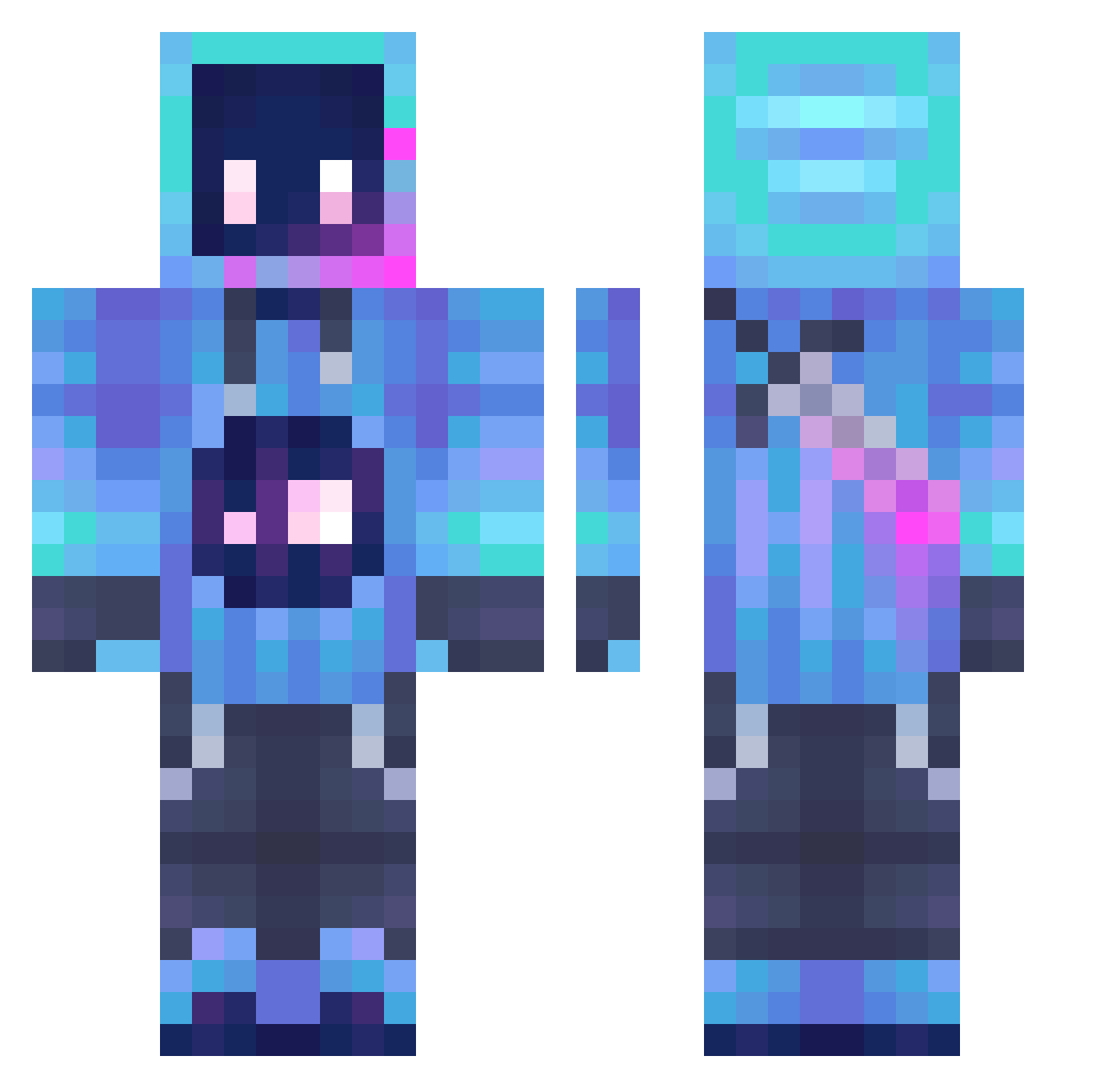
Current Minecraft skin of the player haoyun0318, loaded from the official Mojang API. Rotate the 3D model with your mouse or finger, then download the skin as a PNG file and use it in Minecraft: Bedrock Edition or Java Edition for free. When haoyun0318 changes their skin, this page updates automatically and the old skin stays in the history below.
Other players with this skin (1289)
haoyun0318 was the 618th player we have seen with this skin, first spotted on 19.09.2026. The same skin was seen on these players. Open a nickname to see their current skin and skin history.
 CYBERTjall therealdrejr Hasso08 KGDarkWolf Zeltaiir91 Jihoo_0805 T_Nines Lorenzist04 kkshi123 _Li_Chou_ aaaadelle TryingPine sadleopardo Lunal7th who_made_me SuperFerGamer09 Ente_L sol_____ Tayeb2014 BtBoy DaddyItsSoSticky chenxu1 WarKnight80910 Poko31 shuoshuo137 Phantom_Gaming00 X1AN_Suk fhernandez Epicentree ZaitsevsSon Helloroby CHENYIJIN_1 RonGamer8 JenyaTank Boor1ng mystral_ Hopeless001 sss_jy sadwhcx Gshadow2004 LazyZavier _LmPAD_ Inhumanfreddy sir_PUMPERNICKEL HoLine127 megatronbumblebe Ragsna0 HiddenPants431 HowwowSowoul DeFy_Elite luciferase88 Kap00t hotChocolate189 AndyRoads Chul_Nam Mod3m stolik11 LLC1219 Genetics_Live Astart0
More Sword Minecraft skins
How to install the haoyun0318 skin
- Press the Download button above to save the skin as a PNG file.
- Minecraft: Bedrock Edition (PE): open the Dressing Room from the main menu (or tap your character → Edit Character), go to Classic Skins → Owned, press the + (new skin) button, choose the downloaded PNG and pick the Classic (Steve) model. Works on PC and mobile; consoles cannot import custom skins.
- Minecraft: Java Edition: open the Minecraft Launcher, go to the Skins tab, click New Skin, load the PNG, pick the Classic (Steve) model and press Save & Use. You can also upload it at minecraft.net → Profile → Change Skin.
The skin does not show up after import - what should I do?
Restart Minecraft and open the Dressing Room again - imported skins sometimes appear only after a restart. Also make sure you selected the imported skin and picked the Classic (Steve) model.
Which model should I choose, Classic or Slim?
This skin is designed for the Classic (Steve) model. If you pick the wrong model, the arms of the skin will look stretched or squeezed.
Is the skin of haoyun0318 free to download?
Yes. Press Download, save the PNG file and use it in Minecraft: Bedrock Edition or Java Edition - no payment or registration needed. The skin also works on multiplayer servers and Realms.
More skins
Looking for more? Go back to all Minecraft skins and check the top skins of the week, month and all time, or find any player's skin by nickname.