
hampter68 - Minecraft Skins & Skin History
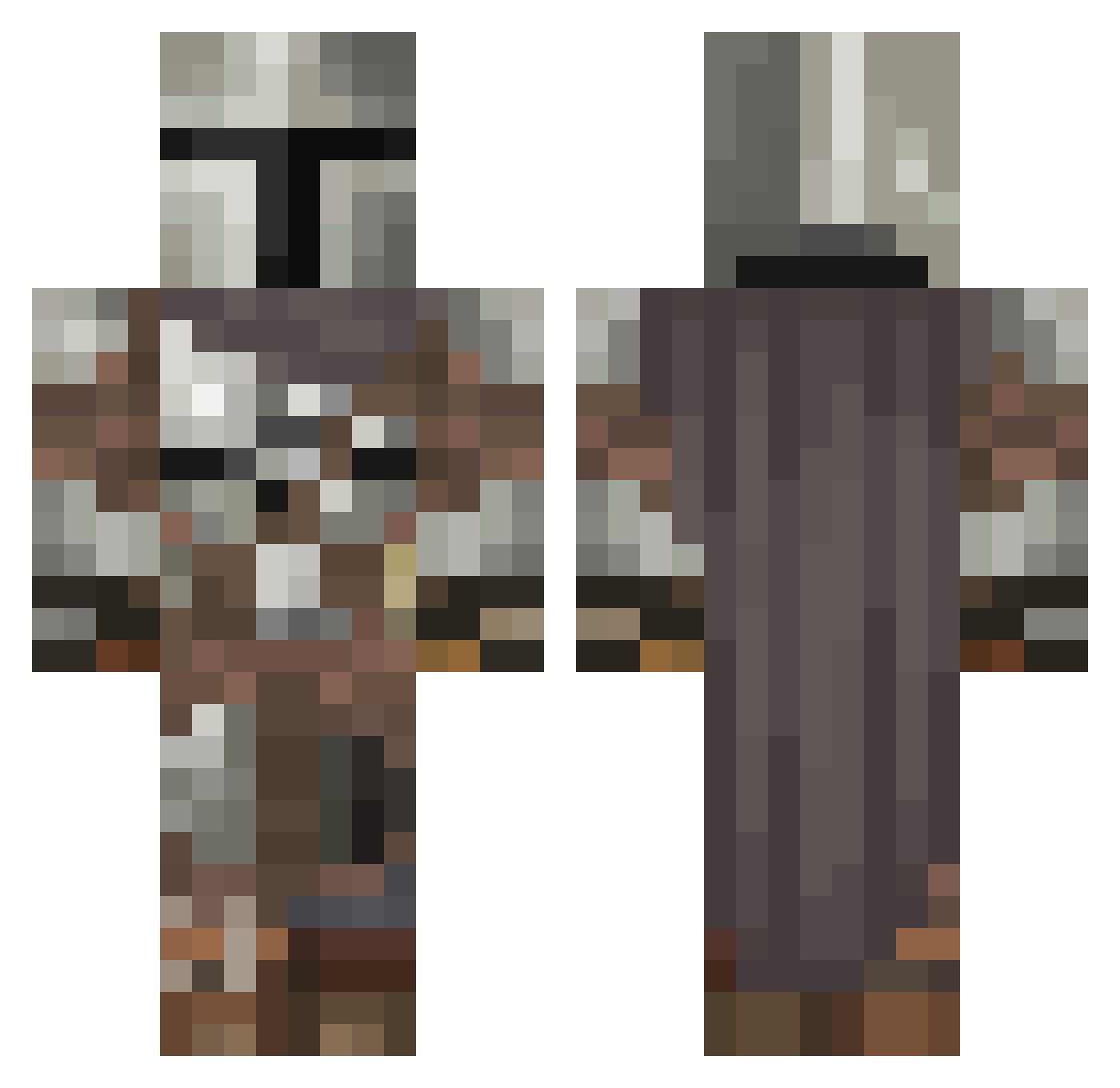
Current Minecraft skin of the player hampter68, loaded from the official Mojang API. Rotate the 3D model with your mouse or finger, then download the skin as a PNG file and use it in Minecraft: Bedrock Edition or Java Edition for free. When hampter68 changes their skin, this page updates automatically and the old skin stays in the history below.
Other players with this skin (546)
hampter68 was the 363rd player we have seen with this skin, first spotted on 06.10.2026. The same skin was seen on these players. Open a nickname to see their current skin and skin history.
 BobMcRoss6969 gabrielsmluz sargent_bubbles gonzominer79 DarkHFire _LUNKAS_ MrPupusa Fennec1218 Wheezy18 BlazeSilver1 Streberstat Silv3rbull3tt Trtreant MistRedok NicLee521 stuck_in_what Dodgersfan41 gehenji Priester00 DiscGolfMan_1 N3J1 BriskTub0 donnysgotballs Pie_gamer ajunebug2014 SavageNith DaveMayhem orbitter4 RonniePEC Arch_Wyvern ZiggyWiggly MoSandberg Yordemiir ToucanMill Chicken_Chewer Zekuneth MasoMargiela Winter162 S3NORxTUBBY Filo_Knight Doominator1337 zakon_v_zakone BeTtErThAnYoU384 samuraeye LinusSexT1ps KGmadmax Tirex_5000 wewqstatr Philosotree steezymig Zackey999 Kalozka123 cgoat24 SoulessCrusader Papa_simp daddumb lemmeexplain eldiablos_ lifeman345678 RauLithium
More The Mandalorian Minecraft skins
See all 591 The Mandalorian skins
How to install the hampter68 skin
- Press the Download button above to save the skin as a PNG file.
- Minecraft: Bedrock Edition (PE): open the Dressing Room from the main menu (or tap your character → Edit Character), go to Classic Skins → Owned, press the + (new skin) button, choose the downloaded PNG and pick the Classic (Steve) model. Works on PC and mobile; consoles cannot import custom skins.
- Minecraft: Java Edition: open the Minecraft Launcher, go to the Skins tab, click New Skin, load the PNG, pick the Classic (Steve) model and press Save & Use. You can also upload it at minecraft.net → Profile → Change Skin.
The skin does not show up after import - what should I do?
Restart Minecraft and open the Dressing Room again - imported skins sometimes appear only after a restart. Also make sure you selected the imported skin and picked the Classic (Steve) model.
Which model should I choose, Classic or Slim?
This skin is designed for the Classic (Steve) model. If you pick the wrong model, the arms of the skin will look stretched or squeezed.
Is the skin of hampter68 free to download?
Yes. Press Download, save the PNG file and use it in Minecraft: Bedrock Edition or Java Edition - no payment or registration needed. The skin also works on multiplayer servers and Realms.
More skins
Looking for more? Go back to all Minecraft skins and check the top skins of the week, month and all time, or find any player's skin by nickname.