
halospartan345 - Minecraft Skins & Skin History
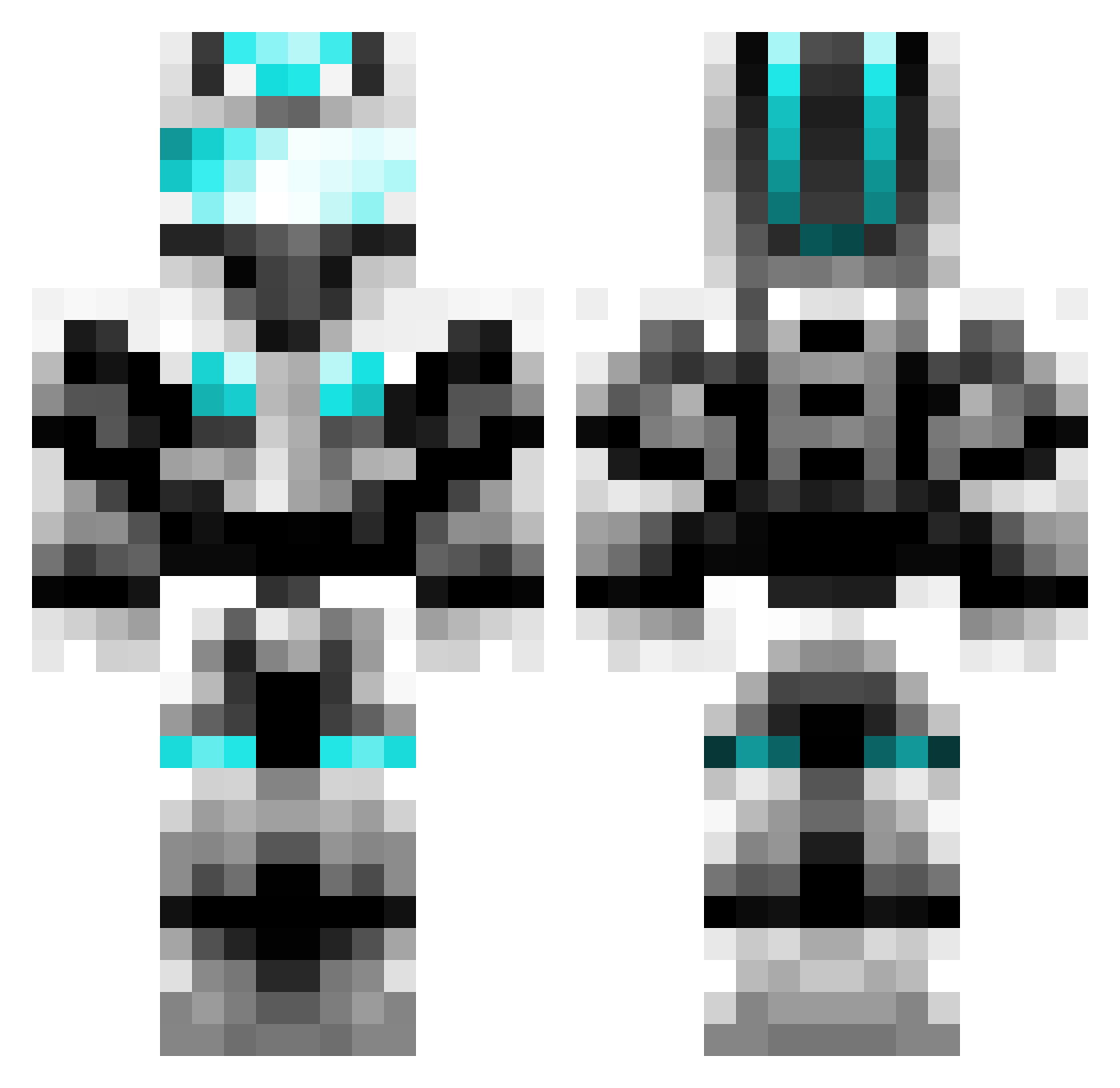
Current Minecraft skin of the player halospartan345, loaded from the official Mojang API. Rotate the 3D model with your mouse or finger, then download the skin as a PNG file and use it in Minecraft: Bedrock Edition or Java Edition for free. When halospartan345 changes their skin, this page updates automatically and the old skin stays in the history below.
Other players with this skin (602)
halospartan345 was the 422nd player we have seen with this skin, first spotted on 01.10.2026. The same skin was seen on these players. Open a nickname to see their current skin and skin history.
 master_111111 ChrisAlt322 Sxylon Gambit252 harrymite lars2304 stormtrasher MrToilet1 patterson1998 qwikfire DiamondGoons Hougyoku warren2131 fellMC ColemanSTi subarnabumi megaman4836 1vpro26 SchausiMax RigbyDenver lordelsum LilSnitch69 DiamondGoal37 jackstillman redraptor2000 Ioxide ccops2003 Xstroyer899 zero3xjorge Eliman010 PurpleRose23 Rockstar_nz nickrocks01 Scout_021 but6 blacklantern52 Philarete ThomasMLG AlfaVoyage PerkyPerkins20 sSvinXx BionicSon Mitchyman18 EspoIsHere FakePaint matteorpm Lumendipity RaymonD_001 AlienFTW123 J03K3R VATAN2009 Freightrain13 JAKEDRULES Bongatron Brando__ PHO3N1XL0RD hui123456 edderkoppen123 BUTTERGOLEM1414 sjhong777
More Cyber Soldier Minecraft skins
See all 43 Cyber Soldier skins
How to install the halospartan345 skin
- Press the Download button above to save the skin as a PNG file.
- Minecraft: Bedrock Edition (PE): open the Dressing Room from the main menu (or tap your character → Edit Character), go to Classic Skins → Owned, press the + (new skin) button, choose the downloaded PNG and pick the Classic (Steve) model. Works on PC and mobile; consoles cannot import custom skins.
- Minecraft: Java Edition: open the Minecraft Launcher, go to the Skins tab, click New Skin, load the PNG, pick the Classic (Steve) model and press Save & Use. You can also upload it at minecraft.net → Profile → Change Skin.
The skin does not show up after import - what should I do?
Restart Minecraft and open the Dressing Room again - imported skins sometimes appear only after a restart. Also make sure you selected the imported skin and picked the Classic (Steve) model.
Which model should I choose, Classic or Slim?
This skin is designed for the Classic (Steve) model. If you pick the wrong model, the arms of the skin will look stretched or squeezed.
Is the skin of halospartan345 free to download?
Yes. Press Download, save the PNG file and use it in Minecraft: Bedrock Edition or Java Edition - no payment or registration needed. The skin also works on multiplayer servers and Realms.
More skins
Looking for more? Go back to all Minecraft skins and check the top skins of the week, month and all time, or find any player's skin by nickname.