
halo919 - Minecraft Skins & Skin History
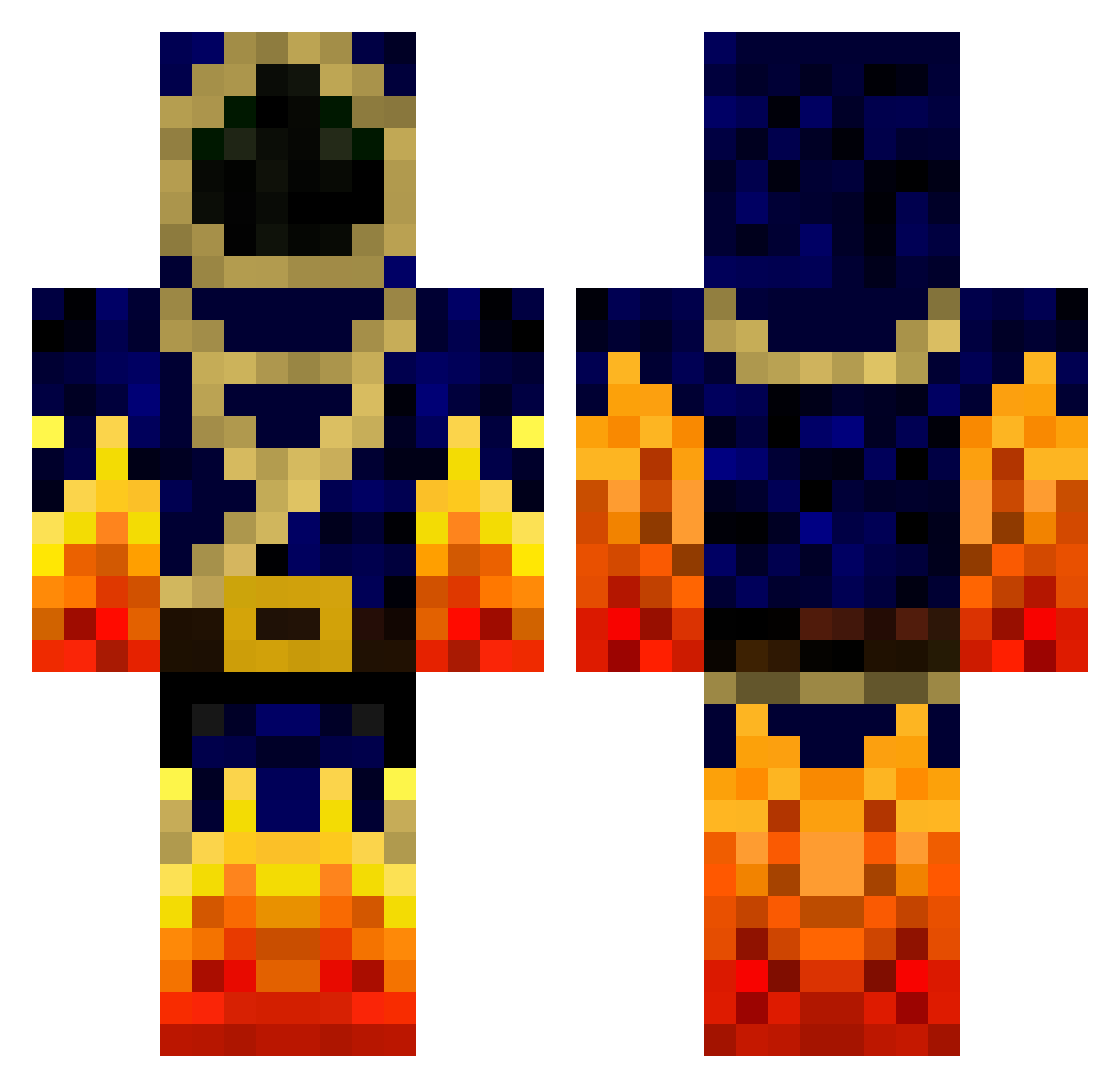
Current Minecraft skin of the player halo919, loaded from the official Mojang API. Rotate the 3D model with your mouse or finger, then download the skin as a PNG file and use it in Minecraft: Bedrock Edition or Java Edition for free. When halo919 changes their skin, this page updates automatically and the old skin stays in the history below.
Other players with this skin (777)
halo919 was the 141st player we have seen with this skin, first spotted on 14.08.2026. The same skin was seen on these players. Open a nickname to see their current skin and skin history.
 Helghaste_94 jacob_d_t OutrageousLine LGSushi KingFM1995 minethotes MikruJon thebeastnathan HMKAGM Madwolf390 bensmash36 TRILUCA HelloHelloIsBack Days_To_Daze ContraPax Stealth_787 BXDN13 Fincru NE28 k1ngP Strudman1 Xiotam sebastian06516 Nugget_Chip PvP_Lyf snorresilas nakarahl NQuackenboss tylerpeet firebrothers2 Looshis GAYFORNOTGAAY24 Harry310 imabzb marius1100 cristofzk Nerdwizard007 G4laxyFR_ laxux Hawis 1emile0 Firezack Razanleed MWJK CheeseMasterX NihilisticMania DragonKnight457 DrMoney ChrisHayo Yaleks blk728 vandael14 MagicMage1238 jollyrob alexmaniac555 GamerGuitarist _Machin_ Kazak3222 hazhazimo Jhiggs24
More Mage Minecraft skins
How to install the halo919 skin
- Press the Download button above to save the skin as a PNG file.
- Minecraft: Bedrock Edition (PE): open the Dressing Room from the main menu (or tap your character → Edit Character), go to Classic Skins → Owned, press the + (new skin) button, choose the downloaded PNG and pick the Classic (Steve) model. Works on PC and mobile; consoles cannot import custom skins.
- Minecraft: Java Edition: open the Minecraft Launcher, go to the Skins tab, click New Skin, load the PNG, pick the Classic (Steve) model and press Save & Use. You can also upload it at minecraft.net → Profile → Change Skin.
The skin does not show up after import - what should I do?
Restart Minecraft and open the Dressing Room again - imported skins sometimes appear only after a restart. Also make sure you selected the imported skin and picked the Classic (Steve) model.
Which model should I choose, Classic or Slim?
This skin is designed for the Classic (Steve) model. If you pick the wrong model, the arms of the skin will look stretched or squeezed.
Is the skin of halo919 free to download?
Yes. Press Download, save the PNG file and use it in Minecraft: Bedrock Edition or Java Edition - no payment or registration needed. The skin also works on multiplayer servers and Realms.
More skins
Looking for more? Go back to all Minecraft skins and check the top skins of the week, month and all time, or find any player's skin by nickname.