
hall975 - Minecraft Skins & Skin History
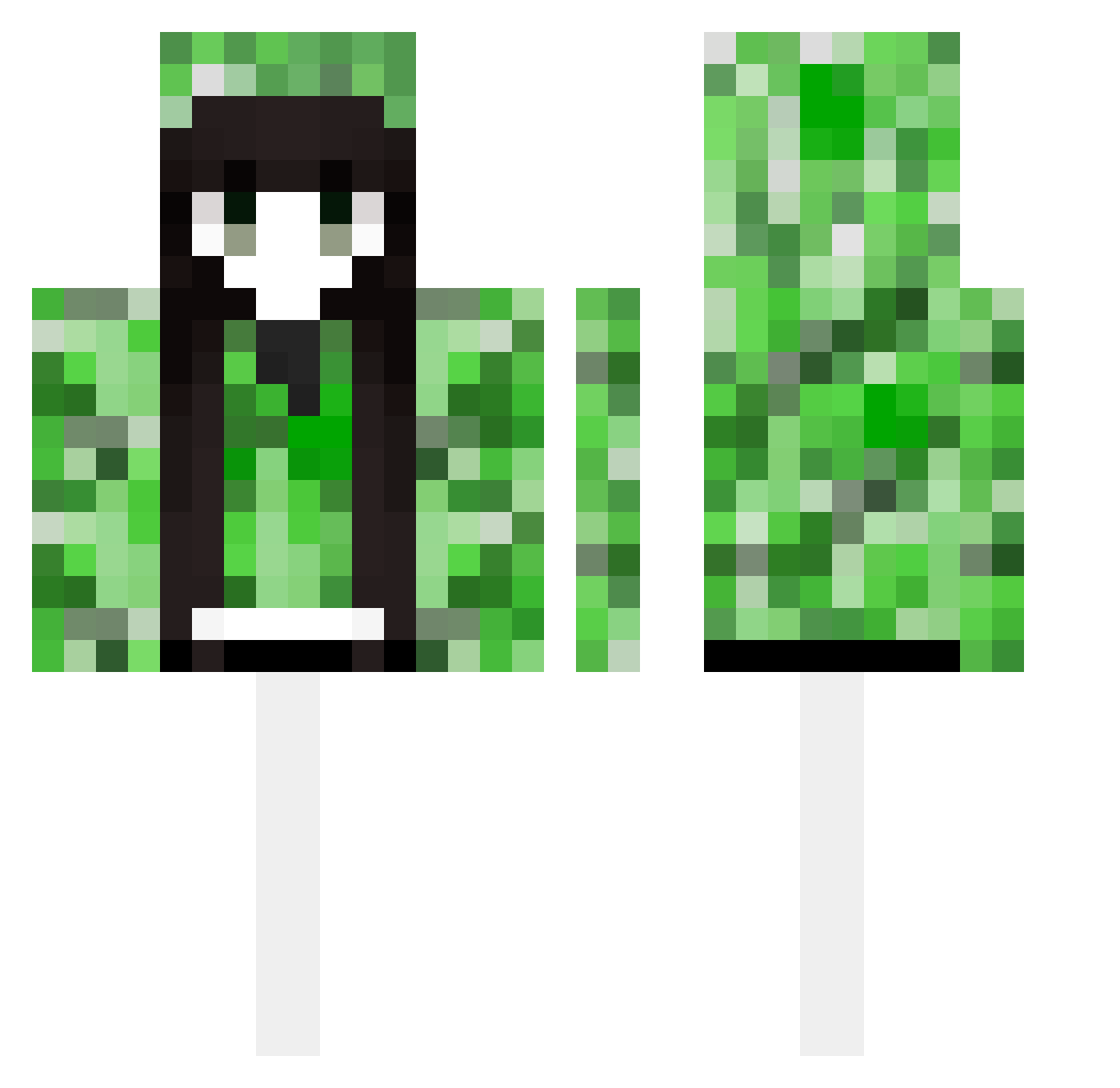
Current Minecraft skin of the player hall975, loaded from the official Mojang API. Rotate the 3D model with your mouse or finger, then download the skin as a PNG file and use it in Minecraft: Bedrock Edition or Java Edition for free. When hall975 changes their skin, this page updates automatically and the old skin stays in the history below.
Other players with this skin (490)
hall975 was the 32nd player we have seen with this skin, first spotted on 28.07.2026. The same skin was seen on these players. Open a nickname to see their current skin and skin history.
 YOUHUANG___ Journeyyyyyy viksx YNLY sheng__18 tjkd2333 Hamyyyyyyyyyyyyy Shiyibb dontforgetdoge numimi0 AkhaliND ItzKamora Ad0f_Hitler lllllyq lilufan Maya_____ Foreverlx kle0032 qwe1888 4Yea Yui_An Xiehuli1 USASAID Luxiaohang666 Zaydotexe yuusng WenYang1 RexRain jmzjmzjmz XiNanSun AIESSM sofidou YNKS_fx _cx0an
 buwan21 M1ing liyongwang666 Sexy_Milk ryo66666 nanyr zardways MiO250 iAmoOPi ilovemymom420 sinyung2 Sugerg 2JUNSEO jieun0127 X9123 ADS_RiceCream FishKing183 catlover2014 zkkuo sjsheel remiliacat Gabenc nightmaid_ PrimisSZ xiaoboyuan2010 MarinKitagawaas
More Creeper Minecraft skins
How to install the hall975 skin
- Press the Download button above to save the skin as a PNG file.
- Minecraft: Bedrock Edition (PE): open the Dressing Room from the main menu (or tap your character → Edit Character), go to Classic Skins → Owned, press the + (new skin) button, choose the downloaded PNG and pick the Classic (Steve) model. Works on PC and mobile; consoles cannot import custom skins.
- Minecraft: Java Edition: open the Minecraft Launcher, go to the Skins tab, click New Skin, load the PNG, pick the Classic (Steve) model and press Save & Use. You can also upload it at minecraft.net → Profile → Change Skin.
The skin does not show up after import - what should I do?
Restart Minecraft and open the Dressing Room again - imported skins sometimes appear only after a restart. Also make sure you selected the imported skin and picked the Classic (Steve) model.
Which model should I choose, Classic or Slim?
This skin is designed for the Classic (Steve) model. If you pick the wrong model, the arms of the skin will look stretched or squeezed.
Is the skin of hall975 free to download?
Yes. Press Download, save the PNG file and use it in Minecraft: Bedrock Edition or Java Edition - no payment or registration needed. The skin also works on multiplayer servers and Realms.
More skins
Looking for more? Go back to all Minecraft skins and check the top skins of the week, month and all time, or find any player's skin by nickname.