
gtr6820 - Minecraft Skins & Skin History
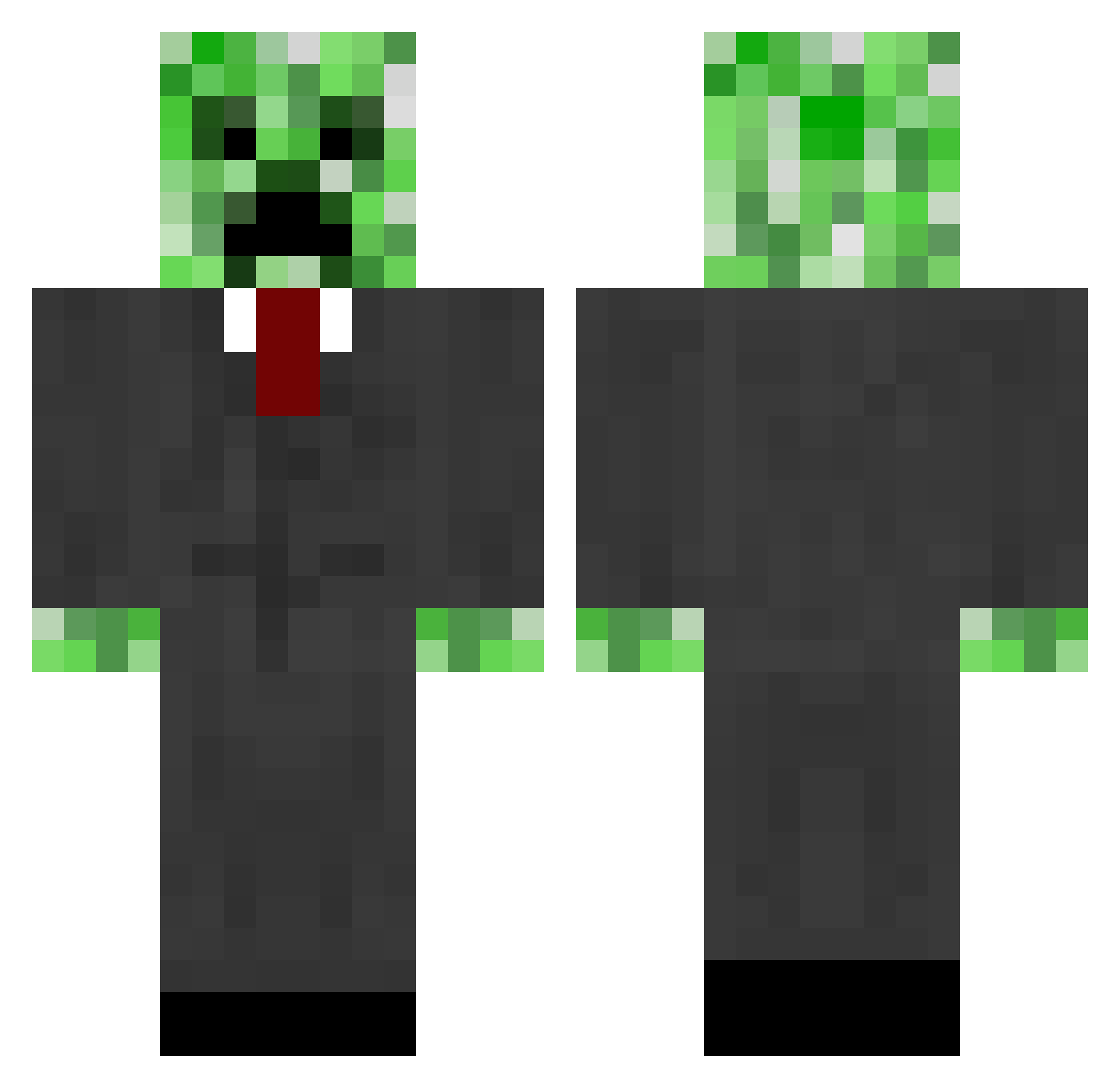
Current Minecraft skin of the player gtr6820, loaded from the official Mojang API. Rotate the 3D model with your mouse or finger, then download the skin as a PNG file and use it in Minecraft: Bedrock Edition or Java Edition for free. When gtr6820 changes their skin, this page updates automatically and the old skin stays in the history below.
Other players with this skin (667)
gtr6820 was the 627th player we have seen with this skin, first spotted on 27.10.2026. The same skin was seen on these players. Open a nickname to see their current skin and skin history.
 corruptnova Thomasjcw akljsfdsjkfdsa Kyleisthebomb pinguinpoyo mturner14 Lehvela bonairedr deathking4 Timpaula cyberhonk littleddt2 ATL_Bread edde00 Tacct GarnerFTW zombieplayer565 jaredrob julian2468 bassfishin724 Bathrad Battle_Boxer rasmus082012 FranzVonPapen Creperman45 gage71k zombiekiller8t Ridersrox greenworm6 TheePepe21 shine711 Gpeto ConsumeXans Drewy21_ usillysally crm321 mbentley99 nyberg39 holmeboy11 xMasonnn Eurtie Tao4004 sihane10 rawtdf2 schwarzerblitz33 eboy1030 appalo13 trilo214 peakcoyote8 deco_03 swimboy00 VybezDigital Kamikaze_XCV Leoge1 miglio96 Eta007 Rennie009 20patrick01 chilly2468 Pepepipipopo
More Creeper Minecraft skins
How to install the gtr6820 skin
- Press the Download button above to save the skin as a PNG file.
- Minecraft: Bedrock Edition (PE): open the Dressing Room from the main menu (or tap your character → Edit Character), go to Classic Skins → Owned, press the + (new skin) button, choose the downloaded PNG and pick the Classic (Steve) model. Works on PC and mobile; consoles cannot import custom skins.
- Minecraft: Java Edition: open the Minecraft Launcher, go to the Skins tab, click New Skin, load the PNG, pick the Classic (Steve) model and press Save & Use. You can also upload it at minecraft.net → Profile → Change Skin.
The skin does not show up after import - what should I do?
Restart Minecraft and open the Dressing Room again - imported skins sometimes appear only after a restart. Also make sure you selected the imported skin and picked the Classic (Steve) model.
Which model should I choose, Classic or Slim?
This skin is designed for the Classic (Steve) model. If you pick the wrong model, the arms of the skin will look stretched or squeezed.
Is the skin of gtr6820 free to download?
Yes. Press Download, save the PNG file and use it in Minecraft: Bedrock Edition or Java Edition - no payment or registration needed. The skin also works on multiplayer servers and Realms.
More skins
Looking for more? Go back to all Minecraft skins and check the top skins of the week, month and all time, or find any player's skin by nickname.