
gski11 - Minecraft Skins & Skin History
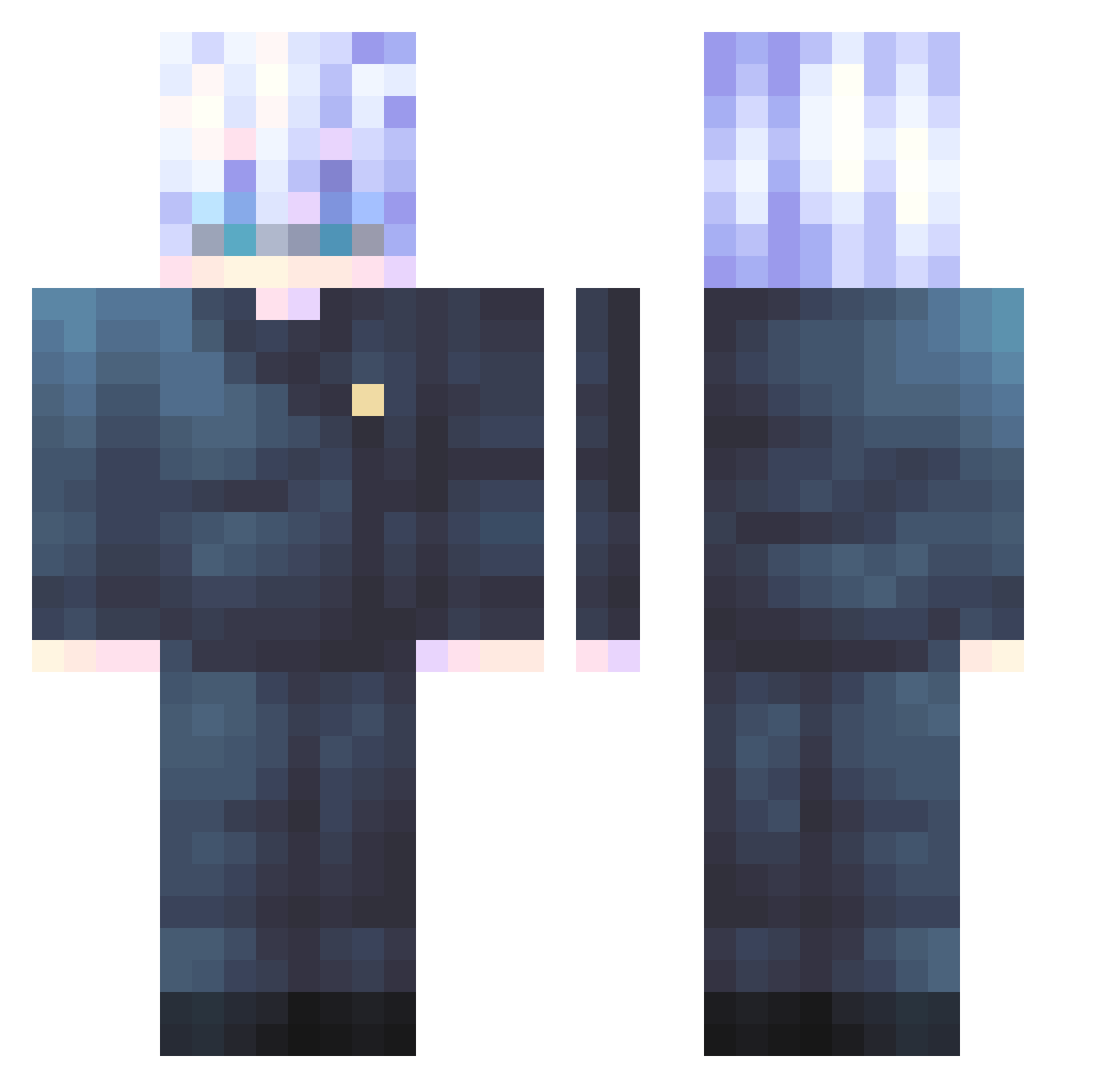
Current Minecraft skin of the player gski11, loaded from the official Mojang API. Rotate the 3D model with your mouse or finger, then download the skin as a PNG file and use it in Minecraft: Bedrock Edition or Java Edition for free. When gski11 changes their skin, this page updates automatically and the old skin stays in the history below.
Other players with this skin (547)
gski11 was the 317th player we have seen with this skin, first spotted on 29.09.2026. The same skin was seen on these players. Open a nickname to see their current skin and skin history.
 GENIUS1023 Mir_____ MunchLunch_ kimbori05 TwZVik goatlickr imadoge713 SweetCalibar Loofah__ Juan_David001 madeintheAM9259 The_Boric MeercatCraft donghuk sumbl JoRiiZ_ AnilCo LAZAR_2479 Heathalot JooHo_1489 NelsonTury Nia228 OOGALIESPOOKALIE kunwookunwoo VaterGabriel Wavepain OniKenShi TheBananaJr Idiet__ dead_751 SrSquiggles NYLonerx Valentine3355 bauret Shin_21zzz BUBAVIL takteam Muri_AP Zousyteck Lumuss Lunar1020 Junyeop002 H0kyu zacko2o DKilla_ o6pe3 Disoras SnapSw1sh M_Gojo GoToTheMars Promai1 aqaminska Azoww HighbornFlyer93 izziahh Archeouspy HollowPurpl3 itsOliver_ Kosa268er K1bodo
More Satoru Gojo Minecraft skins
See all 1318 Satoru Gojo skins
How to install the gski11 skin
- Press the Download button above to save the skin as a PNG file.
- Minecraft: Bedrock Edition (PE): open the Dressing Room from the main menu (or tap your character → Edit Character), go to Classic Skins → Owned, press the + (new skin) button, choose the downloaded PNG and pick the Classic (Steve) model. Works on PC and mobile; consoles cannot import custom skins.
- Minecraft: Java Edition: open the Minecraft Launcher, go to the Skins tab, click New Skin, load the PNG, pick the Classic (Steve) model and press Save & Use. You can also upload it at minecraft.net → Profile → Change Skin.
The skin does not show up after import - what should I do?
Restart Minecraft and open the Dressing Room again - imported skins sometimes appear only after a restart. Also make sure you selected the imported skin and picked the Classic (Steve) model.
Which model should I choose, Classic or Slim?
This skin is designed for the Classic (Steve) model. If you pick the wrong model, the arms of the skin will look stretched or squeezed.
Is the skin of gski11 free to download?
Yes. Press Download, save the PNG file and use it in Minecraft: Bedrock Edition or Java Edition - no payment or registration needed. The skin also works on multiplayer servers and Realms.
More skins
Looking for more? Go back to all Minecraft skins and check the top skins of the week, month and all time, or find any player's skin by nickname.