
grzes201419 - Minecraft Skins & Skin History
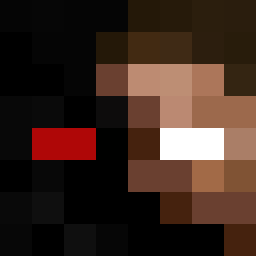
Current Minecraft skin of the player grzes201419, loaded from the official Mojang API. Rotate the 3D model with your mouse or finger, then download the skin as a PNG file and use it in Minecraft: Bedrock Edition or Java Edition for free. When grzes201419 changes their skin, this page updates automatically and the old skin stays in the history below.

Other players with this skin (465)
grzes201419 was the 134th player we have seen with this skin, first spotted on 27.08.2026. The same skin was seen on these players. Open a nickname to see their current skin and skin history.
 wujek_araba snikiman Michal1203 zaba1_24 Dynio
 daawidek MiloszBalc ziomeczek142 olo123456olo gamer10555 e__s_019 Nax1337 matuex Fingoski xkapix13 BotJoe23 Natan1503202016 Franek797 Grzegorz1711 szymekw123 oskiboski0807 LALA94 sebafanlegii14 xParowka2 StasiekW QTTTTT25 Adrianunik _K0mornik Ry3h4n
 Wojti9000 Stasiek789 paweciola Zaylax_UwU dawid123456789 SkyShark 1234567890gfg KAZIK_2133 Shotto667 chojnatex BENEK6967 Matiloto0123 DEKUS_IQ KochamWersow67 Michas6767 chabii__ Wilds_cookies Slodkiplcuszek Demoriel95 WojMarus obiad_igi xlovePVP1 Jagielka78 Filu660 xmikrus KrlMati1 danielxd11 E__SM5 FOII_MAL xPortugalski Goszymoon
How to install the grzes201419 skin
- Press the Download button above to save the skin as a PNG file.
- Minecraft: Bedrock Edition (PE): open the Dressing Room from the main menu (or tap your character → Edit Character), go to Classic Skins → Owned, press the + (new skin) button, choose the downloaded PNG and pick the Classic (Steve) model. Works on PC and mobile; consoles cannot import custom skins.
- Minecraft: Java Edition: open the Minecraft Launcher, go to the Skins tab, click New Skin, load the PNG, pick the Classic (Steve) model and press Save & Use. You can also upload it at minecraft.net → Profile → Change Skin.
The skin does not show up after import - what should I do?
Restart Minecraft and open the Dressing Room again - imported skins sometimes appear only after a restart. Also make sure you selected the imported skin and picked the Classic (Steve) model.
Which model should I choose, Classic or Slim?
This skin is designed for the Classic (Steve) model. If you pick the wrong model, the arms of the skin will look stretched or squeezed.
Is the skin of grzes201419 free to download?
Yes. Press Download, save the PNG file and use it in Minecraft: Bedrock Edition or Java Edition - no payment or registration needed. The skin also works on multiplayer servers and Realms.
More skins
Looking for more? Go back to all Minecraft skins and check the top skins of the week, month and all time, or find any player's skin by nickname.