
greman99 - Minecraft Skins & Skin History
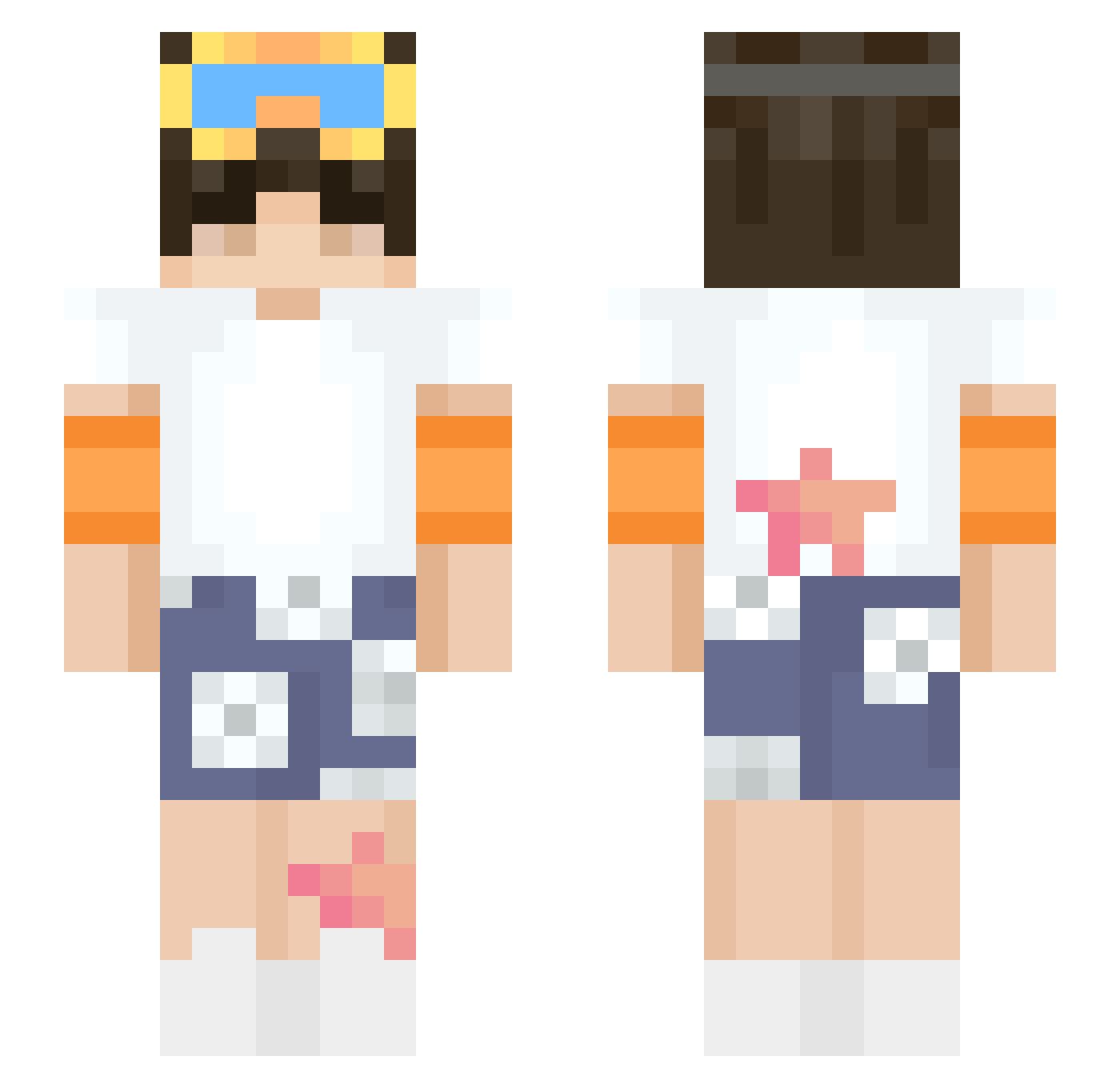
Current Minecraft skin of the player greman99, loaded from the official Mojang API. Rotate the 3D model with your mouse or finger, then download the skin as a PNG file and use it in Minecraft: Bedrock Edition or Java Edition for free. When greman99 changes their skin, this page updates automatically and the old skin stays in the history below.
Other players with this skin (64)
greman99 was the 27th player we have seen with this skin, first spotted on 09.09.2026. The same skin was seen on these players. Open a nickname to see their current skin and skin history.
 FRANIX17 HoodGamer_Yt lela231 squrrel Y2K_sigh Notgamerhenry beludios Canadian_Moon Sukyow DarkOP_ Moon_Crafter2 TheCreeperBro xOliwier2010
 Aitorninjas11 Cvikoz MinecraftDaLion maroonmiguel xXschwartzXx nikkudady iIixy WhosDj
 qlvx icebearboo Dr_Lucky1 Dan_The_Demonic_ Culties radkitfisto TechnoGamerz Ectxr AbyssWasTaken7 WasDi VANSH2205 naturefriendhugo Berattq Swups Kasss_Its Alby3000 augans BedlessKhan Steveyboy117 Critic210 Noraizisalone 420Doier_ Fosek Firegumby88 ARLENE73 N00ben Inkyoo DeltaFluxx Willow6611 PotPro420 cubercry Ghostxfy Hades_Hawkeye CuCai BSweitzer unclejimmy3209 kizzle7284 supergavin9272 shuttlevr
More Stars Minecraft skins
How to install the greman99 skin
- Press the Download button above to save the skin as a PNG file.
- Minecraft: Bedrock Edition (PE): open the Dressing Room from the main menu (or tap your character → Edit Character), go to Classic Skins → Owned, press the + (new skin) button, choose the downloaded PNG and pick the Slim (Alex) model. Works on PC and mobile; consoles cannot import custom skins.
- Minecraft: Java Edition: open the Minecraft Launcher, go to the Skins tab, click New Skin, load the PNG, pick the Slim (Alex) model and press Save & Use. You can also upload it at minecraft.net → Profile → Change Skin.
The skin does not show up after import - what should I do?
Restart Minecraft and open the Dressing Room again - imported skins sometimes appear only after a restart. Also make sure you selected the imported skin and picked the Slim (Alex) model.
Which model should I choose, Classic or Slim?
This skin is designed for the Slim (Alex) model. If you pick the wrong model, the arms of the skin will look stretched or squeezed.
Is the skin of greman99 free to download?
Yes. Press Download, save the PNG file and use it in Minecraft: Bedrock Edition or Java Edition - no payment or registration needed. The skin also works on multiplayer servers and Realms.
More skins
Looking for more? Go back to all Minecraft skins and check the top skins of the week, month and all time, or find any player's skin by nickname.