
gradur59 - Minecraft Skins & Skin History
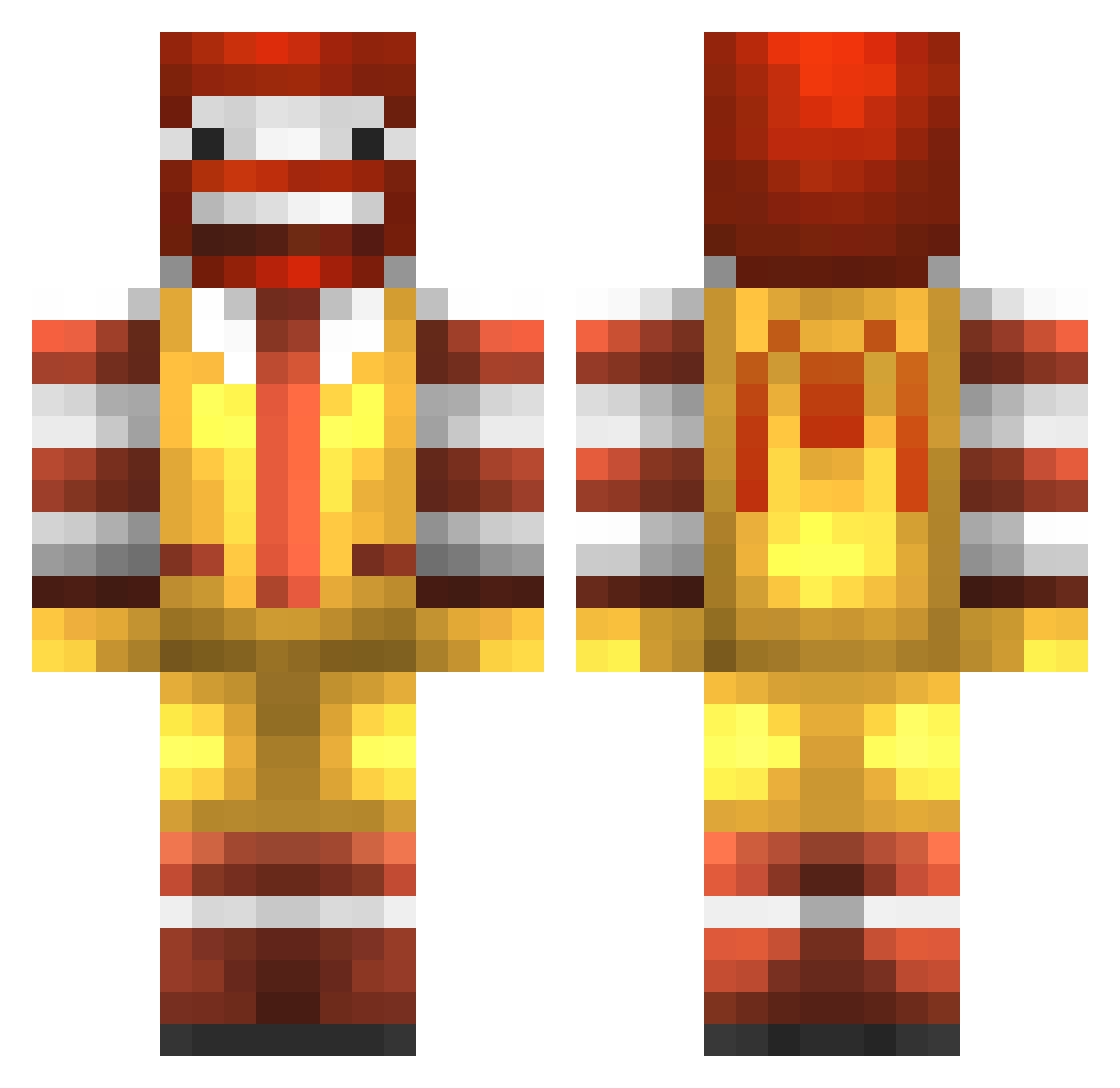
Current Minecraft skin of the player gradur59, loaded from the official Mojang API. Rotate the 3D model with your mouse or finger, then download the skin as a PNG file and use it in Minecraft: Bedrock Edition or Java Edition for free. When gradur59 changes their skin, this page updates automatically and the old skin stays in the history below.
Other players with this skin (777)
gradur59 was the 486th player we have seen with this skin, first spotted on 22.09.2026. The same skin was seen on these players. Open a nickname to see their current skin and skin history.
 BigBean9 supered333 Yazord minerkid23 Marksism mitch03261998 TimoBile22 cbox348 ROUX_J arrdal Kylemcmahon33 GrosseMiteEnPull Pauli1010 Riptide23 Lucak03 ddkawesome mikke86 BLADESLAYER57 simsy07 Beasty_Bite PapaEd0336 Weevil_Underwood iamtaco2 Flex_John calvinw106 yucz Cranny21 Razabro bloodhound11 iProdigy197 Fleedz_ Maldorian urmomstea merkted OMGSqueaker caseybrown11 Palochfi Lelaman1 jellypowa ljac20 MapleBacon44 Evrest85 Dewy_PvP Psychopaat dmey fredriknj98 frostmask309 Aduricon crolontheprowl gamerjo3 jacobite69 craniumblast 8ants ARKADEMAN grintox El_Grande_Loco perfecthole Mupyc guipozo00 R0nson
More Ronald Mcdonald Minecraft skins
See all 126 Ronald Mcdonald skins
How to install the gradur59 skin
- Press the Download button above to save the skin as a PNG file.
- Minecraft: Bedrock Edition (PE): open the Dressing Room from the main menu (or tap your character → Edit Character), go to Classic Skins → Owned, press the + (new skin) button, choose the downloaded PNG and pick the Classic (Steve) model. Works on PC and mobile; consoles cannot import custom skins.
- Minecraft: Java Edition: open the Minecraft Launcher, go to the Skins tab, click New Skin, load the PNG, pick the Classic (Steve) model and press Save & Use. You can also upload it at minecraft.net → Profile → Change Skin.
The skin does not show up after import - what should I do?
Restart Minecraft and open the Dressing Room again - imported skins sometimes appear only after a restart. Also make sure you selected the imported skin and picked the Classic (Steve) model.
Which model should I choose, Classic or Slim?
This skin is designed for the Classic (Steve) model. If you pick the wrong model, the arms of the skin will look stretched or squeezed.
Is the skin of gradur59 free to download?
Yes. Press Download, save the PNG file and use it in Minecraft: Bedrock Edition or Java Edition - no payment or registration needed. The skin also works on multiplayer servers and Realms.
More skins
Looking for more? Go back to all Minecraft skins and check the top skins of the week, month and all time, or find any player's skin by nickname.