
goofball3940 - Minecraft Skins & Skin History
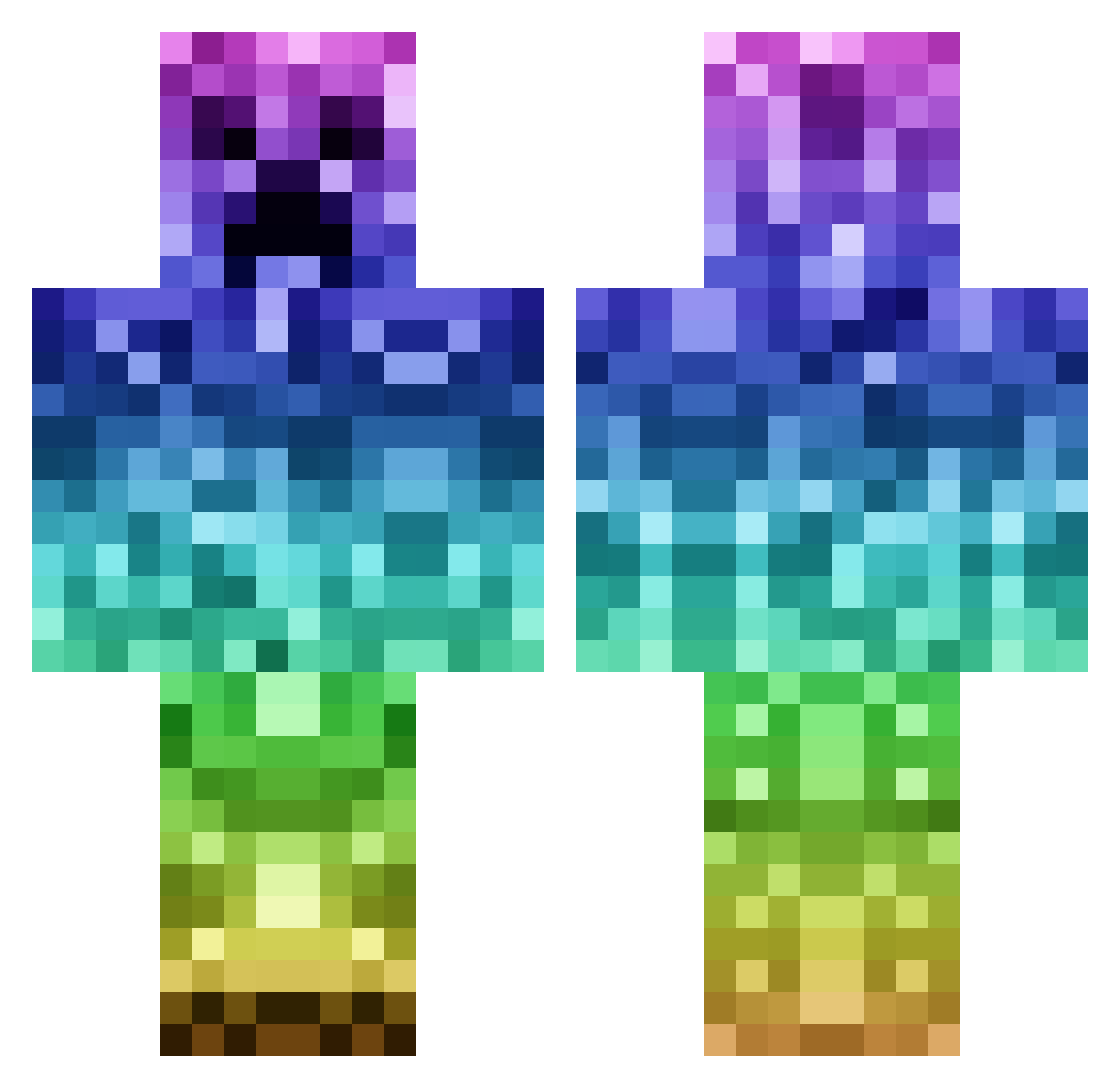
Current Minecraft skin of the player goofball3940, loaded from the official Mojang API. Rotate the 3D model with your mouse or finger, then download the skin as a PNG file and use it in Minecraft: Bedrock Edition or Java Edition for free. When goofball3940 changes their skin, this page updates automatically and the old skin stays in the history below.
Other players with this skin (1144)
goofball3940 was the 662nd player we have seen with this skin, first spotted on 01.10.2026. The same skin was seen on these players. Open a nickname to see their current skin and skin history.
 Awesomee_Creeper AntonioINN guswin mattmcdonald17 nietsenna T_Swiz1e kalle_bollemus three_top kasperhansen123 Simon20047 ICallumII haley0103 1MinecraftGOD1 STeel00 BlaisR bluesky_l harryboyswag Traprap bigboss304 Kichiden3 Johnaynay1997 jonkku2 Maximilian2421 NuclearAlpaca LittleMe1 TheRoyalCorgi trailmonkey01 domnios IrishSmackdown aaron20037 minecraftmidge99 Starkyo1 swift_cookie121 tiching sebben98 ZombieSlayer69 boardguyz CJ21n MEM_DOG jjbthebest SparkyMW NoteWorthyGuy lianjiang vanessa0725 ciaranthecrafter E_Man_11 potatobank Parkaaaa Parasitus Zahlos ItsTygg MenTari XxBosle22xX georgepolo101 Mirck Dodi90 TOXIC_REACTIONz3 jadebearroth minemattia adrianviking
More Rainbow Minecraft skins
How to install the goofball3940 skin
- Press the Download button above to save the skin as a PNG file.
- Minecraft: Bedrock Edition (PE): open the Dressing Room from the main menu (or tap your character → Edit Character), go to Classic Skins → Owned, press the + (new skin) button, choose the downloaded PNG and pick the Classic (Steve) model. Works on PC and mobile; consoles cannot import custom skins.
- Minecraft: Java Edition: open the Minecraft Launcher, go to the Skins tab, click New Skin, load the PNG, pick the Classic (Steve) model and press Save & Use. You can also upload it at minecraft.net → Profile → Change Skin.
The skin does not show up after import - what should I do?
Restart Minecraft and open the Dressing Room again - imported skins sometimes appear only after a restart. Also make sure you selected the imported skin and picked the Classic (Steve) model.
Which model should I choose, Classic or Slim?
This skin is designed for the Classic (Steve) model. If you pick the wrong model, the arms of the skin will look stretched or squeezed.
Is the skin of goofball3940 free to download?
Yes. Press Download, save the PNG file and use it in Minecraft: Bedrock Edition or Java Edition - no payment or registration needed. The skin also works on multiplayer servers and Realms.
More skins
Looking for more? Go back to all Minecraft skins and check the top skins of the week, month and all time, or find any player's skin by nickname.