
goeun02 - Minecraft Skins & Skin History
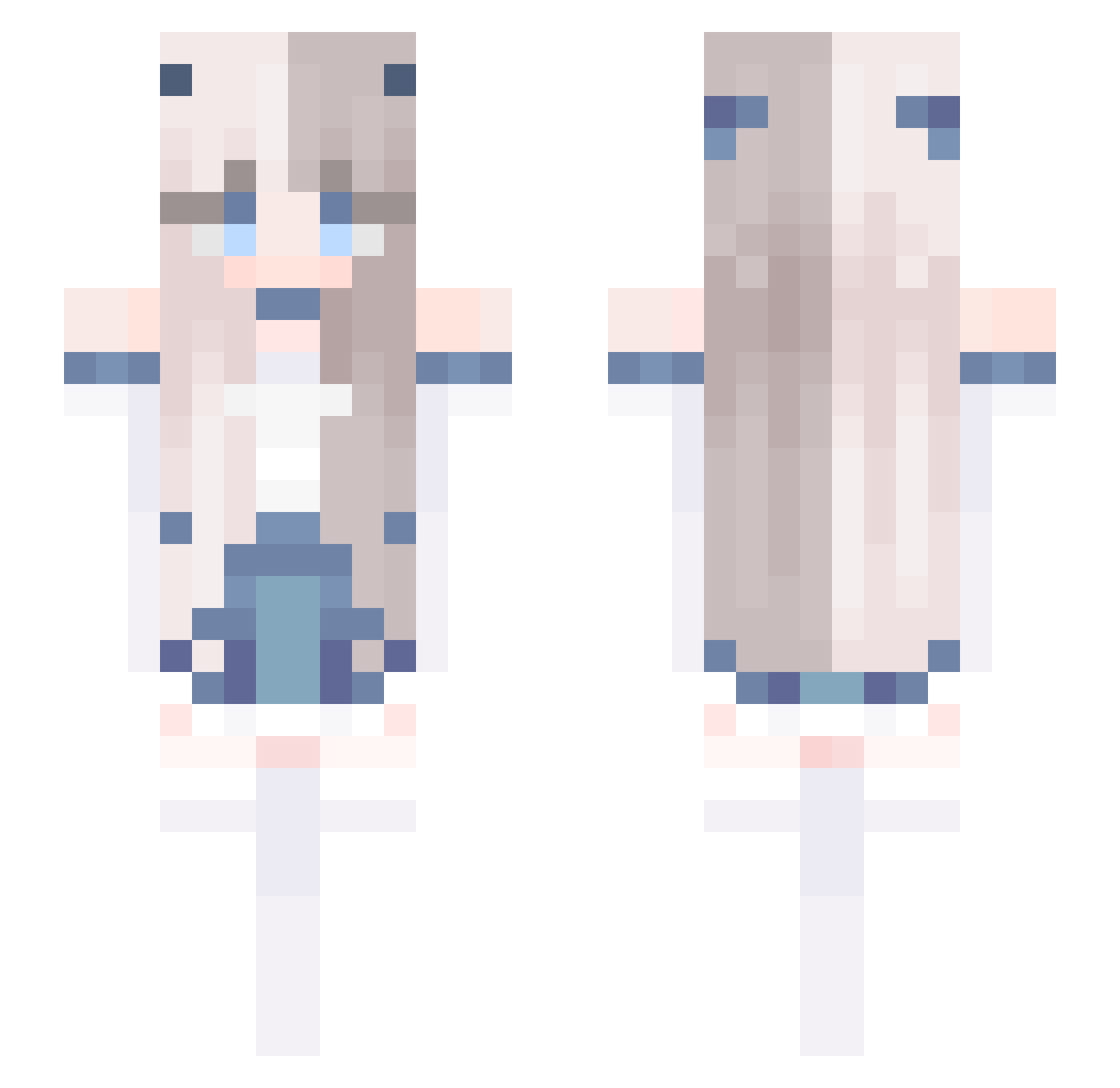
Current Minecraft skin of the player goeun02, loaded from the official Mojang API. Rotate the 3D model with your mouse or finger, then download the skin as a PNG file and use it in Minecraft: Bedrock Edition or Java Edition for free. When goeun02 changes their skin, this page updates automatically and the old skin stays in the history below.
Other players with this skin (808)
goeun02 was the 738th player we have seen with this skin, first spotted on 10.11.2026. The same skin was seen on these players. Open a nickname to see their current skin and skin history.
 Lux_ox jtmkk AngieDovah Baek_HaNyong2 szrcastica AgmetX Jianweihao ErikDan12 hayeoni Multiphysics chiroru_27 01hwanhee GummyBears897 Leneczka1905 pirate_love zlYju Dark_Kenjii youseam J2nw GrayRaven0212 _slimechef Darlingky Herobrine102480 yuwha_ dvku axluu tmdlfps Xoexom snowsuika 4viceGHG Hnha Noyuah zSetsuna Okapi2211 TilkiFX KissThePig Jun7706 CryBabyBxtch Mishery YIBEI_ yangwen1 liulangg JulikusOfficial OVOXiaoXuan ParkSiko Aimiix Gloockenspiel RUYKA3 Latisha_ cady0601 patis22 Attelabidae MAYU84 Insectutor mansuru0822 PiePP Hui_0120 Buryme0310 murasaki78 shadow00700
More Horns Minecraft skins
How to install the goeun02 skin
- Press the Download button above to save the skin as a PNG file.
- Minecraft: Bedrock Edition (PE): open the Dressing Room from the main menu (or tap your character → Edit Character), go to Classic Skins → Owned, press the + (new skin) button, choose the downloaded PNG and pick the Slim (Alex) model. Works on PC and mobile; consoles cannot import custom skins.
- Minecraft: Java Edition: open the Minecraft Launcher, go to the Skins tab, click New Skin, load the PNG, pick the Slim (Alex) model and press Save & Use. You can also upload it at minecraft.net → Profile → Change Skin.
The skin does not show up after import - what should I do?
Restart Minecraft and open the Dressing Room again - imported skins sometimes appear only after a restart. Also make sure you selected the imported skin and picked the Slim (Alex) model.
Which model should I choose, Classic or Slim?
This skin is designed for the Slim (Alex) model. If you pick the wrong model, the arms of the skin will look stretched or squeezed.
Is the skin of goeun02 free to download?
Yes. Press Download, save the PNG file and use it in Minecraft: Bedrock Edition or Java Edition - no payment or registration needed. The skin also works on multiplayer servers and Realms.
More skins
Looking for more? Go back to all Minecraft skins and check the top skins of the week, month and all time, or find any player's skin by nickname.