
gleylave - Minecraft Skins & Skin History
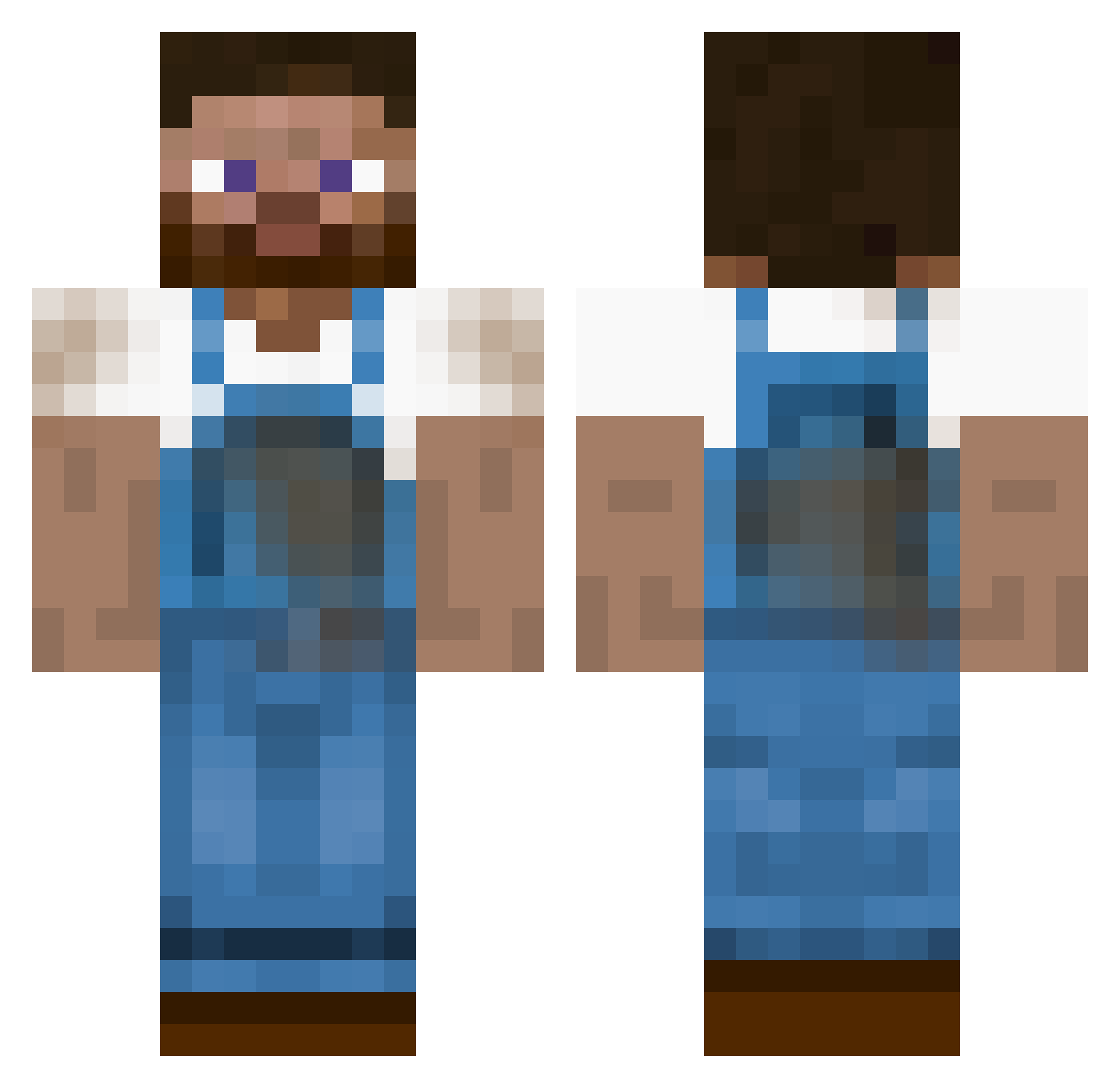
Current Minecraft skin of the player gleylave, loaded from the official Mojang API. Rotate the 3D model with your mouse or finger, then download the skin as a PNG file and use it in Minecraft: Bedrock Edition or Java Edition for free. When gleylave changes their skin, this page updates automatically and the old skin stays in the history below.
Other players with this skin (455)
gleylave was the 298th player we have seen with this skin, first spotted on 10.10.2026. The same skin was seen on these players. Open a nickname to see their current skin and skin history.
 TOGO36 Bjorn_Gamer Janny___ ThePreisleR cheesywonton abb3ftw seppiiii Begnar YoungBark farmerbruni19900 mamar2d2 simonvb04 binbag990 blankbank Chrismister1000 RubberDuck02 Sk92004 Zerofelero Halskov TheHynes Stordal Patrick0211 dylansmith3345 Crafty587 santrick TheSib pape73 seanrober12 swisschoco Conspirator Julhau123 xLoGi3 chiryo69 Skraelos Prospector_X KenShiDo45 ptirom95 gorteks Elay84 Party_Antos HeggaII spelemannen miniminer2011 Goulox jecanerd Draw_Sony DavidPollard Kalibane Archezyx dfrost17 Floederand mathiasschultz martijnzoomer123 mdt3k Roz7 icet518 Swov Dynam1c_ jepsen80 mistercube51
More Farmer Minecraft skins
How to install the gleylave skin
- Press the Download button above to save the skin as a PNG file.
- Minecraft: Bedrock Edition (PE): open the Dressing Room from the main menu (or tap your character → Edit Character), go to Classic Skins → Owned, press the + (new skin) button, choose the downloaded PNG and pick the Classic (Steve) model. Works on PC and mobile; consoles cannot import custom skins.
- Minecraft: Java Edition: open the Minecraft Launcher, go to the Skins tab, click New Skin, load the PNG, pick the Classic (Steve) model and press Save & Use. You can also upload it at minecraft.net → Profile → Change Skin.
The skin does not show up after import - what should I do?
Restart Minecraft and open the Dressing Room again - imported skins sometimes appear only after a restart. Also make sure you selected the imported skin and picked the Classic (Steve) model.
Which model should I choose, Classic or Slim?
This skin is designed for the Classic (Steve) model. If you pick the wrong model, the arms of the skin will look stretched or squeezed.
Is the skin of gleylave free to download?
Yes. Press Download, save the PNG file and use it in Minecraft: Bedrock Edition or Java Edition - no payment or registration needed. The skin also works on multiplayer servers and Realms.
More skins
Looking for more? Go back to all Minecraft skins and check the top skins of the week, month and all time, or find any player's skin by nickname.